CX Enterprise Coworker overview overview
Coworker is an AI-powered teammate that reimagines the nature of work for organizations, teams, and individuals. It automates customer experience and marketing workflows so organizations can focus on achieving business goals and improving outcomes rather than coordinating tasks. As an agentic engine, Coworker takes an innovative approach to business process automation. It improves AI model performance and accuracy by bringing together enterprise context, data, intelligence, collaboration, and the execution of agentic skills, with governance and human oversight built in.
Coworker is built for organizations running complex, cross-functional customer experience workflows. It brings together Coworker Chat and Coworker Projects, enabling practitioners to move from a single task to a full, multi-team workflow within the Coworker experience. Governance, approvals, and human oversight are integrated from the start. Learn more on Adobe for Business.
Choose an experience
You define a goal, and Coworker works out and carries out the steps. Choose the experience that fits how your team works.
Coworker Chat
Coworker Chat is a conversational interface for getting customer experience work done. Describe what you need in plain language, and Coworker Chat plans the work, runs it across your Adobe and connected systems, and returns the results for your approval. For more information, see the Coworker Chat overview.
Check availability chat-availability
Coworker Chat is available now in the following applications:
- Real-Time CDP
- Adobe Journey Optimizer
- Customer Journey Analytics
- Adobe Analytics
- Adobe Target
- AEM
- Workfront
- Marketo Engage
The B2B editions of Real-Time CDP, Adobe Journey Optimizer, and Customer Journey Analytics are coming soon.
For availability of the immersive and in-product experiences by application, see Get started with Coworker Chat. For the full list of compatible applications, see Compatible CX Enterprise applications.
Enable Coworker Chat
To enable Coworker Chat, your organization needs access to Adobe CX Enterprise Coworker. Enablement typically involves the following:
- Licensing: Contact your Adobe account representative or sales team to confirm you have the right licenses and entitlements.
- Onboarding: Adobe’s enterprise support or professional services team configures Coworker for your environment, sets up integrations with your Adobe applications, and defines governance and approval workflows.
- Access: Assign roles and access to Coworker features for your teams in the Admin Console.
After Coworker is enabled, see Get started with Coworker Chat to open Coworker Chat, send your first message, and review responses.
Customize Coworker Chat
Tailor Coworker Chat to the way your team works. Start with the Customizations overview, or go directly to one of the following topics:
To connect Coworker Chat to an external tool or service, add it as a server under Customizations > User > Integrations. For the steps and a description of each field, see Connect a server.
Coworker for teams
Coworker for teams is a standalone application for small, agile marketing teams who want to stand up and run campaigns quickly. It is not part of another CX Enterprise application. It is available as a free trial through December 31, 2026, in North America only. For access steps, see How to access.
Coworker for teams includes connectors for Marketo Engage and HubSpot.
To get started, see the following articles:
Learn more
Watch videos and join live sessions to build your Coworker skills.
Watch Coworker Chat videos
Watch these playlists to learn the basics of Coworker Chat and how to customize it with skills, integrations, plugins, and memory.
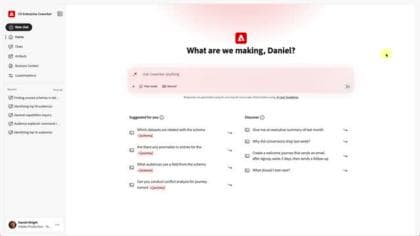
Get started with CX Enterprise Coworker Chat
Learn the value of CX Enterprise Coworker Chat and start executing use cases.
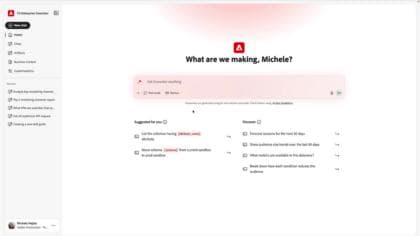
Customize CX Enterprise Coworker Chat
Learn how Coworker can be customized with reusable skills, enterprise integrations, plugins, and memory to deliver context-aware, personalized, and business-specific AI experiences that fits how your team works.
Join Experience League LIVE
Watch on-demand episodes of the Coworker Unlocked series to see how organizations use Coworker to streamline customer experience work. Each session includes practical use cases, live demonstrations, and expert guidance on speeding up workflows, finding insights, and automating tasks.

Transforming CX Workflows with Adobe CX Enterprise Coworker
Explore real-world use cases that demonstrate how organizations can put Coworker to work to uncover insights, create audiences, optimize journeys, and deliver customer experiences faster and more efficiently.
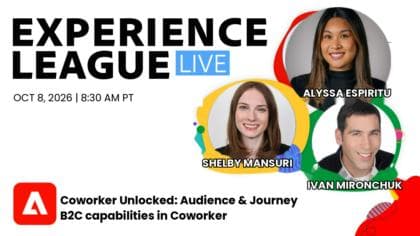
Audience and Journey B2C capabilities in Coworker
See how Coworker can execute end-to-end workflows for customer experience orchestration, increasing productivity and simplifying otherwise technical or complex tasks.
AI platforms
Use Adobe CX Enterprise Coworker for AI Platforms to get marketing insights in your AI tools.