Connect to Shopify shopify
Coworker for teams allows you to connect your Shopify account to pull in customers and segments.
- An active Shopify account
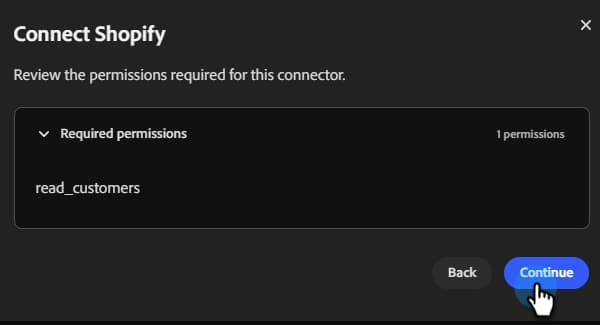
- The following permission in Shopify:
read_customers - Your Shopify Store URL and Admin API Access Token handy
How to connect
-
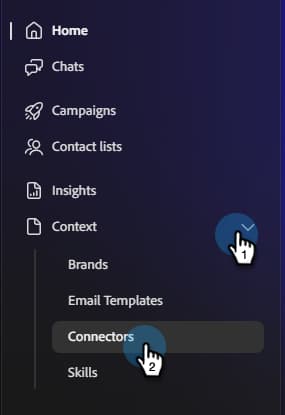
On the Coworker for teams homepage, click Context and select Connectors.
-
Click Add integration.

note NOTE If this is not your first integration, the button will read “Add connector.” -
In the Shopify row, click Connect.

-
Review the required permission and click Continue.
-
Enter your Shopify Store URL and Admin API Access Token. Click Connect.
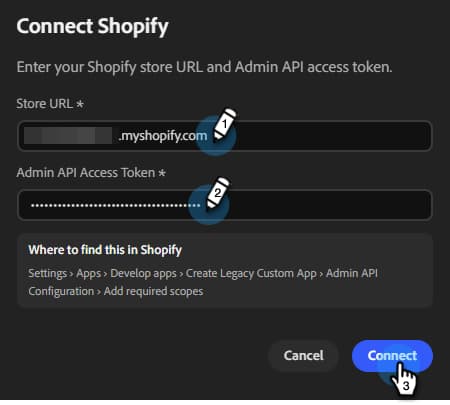
After connection, Shopify appears in the Connectors list.
To disconnect:
-
In the Connectors screen, find the Shopify tile and click Manage.
-
Click Disconnect (no need to re-enter your Admin API Access Token at this time).
-
Click Disconnect again to confirm.