
RequisitionListView Container
Displays the contents of a specific requisition list, including items, quantities, and management actions. Provides functionality to view products, update quantities, delete items, add items to cart, and manage the requisition list itself.
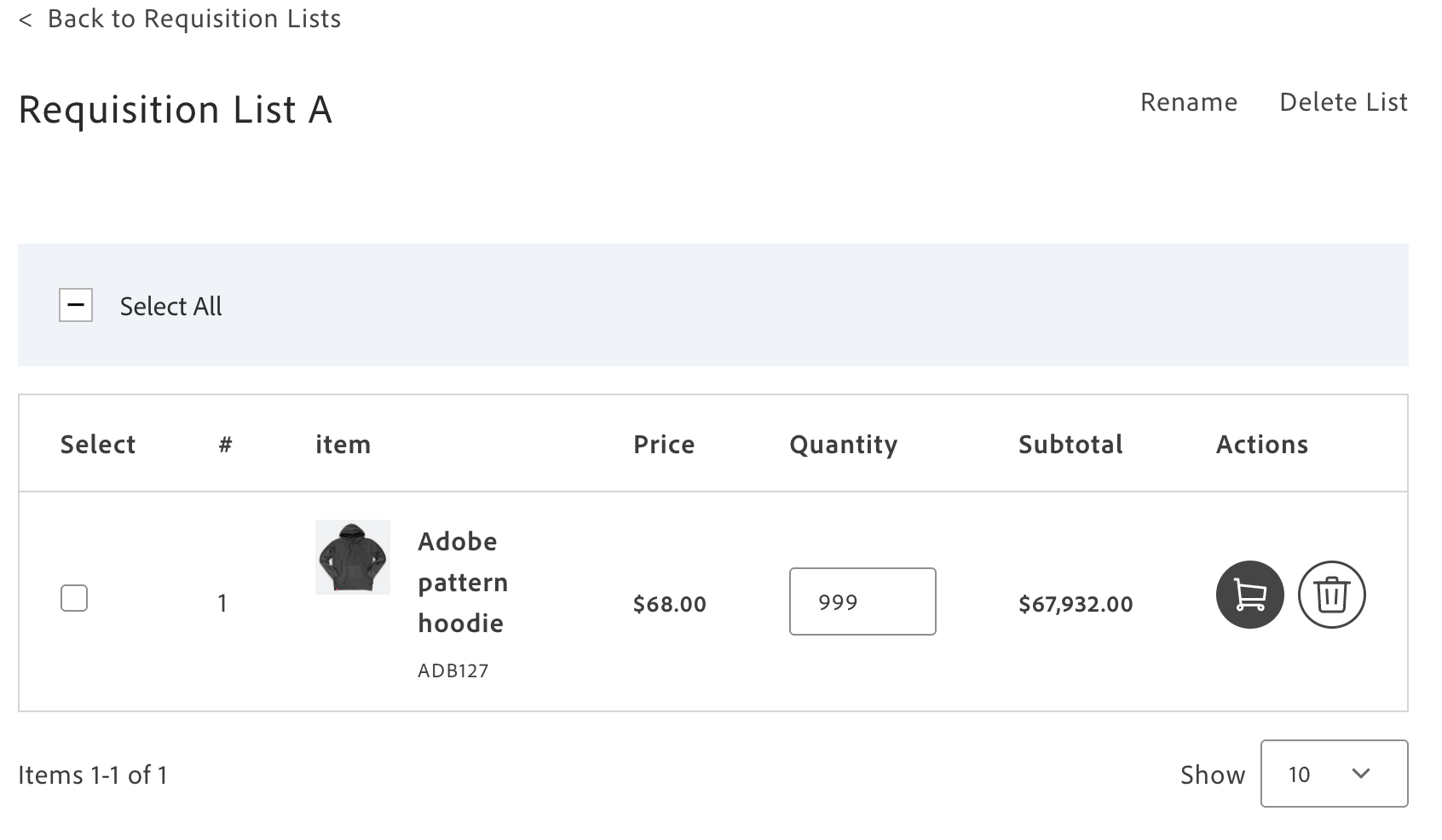
RequisitionListView container
Version: 1.2.0
Configuration
Section titled “Configuration”The RequisitionListView container provides the following configuration options:
| Parameter | Type | Req? | Description |
|---|---|---|---|
requisitionListUid | string | Yes | Specifies the UID of the requisition list to display. Must be a base64-encoded string. If an invalid UID is provided, renders the NotFound state. Fetches the requisition list data internally using this identifier. |
skipProductLoading | boolean | No | Controls whether to skip automatic product data fetching on component mount. Set to true in test environments to prevent API calls or when product data is loaded externally. |
pageSize | number | No | Sets the number of items displayed per page for pagination. Controls how many requisition list items appear in each page view. Defaults to DEFAULT_PAGE_SIZE if not specified. |
selectedItems | Set<string> | Yes | Provides a Set of selected item UIDs for batch operations. Tracks which items are selected for actions like adding to cart or deleting. Required to enable multi-select functionality. |
routeRequisitionListGrid | function | No | Generates the URL for navigating back to the requisition list grid view. Use to implement breadcrumb navigation, back buttons, or custom routing logic that preserves query parameters or application state. |
fallbackRoute | string | No | Sets the fallback URL to redirect when requisition lists are not enabled or unavailable. Defaults to ‘/customer/account’. Use to provide graceful degradation when B2B features are disabled. |
getProductData | function | Yes | Fetches products by SKU from the catalog service. Takes an array of SKUs and returns an array of products with all their data. |
enrichConfigurableProducts | function | Yes | Enriches the configurable products contained in requisition list items. Takes an array of items and returns the same array with configured product data attached. |
initialData | object | No | Preloaded data for the model before backend data is fetched. Use for testing, SSR, or improving initial load. |
This container does not expose any customizable slots.
The following example demonstrates how to use the RequisitionListView container:
import { render as provider } from '@dropins/storefront-requisition-list/render.js';import { RequisitionListView } from '@dropins/storefront-requisition-list/containers/RequisitionListView.js';
await provider.render(RequisitionListView, { requisitionListUid, routeRequisitionListGrid: () => `/customer/requisition-lists`})(block);