On this page: Explore the AI and machine learning features across Adobe Journey Optimizer, from Adobe CX Enterprise Coworker, AI Assistant, and specialized agents to generative content creation, AI-powered integrations and optimization capabilities across Journey Optimizer capabilities.
Adobe Journey Optimizer harnesses the power of artificial intelligence and machine learning to help you create, optimize, and deliver exceptional customer experiences. From conversational agents in Coworker and AI Assistant to predicting optimal send times and generating personalized content, AI capabilities streamline your workflow and maximize impact.
Quick navigation quick-navigation
Use these grouped links to jump to the feature you need:
- Conversational AI & Coworker: Coworker skills in Journey Optimizer, MCP server, AI Assistant and Agents
- Content creation: AI-powered content generation
- AI-related capabilities: AI features across Journey Optimizer: Formula optimization, Content experimentation, Send-Time optimization, Image to HTML, GenStudio for Performance Marketing, Brand alignment, AI models for decisioning)
- Help: FAQ
Coworker cx-coworker
About Coworker about-cx-coworker
Coworker is Adobe’s conversational experience that integrates with your business applications to help you work more efficiently, automating customer experience and marketing workflows across your Adobe applications. Instead of executing manual configuration steps one at a time, you describe a business goal in natural language, and Coworker plans, executes, and validates the work.
Coworker is an evolution of AI Assistant: it keeps everything AI Assistant’s agents already do (product knowledge, operational and data insights) while adding the enterprise harness, skills, governance, and memory needed to complete the work end to end, not just answer questions. Organizations are being transitioned from AI Assistant to Coworker on a rolling basis, and some organizations may retain access to AI Assistant until they are enabled for Coworker. Learn more about the transition to Coworker.
Learn more in the Coworker documentation:
- About Coworker — overview of Coworker’s Campaigns, Chat, and Projects capabilities.
- What are skills? — overview of Coworker skills, including a demo video.
- Coworker Chat UI guide — how to access and navigate Coworker Chat.
- Coworker Chat use cases — all available use cases across Adobe solutions.
Coworker skills for Journey Optimizer cx-coworker-skills
In Adobe Journey Optimizer, Coworker provides dedicated skills across these capabilities:
- Journeys: Build journeys with natural language prompts, generate channel-specific message copy and designs, simulate journey logic with journey simulation, compare journey versions, get the end-to-end execution timeline of Read Audience journey batches, and diagnose journey drop-offs, scheduling overlaps, execution anomalies, and journey inventory hygiene issues, and trace profiles through a journey. See all Coworker skills for journeys.
- Loyalty: Create and configure loyalty challenges, and query loyalty points, tier distributions, and revenue metrics. See all Coworker skills for loyalty.
- Content Management: Discover, create, update, clone, and publish templates, fragments, landing pages, and inline message variants using 15 read/write MCP tools. See all Coworker content management tools.
- Decisioning: Understand why a specific offer was or wasn’t shown to a profile or segment, tracing eligibility, ranking, and capping; create, explain, simulate, and optimize eligibility rules and ranking formulas in natural language. See all Coworker skills for Decisioning.
- Channels: View, list, and inspect your channel configurations and credentials, and create, test, and manage custom channels in chat. See all Coworker skills for channels.
MCP server mcp-server
Connect Adobe Journey Optimizer to MCP-compatible AI applications like Claude Web, Claude Desktop, and Cursor using the Model Context Protocol (MCP). The MCP server lets you query campaigns, journeys, offers, and channel configurations with plain-language prompts — no API calls or UI navigation required. All operations are currently read-only.
- Work with MCP clients — Query campaigns, journeys, and offers from Claude Web, Claude Desktop, or Cursor using the Journey Optimizer MCP server.
AI Assistant and AI Agents ai-assistant
AI Assistant is your in-product conversational guide to Adobe Journey Optimizer, powered by generative AI and specialized agents for journey optimization and experimentation. AI Assistant is being succeeded by Coworker — see above for how the two relate.
Access AI Assistant
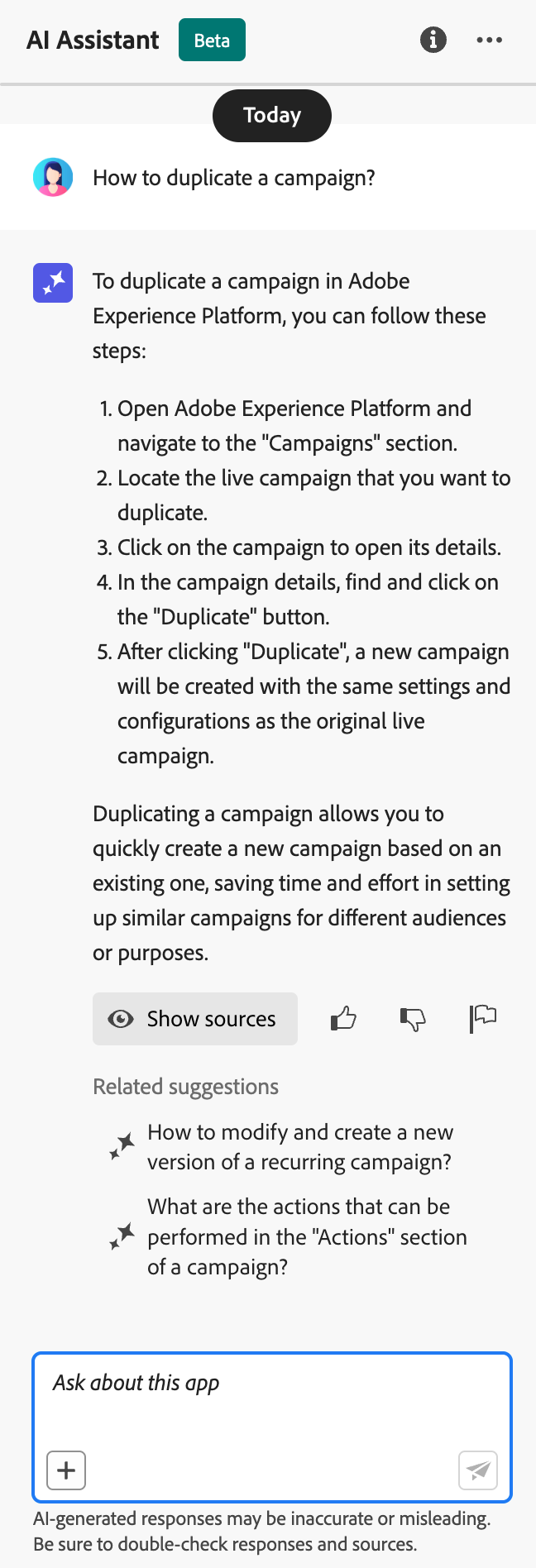
Click the AI Assistant icon in the top bar to open the assistant panel on the right side of your screen.

What AI Assistant can do
Product Knowledge - Ask questions about Adobe Journey Optimizer features and concepts:
- “How do I set up a campaign in Adobe Journey Optimizer?”
- “How do I create a custom action to use in journeys?”
- “How many live activities can I have in one sandbox?”
Operational Insights (Beta) - Get real-time information about your journeys:
- “How many live journeys do I have?”
- “Give me a list of all scheduled journeys”
- “How many journeys have been created in the last 7 days?”
How to use AI Assistant
- Enter your question in the text field at the bottom of the panel
- Press Enter to submit your query
- Review the AI-generated response
- Click Show sources to access related documentation
- Use thumbs up/down to rate the response quality
Learn more about AI Assistant in Experience Platform
Advanced AI Agents ai-agents
Building on AI Assistant’s conversational capabilities, Adobe Journey Optimizer offers specialized AI Agents that provide deep analysis and actionable recommendations for journey optimization and experimentation.
Journey Agent journey-agent
Journey Agent includes two skills in AI Assistant: Analyze and Create. Use them to optimize existing journeys or build new ones from natural language prompts.
- View Journeys - View insights into journeys directly in AI Assistant
- Manage Journeys - Create new journeys directly in AI Assistant
- View Segments - View insights into audiences and search existing audiences
- Manage Segments - Create new audiences directly in AI Assistant
- View Journey Events, Data Sources and Actions - Required for the Create skill to search journey events and custom actions
Journey analyze skill journey-analyze-skill
The Journey Analyze Agent helps you optimize journey performance through natural language analysis:
- Journey Fallout Analysis - Identify where and why customers drop off during journeys, detect disengagement patterns
- Audience Overlap Detection - Analyze audience overlap across multiple journeys to prevent fatigue from over-targeting
- Schedule Conflict Detection - Identify timing conflicts between scheduled journeys targeting the same audience
- Operational Insights - Get prompt-based insights like “show me all live journeys” or “which audiences are used in more than X journeys”
- “Perform a fallout analysis for journey [Journey Name]”
- “Are there any scheduling conflicts for journey [Journey Name]?”
- “Show me audience overlap conflicts for journey [Journey Name]”
- “Which audiences are used in more than 5 journeys?”
Journey create skill journey-create-skill
The Journey Create Agent helps you build journeys from natural language prompts, translating your goals into structured journey configurations:
- Natural Language Journey Creation - Describe your desired journey and have it created automatically
- Event- and Audience-Based Starts - Create event-triggered, audience-based, business-event, or audience qualification journeys
- Conditional Logic - Build split paths based on customer attributes or behavior
- Multi-Channel Messaging - Add email, push, and mobile actions
- Scheduling - Configure start dates and timing between steps
- “Create a journey that starts when a customer makes a purchase online and sends a thank you push notification.”
- “Build a journey targeting my day hikers audience with three emails over two weeks, starting 12/20.”
- “Create a journey that starts when a user enters my store location and follows up based on whether they have a valid email address.”
Experimentation Agent experimentation-agent
The Experimentation Agent modernizes how you run and manage digital experiments across websites, emails, push messages, and applications:
- Performance Analysis - Clear view of what happened in experiments
- Insights Generation - Explanation of why results occurred
- Opportunities Discovery - Guidance on next actions to take
- Content Analysis - Examine messaging elements to understand why certain treatments outperformed others
- Recommendation Generation - Suggest new treatments or adjustments based on insights
- “What experiments are running for [Campaign Name]?”
- “For my [Experiment Name], what treatment is leading?”
- “What did we learn from [Experiment Name]?”
- “What do you recommend I do next after this experiment?”
- “What common patterns are emerging from recent tests?”
- View Experiments - View insights into experiments in AI Assistant
- Manage Experiment Metadata - Create new experiments in AI Assistant
Note: Available with Journey Optimizer Experimentation Accelerator license.
Additional AI Agents additional-ai-agents
- Audience Agent - For conversational audience exploration and management across Adobe Experience Platform, including duplicate detection and size tracking. Learn more about Audience Agent
- Agent Orchestrator - Coordinates multiple specialized agents to solve complex, multi-step marketing challenges. The orchestrator automatically determines which agents to involve and sequences their work efficiently. Learn more about Agent Orchestrator
AI-Powered content generation content-generation
Use generative AI to create and personalize content across multiple channels, accelerating your content creation process while maintaining brand consistency. Generate Content is available for email, push notifications, mobile messages, and web experiences - helping you generate subject lines, body text, images, and complete message variations.
Key Features
- Full Content Generation - Generate complete content experiences (text and images) in one flow for email, web, landing pages, and push. Generate full content with AI
- Text Generation - Create compelling copy based on your brand voice and objectives. Generate text with AI
- Image Generation - Generate custom images using Adobe Firefly. Generate images with AI
- Content Variations - Produce multiple variations for A/B testing. Content experiment with AI
- Personalization - Generate new expressions, explain existing code, or fix issues with Generate Content from the Personalization Editor or from the Email Designer toolbar (Add expression). Generate content for personalization expressions
- Brand Alignment - Ensure generated content matches your brand guidelines. Evaluate brand alignment
- Template Support - Leverage your existing email templates. Work with content templates
Best Practices
- Be specific - Provide clear, detailed prompts for better results. Learn prompt best practices
- Upload brand assets - Use PDFs, images, or ZIP files (max 50MB) to maintain brand consistency
- Use custom templates - Leverage brand-specific templates with up to 8-10 images
- Provide feedback - Rate outputs to help improve the AI models
- Review all content - Always review AI-generated content for accuracy before publishing
Learn more about AI content generation
AI-related capabilities across Journey Optimizer ajo-ai-features
Explore how artificial intelligence and machine learning enhance specific capabilities across Journey Optimizer:
Adobe Journey Optimizer can automatically analyze Decisioning rules and ranking formulas expressed in PQL syntax, and suggest simplifications that preserve the original logic. When a simplification is found, a red Optimize indicator appears next to the rule or formula, opening a side-by-side comparison of the original and AI-suggested expressions, with a downloadable analysis to validate that both behave identically.
Key Capabilities
- Logic-preserving simplifications - The AI suggests a shorter expression that returns the same result on simulated profiles.
- Validation report - Download an analysis (TSV) showing how each simulated profile is evaluated against both versions before applying the change.
- One-click apply - Replace the original PQL with the optimized version directly from the Optimize window.
Eligibility
Only rules and ranking formulas whose PQL expression is larger than 2 KB (UTF-8 encoded) are targeted for analysis, smaller expressions are not analyzed.
Permissions
This capability uses the same generative AI access controls as Generate Content. Users must be granted the Generate Content permission on the AI Assistant resource. Learn more about Generate Content access
Experiment Accelerator helps you run experiments faster with AI-driven insights and recommendations, identifying winning content variations more quickly.
Key capabilities:
- Generate multiple content variations automatically
- Receive AI recommendations for experiment design
- Get early indicators of performance trends
- Accelerate time to statistical significance
Use AI to predict the optimal time to send each message based on individual customer behavior patterns, maximizing engagement.
How It Works
Send-Time Optimization analyzes historical engagement data (opens and clicks) to predict when each customer is most likely to engage with your messages. The system automatically schedules delivery within your specified time window.
When to Use It
| table 0-row-2 1-row-2 2-row-2 3-row-2 4-row-2 | |
|---|---|
| Best For | Not Recommended For |
| Marketing campaigns and newsletters | Time-sensitive operational messages (order confirmations, password resets) |
| Promotional messages | Urgent notifications (flight delays, emergency alerts) |
| Educational content | Event-based messages with specific timing requirements |
| Engagement campaigns |
Transform static image designs (JPEG, PNG) into editable HTML email templates using AI-powered conversion technology.
Integrate with Adobe GenStudio for Performance Marketing to create AI-powered email content and import templates into Journey Optimizer for orchestration. Export Journey Optimizer templates to GenStudio, generate variations with AI, and bring them back for deployment. (Limited availability, email channel only.)
Evaluate how well your content aligns with your brand guidelines using AI-powered scoring that measures tone, voice, and messaging consistency.
AI models for decisioning ai-decisioning
Create intelligent ranking models that rank offers by conversion rate (conversions ÷ impressions), automatically showing each customer the offer most likely to convert.
Model Types
- Auto-optimization - Learns from the overall, non-personalized performance of your offers to automatically improve conversion over time. A good fit when offers change often, since the model retrains roughly every 6 hours.
- Personalized optimization - Uses customer profile attributes, behavior, and audience membership to predict the best offer for each individual. Choose this when you need a different ranking per customer rather than one overall winner.
Requirements
Minimum data requirements differ by model type:
- Auto-optimization - At least 2 offers with 100+ display events and 5+ click events each within the last 14 days. Offers below this threshold are treated as new and only served through exploration traffic.
- Personalized optimization - Uses a rolling 30-day window. Adobe recommends at least 1,000 impressions and 100 conversion events per offer per week; by default, offers with fewer than 1,000 impressions or 50 conversions won’t get a model trained for them. Up to 5 audiences can be selected to train a single model.
Learn more about AI models for decisioning | Create AI ranking models
This section contains structured knowledge intended to support interpretation, retrieval, and question answering related to this topic.
For complete understanding, this information should be combined with the documentation on this page. Neither source is intended to stand alone; the page describes the feature, while this section provides additional context that helps disambiguate terminology, intent, applicability, and constraints.
- TL;DR: This page is an overview of the AI and machine learning features across Journey Optimizer, including CX Coworker, AI Assistant, AI agents, AI-powered content generation, integrations and tools, Send-Time Optimization, AI decisioning, and content experimentation.
Intents:
- Understand what CX Coworker is, how it relates to AI Assistant, and which skills it provides for journeys, loyalty, and content management
- Simulate journey logic with the Journey Simulation skill in CX Coworker
- Understand what AI Assistant can do and how to access it
- Learn which AI agents are available and what permissions each requires
- Generate content and message variations with AI across supported channels
- Predict the best send time per customer with Send-Time Optimization
- Rank and personalize offers with AI decisioning models
- Optimize Decisioning rules and ranking formulas with AI-suggested simplifications
Glossary:
- CX Coworker: Adobe’s conversational experience that integrates with business applications, automating customer experience and marketing workflows across Adobe applications; you describe a business goal in natural language and Coworker plans, executes, and validates the work (product-specific)
- Journey Create (CX Coworker skill): A CX Coworker skill for journeys that builds journeys with natural language prompts (product-specific)
- Journey Simulation (CX Coworker skill): A CX Coworker skill for simulating journey logic (product-specific)
- Channel Content Create (CX Coworker skill): A CX Coworker skill for journeys that generates channel-specific message copy and designs (product-specific)
- Journey Analyze (CX Coworker skill): A CX Coworker skill for journeys that diagnoses journey drop-offs, scheduling overlaps, and execution anomalies (product-specific)
- Loyalty Challenge Management (CX Coworker skill): A CX Coworker skill for loyalty that creates and configures loyalty challenges (product-specific)
- Loyalty Insights (CX Coworker skill): A CX Coworker skill for loyalty that queries loyalty points, tier distributions, and revenue metrics (product-specific)
- AI Assistant: The conversational guide to Journey Optimizer that answers product-knowledge questions and, in Beta, surfaces operational insights about journeys (product-specific)
- Journey Agent: An AI agent offering two skills in AI Assistant, Analyze and Create, for optimizing or building journeys from natural language (product-specific)
- Experimentation Agent: An AI agent that analyzes and manages digital experiments across websites, emails, push messages, and applications (product-specific)
- Generate Content: AI-powered content generation for subject lines, body text, images, and message variations (product-specific)
- Auto-optimization: A ranking model type that learns from overall, non-personalized offer performance and retrains roughly every 6 hours (product-specific)
- Personalized optimization: A ranking model type that uses customer profile attributes, behavior, and audience membership to predict the best offer per individual (product-specific)
- Send-Time Optimization: An AI capability that predicts the optimal send time per customer from historical engagement data (product-specific)
- Journey Optimizer MCP server: A capability that connects Journey Optimizer to MCP-compatible AI applications for plain-language queries; all operations are currently read-only (product-specific)
Guardrails:
- Content Management (CX Coworker) is powered by 15 read/write MCP tools.
- AI Assistant requires agreement to the Adobe Experience Cloud Generative AI User Guidelines before use.
- Operational Insights are in Beta, are currently only available for Journeys, and reflect data from your current sandbox.
- Send-Time Optimization is not recommended for time-sensitive operational messages (order confirmations, password resets), urgent notifications (flight delays, emergency alerts), or event-based messages with specific timing requirements.
- AI Content Generation is only available for the Email, Push, Web, and Mobile message channels.
- Brand asset uploads support PDFs, images, or ZIP files (max 50 MB) (hard limit).
- Custom templates support up to 8-10 images.
- Auto-optimization requires at least 2 offers with 100+ display events and 5+ click events each within the last 14 days; offers below this threshold are treated as new and only served through exploration traffic.
- Personalized optimization uses a rolling 30-day window; Adobe recommends at least 1,000 impressions and 100 conversion events per offer per week (recommended); by default, offers with fewer than 1,000 impressions or 50 conversions do not get a model trained for them.
- Up to 5 audiences can be selected to train a single personalized optimization model.
- AI-powered rule and formula optimization analyzes only rules and ranking formulas whose PQL expression is larger than 2 KB (UTF-8 encoded); smaller expressions are not analyzed.
- AI-powered rule and formula optimization requires the Generate Content permission on the AI Assistant resource.
- The Journey Optimizer MCP server currently supports read-only operations only.
- GenStudio for performance marketing integration is in Limited availability and email channel only.
- The Experimentation Agent is available with the Journey Optimizer Experimentation Accelerator license and requires View Experiments and Manage Experiment Metadata permissions.
Terminology:
- Canonical name: Send-Time Optimization — Acronym: n/a — variants: send-time optimization
- Synonyms: “Generate Content” = “AI content generation”
- Do not confuse: “Auto-optimization” (learns from overall, non-personalized performance) ≠ “Personalized optimization” (predicts the best offer per individual)
- Do not confuse: “Journey Analyze skill” (optimize existing journeys) ≠ “Journey Create skill” (build new journeys from prompts)
- Do not confuse: “AI Assistant” (conversational guide) ≠ “AI Agents” (specialized agents for deep analysis and recommendations)
- Do not confuse: “Journey Analyze skill” and “Journey Create skill” (AI Assistant’s Journey Agent skills) ≠ “Journey Analyze (CX Coworker skill)” and “Journey Create (CX Coworker skill)” — the page names these separately: the Journey Agent skills operate within AI Assistant, while Journey Analyze and Journey Create are CX Coworker skills for the Journeys capability.
- Do not confuse: “CX Coworker” (Adobe’s evolution of AI Assistant, described in the CX Coworker section) ≠ “AI Assistant” (the conversational guide it is succeeding)
FAQ:
- Q: How does CX Coworker relate to AI Assistant? — CX Coworker is Adobe’s evolution of the AI Assistant conversational experience; organizations are being transitioned from AI Assistant to CX Coworker on a rolling basis, and some organizations may retain access to AI Assistant until they are enabled for CX Coworker.
- Q: What permissions do I need for AI features? — Generate Content requires the Generate Content permission; AI Assistant product knowledge requires agreement to the Adobe Generative AI User Guidelines; each agent requires its listed View/Manage permissions.
- Q: Is AI-generated content always accurate? — No; always review AI-generated content for accuracy and brand appropriateness, and use the thumbs up/down feedback tools.
- Q: Which channels support AI Content Generation? — Only the Email, Push, Web, and Mobile message channels.
- Q: What are the requirements for AI ranking models? — They differ by model type; Auto-optimization and Personalized optimization have distinct minimum interaction-data thresholds described in Requirements.
- Q: How do I get access to these features? — Most AI features are included with Journey Optimizer; some capabilities such as Send-Time Optimization or AI Agents may require enablement by Adobe, so contact your Adobe representative.