On this page: Get started with push notifications in Adobe Journey Optimizer to reach your mobile app users and web visitors through journeys and campaigns.
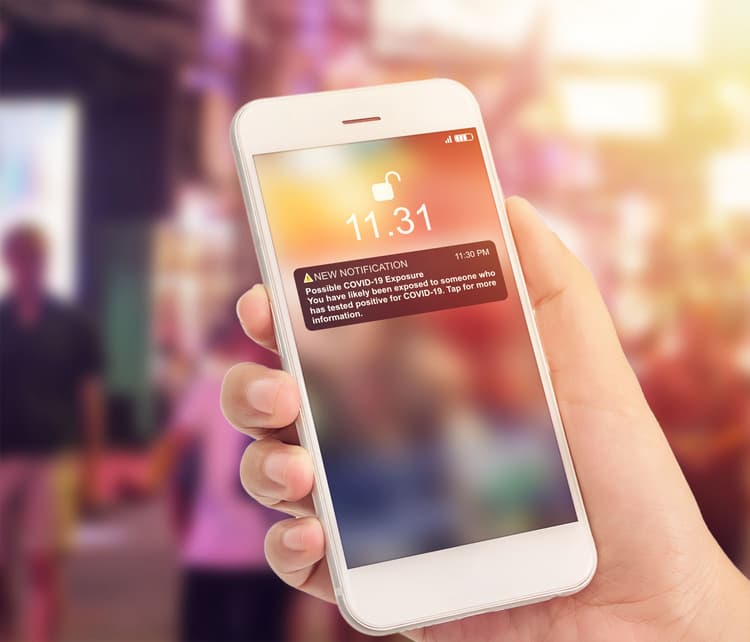
Push notifications help you reach your mobile app users and web visitors at any time, especially when they are not actively using your app or browsing your website. Push notifications may help you achieve a variety of use cases such as providing updates about your service, ask a user to take action, alert the user to a new deal, etc. Device platforms require opt-in before end-users may receive or view your notifications. User opt-in may be received as early as after the app is launched for the first time post-install, or in a subsequent session or workflow as appropriate.
Journey Optimizer supports push notifications and helps you send highly relevant notifications at industry-leading throughput rates. Push notifications may include personalization and Journey-based context in order to leverage data insights your brand has with Adobe CX Enterprise.
Push notifications can be created:
-
In a Journey: Once you added a Push activity in your journey, and defined basic settings, use the Actions: Push right pane to create the content for the Push notifications. Learn how to create a journey
-
In a Campaign: Once you created a campaign, select Push notification as your action and define basic settings. Learn how to create an action campaign | an API-triggered campaign | an orchestrated campaign
Use the dedicated tabs to define the push notification settings for iOS, Android, and Web platforms.

Use cases
Push notifications work best when you need to reach users quickly and directly on their device, without relying on them to be inside your app or checking their inbox.
When not to use
Push notifications are not the right fit for every message. Consider another channel in the following situations:
- Your audience has low push opt-in rates or has shown resistance to notifications, since the message may never reach them
- The message requires long-form content, which email handles better and allows for more detailed formatting
- The content is sensitive or private and should not be visible on a lock screen, where anyone near the device could see it
- Most of your users access your service from desktop rather than a mobile app, where push notifications have limited or no reach
This section contains structured knowledge intended to support interpretation, retrieval, and question answering related to this topic.
For complete understanding, this information should be combined with the documentation on this page. Neither source is intended to stand alone; the page describes the feature, while this section provides additional context that helps disambiguate terminology, intent, applicability, and constraints.
- TL;DR: This page introduces push notifications in Journey Optimizer for reaching mobile app users and web visitors through journeys and campaigns, and covers when to use or not use the channel.
Intents:
- Understand what push notifications enable in Journey Optimizer
- Decide whether to create a push in a journey or a campaign
- Define push settings for iOS, Android, and Web platforms
- Evaluate use cases where push is the right channel and where it is not
- Understand how push opt-in and opt-out are handled
Glossary:
- Push notification: A message that reaches mobile app users and web visitors at any time, including when they are not actively using the app or website (product-specific)
- Opt-in: The consent device platforms require before end-users can receive or view notifications, obtainable as early as first app launch post-install (product-specific)
Guardrails:
- Before creating a push notification for the first time, the Push channel must be configured.
- Device platforms require opt-in before end-users may receive or view notifications.
- Push notifications do not require opt-out management on your side: recipients unsubscribe through their devices, and their notification settings via the mobile OS or web browser.
Terminology:
- Canonical name: Push notification — Acronym: n/a — variants: push, notification
- Do not confuse: creating a push “In a Journey” ≠ creating a push “In a Campaign”
FAQ:
- Q: Where can push notifications be created? — In a Journey (by adding an Action activity and selecting Push) or in a Campaign (by selecting Push notification as the action).
- Q: Which platforms are supported? — iOS, Android, and Web, configured via dedicated tabs.
- Q: Do I need to manage push opt-out? — No, recipients can unsubscribe through their devices or via mobile OS / browser notification settings.
- Q: When should I not use push? — When opt-in rates are low, the message needs long-form content, the content is sensitive and should not appear on a lock screen, or most users are on desktop.
- Q: How do I check a profile’s push consent status? — In the AEP profile viewer, via Check push opt-out status.