On this page: Discover the targeting, channel, and flow control activities available on the canvas to build cross-channel Orchestrated campaigns.
Orchestrated campaign activities are grouped into several categories. Depending on the context, available activities may differ. All activities are detailed in the sections below:

Guardrails and limitations activity-guardrails
-
Channel activities limit - An Orchestrated campaign supports a maximum of 10 channel activities at publication (Email, Mobile message, Push, or Direct mail). Targeting, Data Management, and flow control activities do not count toward this limit.
-
Canvas activities limit - The number of activities on the canvas is limited to 500. For maintainability and performance, keep workflows under 100 activities in practice.
See Guardrails and limitations for all Orchestrated campaign guardrails and limitations.
Targeting activities targeting
These activities are specific to targeting. They let you build one or more targets by defining an audience and splitting or combining these audiences using intersection, union or exclusion operations.

Available targeting activities are:
- Build audience: Define your target population. You can either select an existing audience or use the rule builder to define your own query.
- Change dimension: Change the targeting dimension as you are building your Orchestrated campaign.
- Combine: Perform segmentation on your inbound population. You can use a union, an intersection or an exclusion.
- Deduplication: Delete duplicates in the result(s) of the inbound activities.
- Enrichment: Define additional data to process in your Orchestrated campaign. With this activity, you can leverage the inbound transition and configure the activity to complete the output transition with additional data.
- Reconciliation: Define the link between the data in Journey Optimizer data and the data in a work table, for example data loaded from an external file.
- Split: Segment incoming population into several subsets.
Data Management activities data-management
These activities let you work with data stored in external files and make it available for targeting, personalization, or downstream activities on the canvas.
Available Data Management activities are:
- Load file (Limited Availability): Upload a CSV or TXT file on the canvas and use it to define the campaign audience (file-based targeting) without ingesting the file into Adobe Experience Platform first. To request access, contact your Adobe representative.
Channel activities channel
Adobe Journey Optimizer allows you to automate and execute marketing campaigns across multiple channels. You can combine channel activities into the canvas to create cross-channel Orchestrated campaign that can trigger actions based on customer behavior.
Learn how to create a channel action in an Orchestrated campaign.
Flow control activities flow-control
The following activities are specific to organizing and executing Orchestrated campaigns. Their main task is to coordinate the other activities.
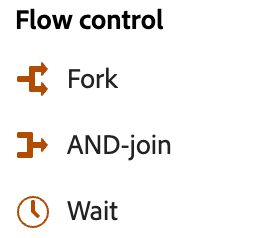
Available flow control activities are:
- Alert: Notify subscribers when execution reaches a specific point in an Orchestrated campaign.
- And-join: Synchronize multiple execution branches of an Orchestrated campaign.
- Fork: Create outbound transitions to start several activities at the same time.
- Wait: Momentarily pause execution of a part of an Orchestrated campaign.
- End: Marks the end of a branch on the canvas. You can optionally use it to send a signal to another Orchestrated campaign that starts on a signal. Learn more