On this page: Learn how to use the Wait flow control activity to introduce a timed delay between two activities in an Orchestrated campaign for better-timed follow-ups.
The Wait activity is a Flow control component used to introduce a delay between two activities in an Orchestrated campaign. This helps ensure your follow-up activities are better timed and more relevant to user engagement.
For example, you can wait a few days after an email delivery to track opens and clicks before sending a follow-up message.
Configuration wait-configuration
Follow these steps to configure the Wait activity:
-
Add a Wait activity into your Orchestrated campaign.
-
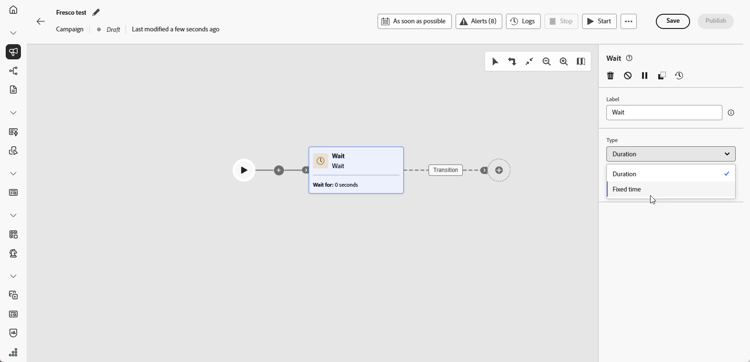
Select the Wait type that best fits your needs:
-
Duration: Specify a delay in seconds, minutes, hours, or days before proceeding to the next activity.
-
Fixed time: Set a specific date and time after which the next activity starts.
-
Example wait-example
The following example illustrates the Wait activity in a typical use case. An email with a promo code is sent to profiles celebrating their birthdays. After 2 days, a mobile message is sent to the same group as a reminder that their birthday promo code is about to expire.
