Substance Bakers
Last update: Thu Feb 26 2026 00:00:00 GMT+0000 (Coordinated Universal Time)
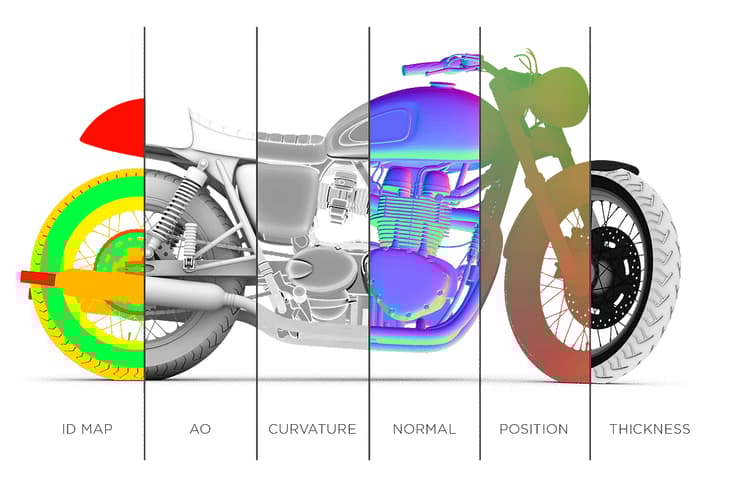
The Substance Bakers are a toolset of advanced algorithm to compute mesh based information into texture files. They can be used by any artist with a 3D mesh to take advantage of advanced texturing methods. Baking is a process at the core of the Substance software workflow in order to offer powerful tools and automated texturing.
This documentation covers the fundamentals of baking and the common issues and mistakes that can be encountered when dealing with this process.
Getting Started
Bakers Settings
- Common Parameters
- Ambient Occlusion
- Ambient Occlusion from Mesh
- Bent Normals from Mesh
- Color Map from Mesh
- Convert UV to SVG
- Curvature
- Curvature from Mesh
- Curvature from Mesh (deprecated)
- Height Map from Mesh
- Normal Map from Mesh
- Opacity Mask from Mesh
- Position
- Position map from Mesh
- Thickness Map from Mesh
- Transferred Texture from Mesh
- World Space Direction
- World Space Normals
Common Questions
- How to export the baked maps ?
- Is dithering applied to baked textures ?
- Should I enable “Compute tangent space per fragment” ?
- Texture baked outside of Substance software looks incorrect
- What are Assbin files ?
- What is the bit depth of baked textures ?
- What is the difference between the OpenGL and DirectX normal format ?
- Why are there strange stretches in my textures after baking or exporting ?
- Why is Matching by Name not working with Ambient Occlusion/Thickness ?
- Why is my mesh fully black after baking ?
Common Issues
- Aliasing on UV Seams
- Baker output is fully black or empty
- Baking failed with Color Map from Mesh
- Black shading cross are visible on the mesh surface
- Mesh parts bleed between each other
- Normal map has strange colorful gradients
- Normal texture looks faceted
- Seams are visible after baking a normal texture
- Seam visible on every face
recommendation-more-help
05f67193-62eb-4e96-9835-9cb1ac8e5a22