開始使用Adobe Workfront規劃和Adobe GenStudio for Performance Marketing整合
同時使用Adobe Workfront Planning和Adobe GenStudio for Performance Marketing的組織通常會比GenStudio預設支援的更詳細地定義行銷概念,例如行銷活動、產品、啟用和角色。
GenStudio for Performance Marketing與Workfront Planning之間有原生整合。 此整合可讓Workfront Planning中的使用者管理GenStudio中使用的行銷活動、產品、角色、啟用、管道和區域。 它也能讓他們設定GenStudio,以參照Workfront Planning中的現有記錄型別,建立更連線且一致的行銷工作流程。
當貴公司同時購買這兩個產品時,即可在Adobe Workfront Planning中使用GenStudio for Performance Marketing工作區。
整合優點
透過Workfront Planning與GenStudio for Performance Marketing的整合,您可以:
- 在Workfront Planning中檢視GenStudio工作區。
- 在GenStudio for Performance Marketing中修改您的行銷活動、產品、角色、地區和啟用,並在Workfront Planning中即時更新相同的資訊。
- 在Workfront Planning中修改您的行銷活動、產品、角色和啟用,並在GenStudio for Performance Marketing中即時更新相同資訊。
- 避免重複資料輸入。
- 保持規劃和啟動工作的一致性。
- 將GenStudio品牌及其資訊連結至Workfront Planning記錄。
- 在AEM Assets和內容片段連線至Planning中的GenStudio工作區中的這些記錄型別時,同步促銷活動、產品、角色、地區和管道的GenStudio資訊。
整合需求
您的組織必須符合下列要求,Workfront Planning與GenStudio for Performance Marketing之間的整合才能存在:
-
Workfront和GenStudio for Performance Marketing必須啟用至相同的組織。
如需GenStudio的詳細資訊,請參閱Adobe GenStudio for Performance Marketing使用手冊。
-
同時使用Workfront Planning和GenStudio for Performance Marketing的使用者必須只屬於IMS組織中的一個Workfront例項。
僅限Workfront的使用者可檢視GenStudio工作區,即使他們不是GenStudio for Performance Marketing使用者亦然。
存取權要求
下表說明搭配Adobe GenStudio for Performance Marketing使用Adobe Workfront Planning的存取和許可權需求:
如需Adobe Workfront Planning存取權的相關資訊,請參閱Adobe Workfront Planning存取權概觀。
如需Adobe GenStudio for Performance Marketing的詳細資訊,請參閱Adobe GenStudio for Performance Marketing使用手冊。
Workfront Planning與GenStudio for Performance Marketing整合功能總覽
根據組織擁有的Workfront例項數目,您在Planning中自動擁有GenStudio工作區的下列許可權:
如需Workfront Planning許可權的相關資訊,請參閱在Adobe Workfront Planning中共用許可權概觀。
以下各節將說明以下內容:
- 從GenStudio for Performance Marketing更新Workfront Planning資訊的功能
- 從Workfront Planning更新GenStudio for Performance Marketing資訊的功能
- 在Workfront Planning的GenStudio工作區中,您可以及無法管理的專案限制。
Workfront Planning中的GenStudio工作區
-
GenStudio工作區會在Workfront Planning中顯示視覺指示器,將其識別為代表GenStudio for Performance Marketing工作區。
Planning中的
如需詳細資訊,請參閱在Adobe Workfront規劃中管理GenStudio工作區。
-
GenStudio工作區在Workfront Planning中建立後,會自動與所有同時擁有Workfront存取許可權的GenStudio使用者共用。
-
身為Planning中GenStudio工作區的工作區管理員,您可以:
-
更新Planning中的GenStudio工作區(名稱、說明、圖示)
-
建立區段
-
新增記錄型別
-
與其他人共用
note NOTE - 您可以與沒有GenStudio帳戶的其他人共用GenStudio工作區。 您只能與組織之Identity Management系統(IMS)中的可用使用者共用。
- 您無法從GenStudio工作區或其記錄型別的共用中移除GenStudio使用者。
-
-
當您在Planning中擁有GenStudio工作區的貢獻許可權時,您無法從Workfront Planning修改工作區。
GenStudio工作區中的記錄型別
-
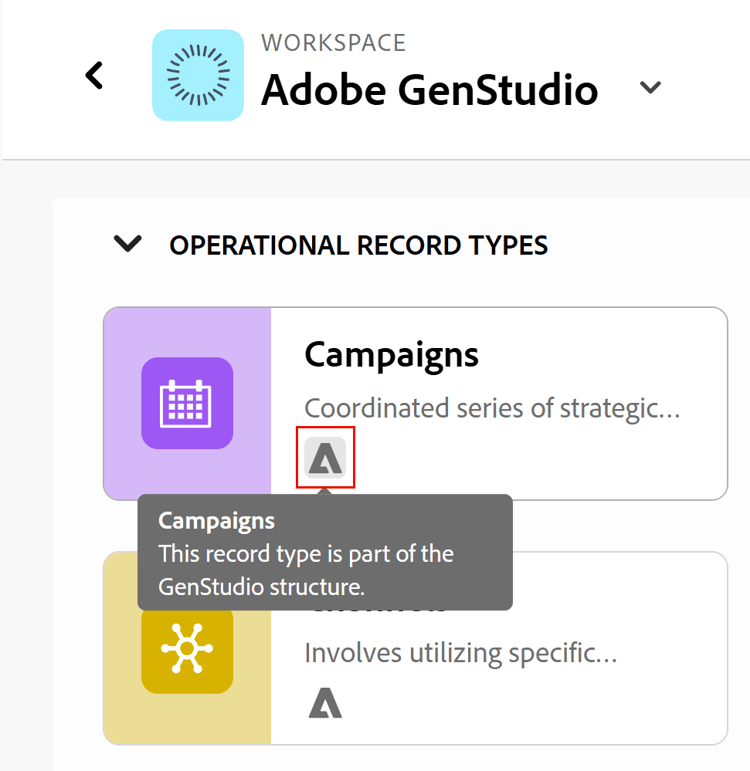
在GenStudio for Performance Marketing和Planning中可見的記錄型別在Workfront Planning中具有GenStudio指標。
Workfront Planning中的
-
在Planning中建立工作區時,GenStudio工作區中的記錄型別會自動與同時擁有Workfront存取權的所有GenStudio使用者共用。
-
當您在Planning中擁有GenStudio工作區的「管理」許可權時,您可以從Workfront Planning執行下列作業:
- 編輯GenStudio記錄型別資訊(其外觀、進階設定)。
- 與其他人共用GenStudio記錄型別。 您無法從GenStudio記錄型別的共用中移除GenStudio使用者。
- 建立記錄型別。 這些記錄型別僅保留在Workfront Planning中。 它們不會顯示在GenStudio中。
- 從GenStudio工作區啟用記錄型別,以從其他工作區連線。
- 啟用從GenStudio工作區新增至其他工作區的記錄型別。
-
當您在Planning中擁有GenStudio工作區的「貢獻」許可權時,您無法從Planning中修改GenStudio記錄型別。
GenStudio工作區中的記錄
-
在Planning中建立工作區時,所有GenStudio記錄都會自動與同時擁有Workfront存取權的所有GenStudio使用者共用。
-
當您從GenStudio for Performance Marketing編輯GenStudio記錄時,在GenStudio工作區中,所有Workfront例項中皆可看見變更。
-
您無法從Workfront Planning的GenStudio工作區中建立或刪除啟用記錄。
-
當您在Planning中擁有GenStudio工作區的「管理」或「貢獻」許可權時,您可以從Workfront Planning執行下列動作:
-
新增或刪除記錄,記錄便會顯示於GenStudio for Performance Marketing中(或從中移除)。
Workfront Planning或GenStudio for Performance Marketing中的已刪除記錄會放入Workfront Planning最近刪除的資料匣中30天。 GenStudio for Performance Marketing沒有最近刪除的bin。
-
從最近刪除的資料匣還原記錄。 還原已刪除的記錄會將其放回Workfront Planning和GenStudio for Performance Marketing。
-
以下列方式新增記錄:
- 使用「新增記錄」按鈕,從任何檢視手動從頭開始
- 透過在表格檢視中使用CSV或Excel檔案匯入它們
- 手動,在Workfront Planning的任何檢視中
- 透過在Workfront中向記錄型別請求表單提交請求。
如需詳細資訊,請參閱建立記錄。
-
-
您可以在Workfront Planning中編輯GenStudio工作區中所有記錄的記錄資訊。
如需詳細資訊,請參閱編輯記錄。
GenStudio啟用總覽
「啟用」是Workfront Planning中GenStudio工作區可用的GenStudio記錄型別。 GenStudio會使用「啟用」來追蹤和管理廣告啟用(不論是草擬還是發佈新增內容),以配合行銷活動執行。
使用「啟用」時,請考量下列事項:
-
您無法從Workfront Planning建立啟用記錄。
-
GenStudio專案將1:1對應至Workfront Planning工作區;啟用會儲存在該工作區中,並從中參照。
-
可見度和動作取決於您對該GenStudio專案和工作區的存取權。
-
GenStudio新增了額外的保護層,即使系統管理員無法在預期的控制項之外修改或刪除關鍵記錄(包括「啟用」)。
-
當您從GenStudio啟動時,會在Workfront Planning中記錄並追蹤啟動詳細資訊。 GenStudio與Planning保持共用記錄(行銷活動、產品、角色、啟用等)一致。
-
啟用記錄包括:
- 追蹤ID欄位,用於儲存「追蹤ID」公式中每個區段的已解析值以及任何錯誤。
- 動態創意影像和動態創意視訊啟用型別,用於儲存Meta動態Creative物件資訊。
- 表示「追蹤ID」正在產生的「正在產生」狀態選擇。 當產生完成或失敗時,啟用狀態會傳回「草稿」。 現有的啟用不受影響。
GenStudio工作區中的記錄型別欄位
依預設,記錄型別欄位會從GenStudio for Performance Marketing匯入至Workfront Planning。
您也可以從Planning為GenStudio工作區中的記錄型別建立Planning欄位。
請考慮下列有關GenStudio記錄型別欄位的資訊:
-
當您在Planning中擁有GenStudio工作區的「管理」許可權時,您可以從Workfront Planning執行下列作業:
-
編輯GenStudio欄位設定。
-
建立GenStudio記錄型別的欄位。
當您在Planning中為GenStudio記錄型別建立欄位時,可從下列區域看到這些欄位:
- Workfront Planning檢視
- Workfront Planning記錄詳細資訊頁面
- GenStudio記錄詳細資料頁面
note tip TIP 在Workfront Planning中建立的欄位不會顯示在GenStudio清單中。 -
在Workfront Planning中隱藏GenStudio記錄型別的表格檢視中的欄位。
-
您無法從Workfront Planning中刪除在GenStudio中建立的欄位。
-
-
當您在Planning中擁有GenStudio工作區的貢獻許可權時:
- 您無法在Workfront Planning中編輯欄位設定、刪除或新增來自GenStudio工作區的欄位。
- 您可以在Workfront Planning的表格檢視中隱藏欄位。
建立者與核准者欄位
- 您可以從Workfront Planning為Workfront Planning中的GenStudio記錄型別新增「建立者」和「核准者」欄位。
- 在「管道」和「地區」記錄型別中顯示的記錄會將「系統」顯示為「建立者」。 在Workfront Planning中建立GenStudio工作區時,會自動建立這些記錄。
- 工作區在Workfront Planning中可供使用後,在GenStudio中建立的記錄將顯示在「建立者」欄位中建立記錄的IMS使用者名稱,即使該使用者在GenStudio中建立記錄且不是Workfront使用者。
- 當在Workfront Planning中提交請求表單以在GenStudio記錄型別中建立記錄時,「核准者」欄位會顯示核准者的名稱。
- 「建立者」和「核准者」欄位會顯示在GenStudio for Performance Marketing的記錄詳細資料中。 它們不會顯示在清單檢視中。
在GenStudio工作區中記錄檢視
-
您無法在GenStudio for Performance Marketing中建立多個檢視。
-
當您在Planning中擁有GenStudio工作區的「管理」許可權時,您可以從Workfront Planning執行下列作業:
-
建立GenStudio記錄型別的檢視。
如需詳細資訊,請參閱管理記錄檢視。
-
重新命名、共用、匯出、複製或刪除GenStudio記錄型別中的任何自訂檢視。
-
-
當您在Planning中擁有GenStudio工作區的「貢獻」許可權時,您可以從Workfront Planning執行下列作業:
-
建立GenStudio記錄型別的檢視。
如需詳細資訊,請參閱管理記錄檢視。
-
重新命名、匯出、複製或刪除GenStudio記錄型別的自訂檢視。
您無法在Workfront Planning中從GenStudio工作區共用檢視
-
在GenStudio工作區中記錄連線
當您擁有工作區的「管理」許可權時,您可以在GenStudio工作區中的記錄型別之間建立連線。
您可以在GenStudio記錄型別與Workfront Planning中的其他記錄或物件型別之間建立下列連線:
- 兩種GenStudio記錄型別
- 來自相同工作區的GenStudio記錄型別和Planning記錄型別
- 來自另一個工作區的GenStudio記錄型別和Planning記錄型別(如果記錄型別設定為從另一個工作區連線)。
- GenStudio記錄型別和Workfront物件型別(專案、投資組合、方案、公司、群組)。
- GenStudio記錄型別和AEM物件型別(Assets或內容片段)。 除了Adobe Experience Manager的授權和Adobe GenStudio for Performance Marketing的授權之外,您還必須擁有Workfront的授權才能存取AEM物件。
- GenStudio記錄型別和GenStudio品牌。 Brands連線依預設會新增至Products和Personas記錄型別。
GenStudio工作區記錄與AEM物件之間的中繼資料同步
當AEM物件型別(資產和內容片段)從GenStudio工作區連線到GenStudio記錄型別時,以下資訊會在GenStudio記錄和AEM物件之間同步:
-
AEM資產和內容片段資訊會顯示在GenStudio工作區中連結記錄型別時新增的查詢欄位中。
-
GenStudio記錄資訊會顯示在AEM資產的「行銷活動」標籤中,或是AEM中「中繼資料」標籤的內容片段上。
如需詳細資訊,請參閱在Adobe Workfront規劃中管理GenStudio工作區。
GenStudio記錄型別的請求表單和自動化
-
您可以在Workfront Planning中將請求表單新增至GenStudio記錄型別。 您可以在與GenStudio工作區記錄型別相關聯的請求表單上新增Planning連線欄位。
如需詳細資訊,請參閱在Adobe Workfront Planning中建立和管理要求表單。
-
您可以在Workfront Planning中設定GenStudio記錄型別的自動化。
如需詳細資訊,請參閱設定Adobe Workfront規劃自動化。
從Workfront Planning工作區連線至GenStudio品牌
當貴組織整合Workfront Planning和Adobe GenStudio時,您可以從Workfront Planning中任何工作區內的任何記錄型別,將Planning記錄型別連結至GenStudio Brands。
考慮以下事項:
-
品牌預設會連線至下列GenStudio工作區記錄型別:
- 產品
- 人物誌
-
品牌可用於手動連線到所有其他的GenStudio工作區記錄型別,或是您有權管理的所有其他工作區記錄型別。
-
使用Planning或GenStudio記錄型別連線Brands後,您可以將Brands連線欄位新增到與記錄型別相關聯的請求表單。
預覽環境
-
可從生產環境存取的GenStudio工作區也會顯示在同一Workfront執行個體的預覽環境中。
-
您可以在預覽環境的Workfront Planning中,於GenStudio工作區上執行本文所述的所有活動,但這些變更不會從GenStudio中顯示。
只有您對生產環境中的專案所做的變更,才會在Workfront Planning和GenStudio之間同步。
GenStudio沒有預覽環境。