Adobe CX Enterprise interface and administration guide
Adobe CX Enterprise (Customer Experience Enterprise) connects Adobe’s applications for content, engagement, data, and brand visibility into agent-driven workflows, so you can orchestrate the customer experience from one integrated system.
What you can do with CX Enterprise capabilities
CX Enterprise brings together applications for every stage of the customer experience lifecycle:
Capability
What you can do
Orchestrate work with AI agents
Use Adobe CX Enterprise Coworker to automate customer experience and marketing workflows, with agents that act within the guardrails you set.
Engage customers in real time
Unify customer data and orchestrate personalized journeys with Adobe Real-Time CDP and Adobe Journey Optimizer, and test and personalize experiences with Adobe Target.
Create and manage content at scale
Plan, produce, and govern content with Adobe GenStudio for Performance Marketing, Adobe Experience Manager, and Adobe Workfront.
Measure and optimize
Analyze experience data across applications with Adobe Analytics.
Sell online
Run digital commerce with Adobe Commerce.
Protect and grow brand visibility
Monitor and improve how your brand appears in AI-driven search and conversations with Adobe Brand Visibility.
Manage data and governance
Collect, govern, and activate data across applications on Adobe Experience Platform.
This guide covers the shared interface and administration layer that ties these applications together, not the features of each individual application.
The CX Enterprise interface interface
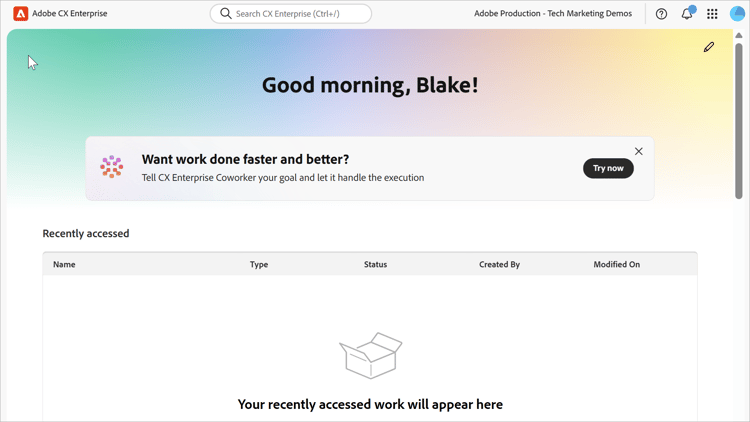
From the CX Enterprise header, you can:
- Access all your CX Enterprise applications and services
- From the Help menu, search for product documentation, tutorials, and community posts. View results in Experience League.
- Globally search business objects using a global search (Experience Platform users only) in the Search field.
- Access Admin Console for user and product management
- Manage your account preferences (alerts, notifications, and subscriptions)
To sign in, launch your applications, and get familiar with the interface, see Get started using CX Enterprise.
recommendation-more-help
core-services-help-interface