Baking mode
Baking mode provides access to all of the tools and parameters you need to create great, high-quality bakes.
To access Baking mode, click the (baked) Croissant button at the top right of the Viewport. Alternatively, use keyboard shortcutF8, or select Mode > Bake Mesh Maps
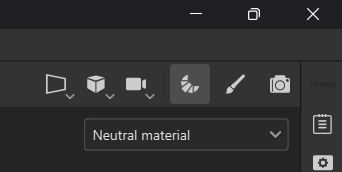
Baking mode changes the UI layout and makes different panels available specifically for baking mesh maps.
Interface
The Baking Mode interface is, by default, divided between the Viewport and the panel area.
Viewport
The Viewport behaves the same as in Painting mode. You can navigate with the same controls, and use the Channel dropdown to change which channels are displayed.
The Baking mode Viewport differs from Painting mode in two ways:
- At the top left of the Viewport, you can find the Baking visualization settings panel.
- At the bottom of the viewport, you can find buttons to Bake the currently selected mesh maps, or return to Painting mode.
Baking mode Panels
There are 4 panels exclusive to Baking mode:
- Mesh map bakers: Select which mesh maps are baked.
- Common settings: Adjust baking settings common to all mesh maps.
- Mesh map settings panel: Adjust baking settings for the selected mesh map.
- Baking log: View the results of bakes and diagnose issues.
Additional panels are available and behave the same way they do in Painting mode:
-
Available from the right bar: