[AEM Forms]{class="badge positive" title="Applies to AEM Forms)."}
Introduction to Interactive Communication Editor
What is Interactive Communication Editor?
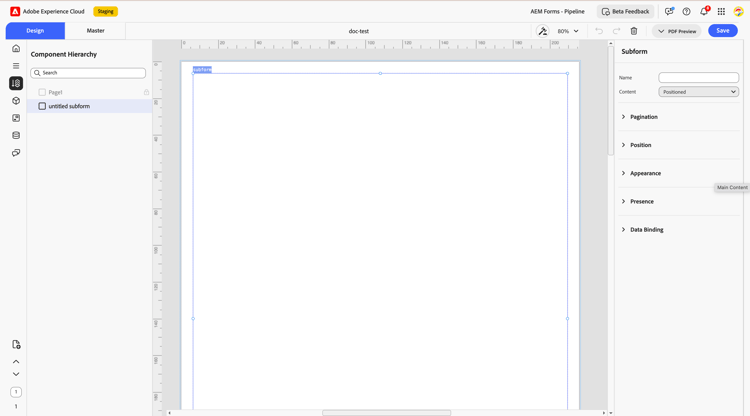
Interactive Communication (IC) Editor is an intuitive visual design environment within Adobe Experience Manager Forms. It enables organizations to create highly personalized, data-integrated communications in print format using a single authoring experience. These communications are often used for customer correspondence such as billing statements, policy documents, welcome kits, and investment summaries.
You can integrate components such as text, images, charts, tables, and barcodes, while binding each element to structured data sources. This dynamic binding ensures that communications are automatically tailored for every recipient.
Purpose and Use Cases
Common Use Cases Include:
- Financial Services: Generating dynamic account statements, investment summaries, and loan documents personalized by client data
- Insurance: Designing policy documents, claim summaries, or renewal notices with embedded charts and visuals
- Healthcare: Producing member health statements, lab reports, and benefits summaries
- Utilities: Creating monthly billing communications with charts and breakdowns
- Government & Education: Populating citizen notices, certificates, and personalized mailers
- Human Resources: Creating offer letters, onboarding kits, and employee communication documents
Key Features and Capabilities
Interactive Communication (IC) Editor is designed for efficiency, usability, and control. Its features empower authors to create visually appealing, personalized, and data-integrated communications.
- Font styling controls
- Flexible layout for professional design
- Easy drag-and-drop functionality
- Use master pages to define consistent layouts
- Automatically prefill fields for personalized communication
- Add calculations and conditional logic for interactivity
- Maintain consistency across multiple communications
Onboarding
To get started with Interactive Communication, follow the Onboard to the Service documentation to enable Interactive Communication in your AEM Forms environment.
https://experienceleague.adobe.com/en/docs/experience-manager-cloud-service/content/interactive-communication/overview/create-interactive-communication-template
Next Steps
Create an interactive communication
Create an interactive communication Template
Create an interactive communication Fragment