Adobe CX Enterprise Agentic Tools
Let AI become your collaborator for Adobe CX Enterprise. Connect your AI client to campaigns, audiences, journeys, and content. Interact with them in plain language from any tool you already use. No new interfaces, no context switching, no coding required to get started.

Connect any MCP-compatible AI client to Adobe CX Enterprise workflows. Query data, analyze campaigns, and access audiences without leaving your AI tool.
Adobe-curated workflows that guide agents through CX Enterprise tasks. Domain expertise encoded once, applied consistently.
Build custom Adobe CX Enterprise applications using agentic coding tools like Claude Code and Cursor.
Agentic tools for every team
Use any compatible AI client to access CX Enterprise applications in plain language. No coding required. Start with CX Enterprise Coworker for the fastest path across applications, or connect directly to AJO, CJA, AEM, and other applications with their own MCP server.
- Connect in minutes from Claude, Cursor, ChatGPT, and other MCP-compatible clients
- Query campaigns, audiences, and journey data using natural language
- No new interfaces or training required
Agent Skills encode Adobe domain expertise as instructions your AI client can follow. Instead of improvising, the agent knows exactly what to do, reliably, repeatably, and aligned with Adobe best practices.
- Consistent results for repeatable CX Enterprise workflows
- No need to explain Adobe to the agent: the skill handles it
- Works across AI clients that support agent skills
Direct, programmatic access to the same APIs that power Adobe products. Build custom applications and integrations that give your team focused, governed access to specific CX Enterprise workflows.
- Build once, deploy across your organization
- Add guardrails, approvals, and custom logic your team needs
- Use Claude Code, Cursor, and other agentic coding tools to build faster
Agentic tools in action
See what Adobe CX Enterprise agentic tools look like in practice. Each walkthrough covers a real business scenario from setup to outcome, showing exactly how to connect an AI client, what to ask, and what you get back.
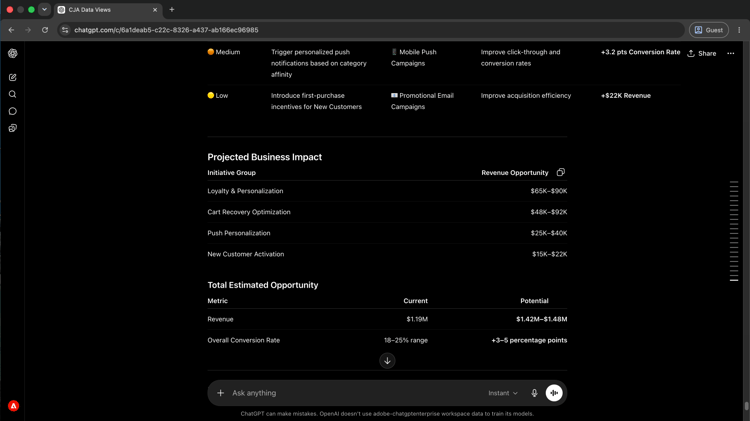
Campaign insights without reports
Ask performance questions in plain language and get answers from Customer Journey Analytics, without building a single report.
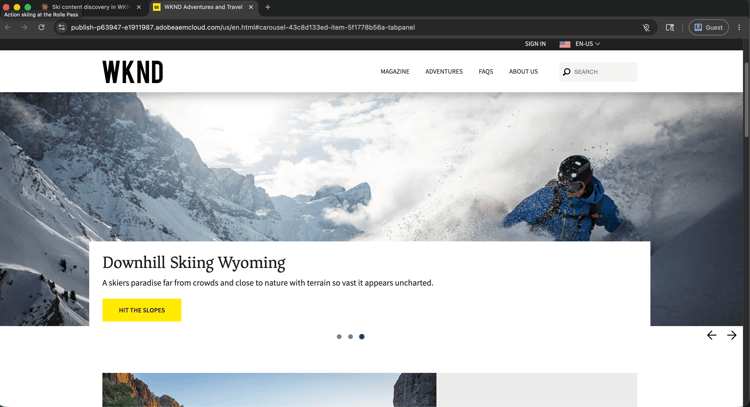
Find, update, and publish AEM pages and content fragments faster, without switching to the AEM interface.