[有限发布版]{class="badge informative"}
审核日志
In order to increase the transparency and visibility of activities performed in the system, you can audit user activity for various services and capabilities in the form of audit logs in Adobe Experience Platform. These logs form an audit trail that can help with troubleshooting issues in Adobe Real-Time CDP Collaboration, and help your business effectively comply with corporate data stewardship policies and regulatory requirements.
In a basic sense, an audit log tells who performed what action, and when. Each action recorded in a log contains metadata that indicates the action type, date and time, the email ID of the user who performed the action, and additional attributes relevant to the action type.
Use the audit logs functionality in Collaboration to track user activities and changes within the platform. This feature is integrated with the Experience Platform audit service, and the UI for this functionality resides in Experience Platform.
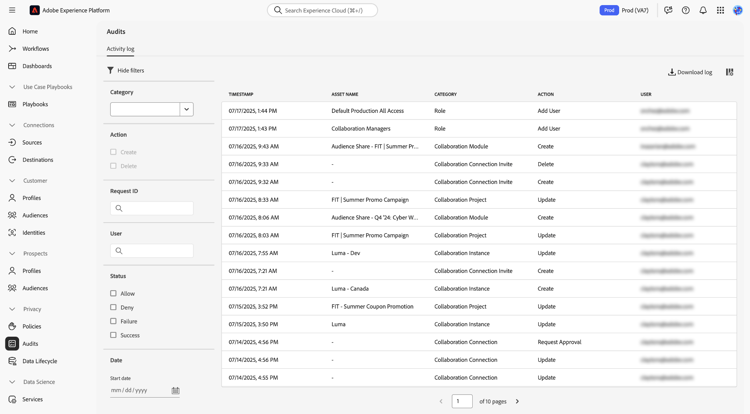
For more comprehensive information about audit logs, visit the Experience Platform audit logs documentation.
Access audit logs
You can access audit logs in two ways, as described in the sections below. Both options display a list of audit logs capturing various activities performed within Collaboration.
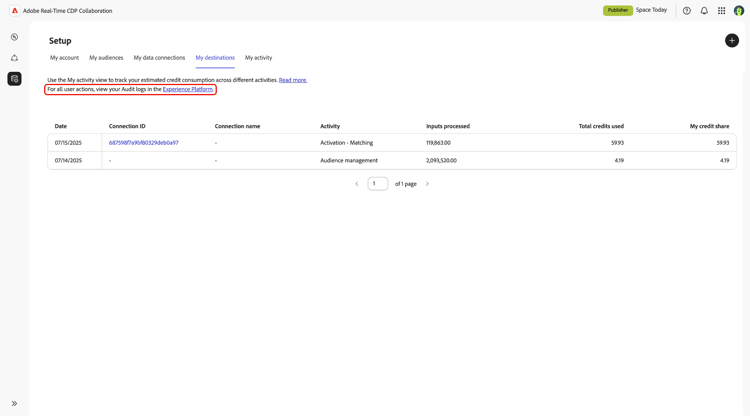
Access audit logs from the Collaboration user interface
- Navigate to the My Activity tab in Setup workspace in Collaboration.
- Select the Experience Platform link in the text at the top of the page.
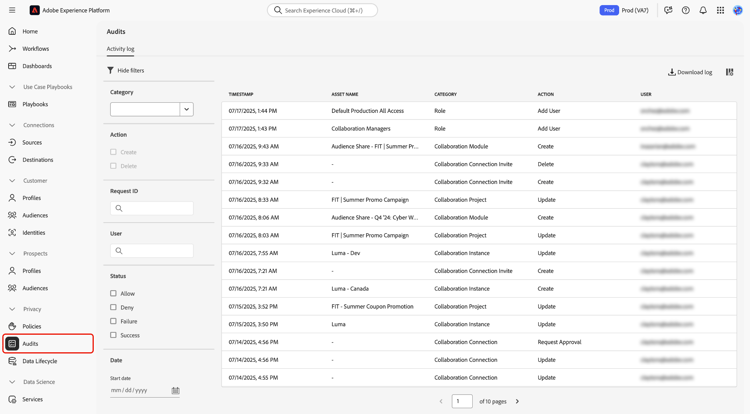
Access audit logs directly in the Experience Platform user interface
- Navigate to Experience Platform and select the Audits section from the left-hand menu. Reach out to your organization’s system administrators to obtain the necessary permissions if you cannot view audit logs.
View and use audit logs
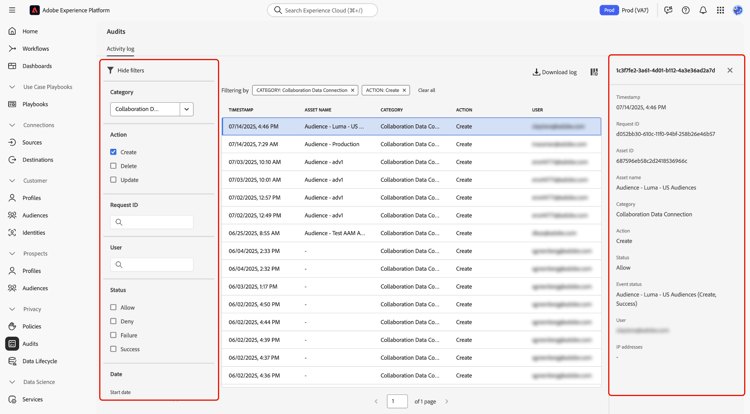
要查看审核日志,请执行以下操作:
- 导航到Experience Platform中的 审核 部分。
- 使用筛选器根据您的条件缩小日志范围。
- 选择一个日志条目以查看详细信息,包括时间戳、请求ID、资源详细信息和操作状态。
捕获的活动
审核日志可捕获有关用户活动的详细信息,包括:
- 时间戳:以月/日/年/小时:minute上午/下午格式执行的操作的确切日期和时间。
- 资源名称:对其执行操作的资源的名称。
- 类别:执行操作的资源类型。
- 操作:执行的特定操作,如创建或删除。
- 用户:执行操作的用户的电子邮件地址。
这些日志可全面跟踪Collaboration实例中的所有活动,这对数据治理和法规遵从性非常有用。 阅读有关在UI中管理审核日志的更多信息。
筛选审核日志 filter-audit-logs
审核日志UI提供了多个过滤器来帮助您搜索特定日志:
- 类别:对其执行操作的资源类型,如Collaboration实例或Collaboration连接邀请。
- 操作:执行的操作类型。 可用操作取决于所选类别。 例如,Collaboration实例的操作包括创建、更新和删除。
- 请求ID:请求的唯一标识符。
- 用户:执行操作的用户的电子邮件地址。
- 状态:操作的状态,如允许或拒绝。
- 日期范围:要查看其日志的日期范围。
阅读有关筛选审核日志的详细信息。
优点
审核日志为使用Collaboration的组织提供了以下几个好处:
- 数据管理:使用审核日志,确保平台内的所有活动都受到跟踪且可审核。
- 法规遵从性:此功能提供了用户活动跟踪以满足法规要求。
- 疑难解答:审核日志通过提供用户操作的详细日志,帮助识别和解决问题。
类别和操作参考
下表提供了Real-Time CDP Collaboration所有类别和操作的参考。
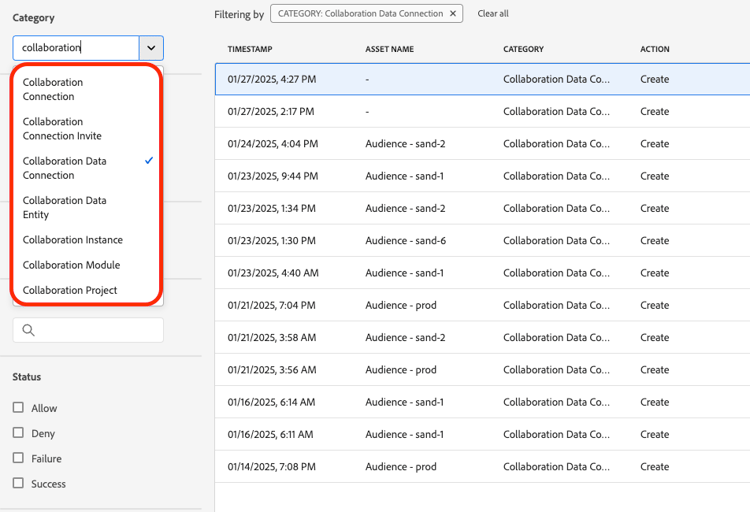
利用审核日志功能,您可以对Collaboration中的所有活动进行清晰而详细的记录,从而确保透明度和可问责性。