Mask to Paths
In: Spline & Path Tools > Path Tools
Description
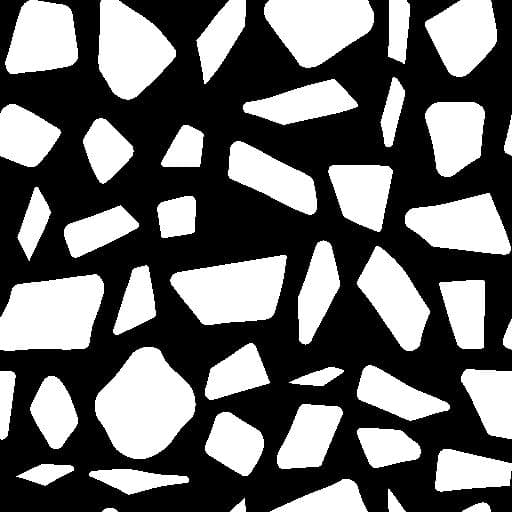
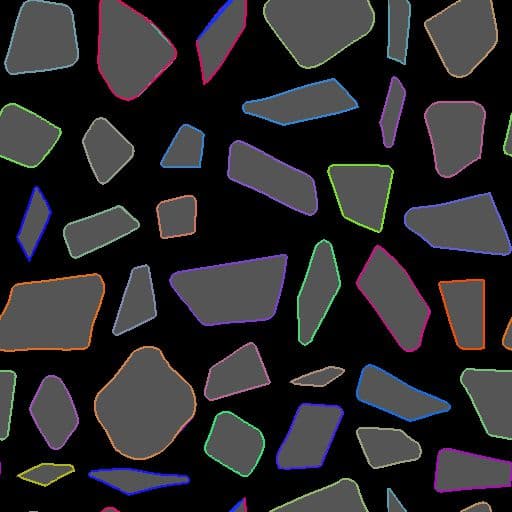
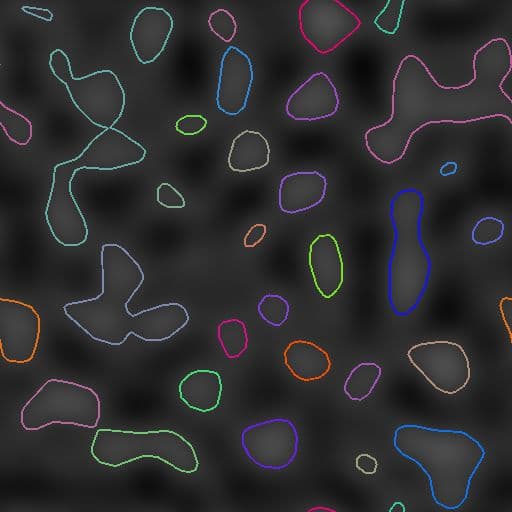
Converts a grayscale input pattern Mask into a list of path segments encoded in the output Paths.
Controls over the start position of generated paths as well as their order in the list are available.
The generated Paths can be further processed using dedicated nodes – E.g., Path 2D Transform, Paths Warp – or converted into splines using the Path to Spline node to map or scatter shapes along them.
NOTE
The method used to encode Paths is explained in the Paths Format Specifications page.
Inputs
Mask Grayscale
The input pattern which should be converted into a list of Paths.
Outputs
Preview Color
A preview composited on top of the mask to help visualizing the effects of the parameters.
Paths Color
A list of paths encoded in a color image. each path describes a list of encoded segments.
The result can be processed using another Paths-processing node, or sent to a Paths to Spline node to further process it as Splines.
The result can be processed using another Paths-processing node, or sent to a Paths to Spline node to further process it as Splines.
Parameters
Smooth Mask Float
Apply smoothing on the input mask.
Useful when the input pattern has very sharp edges, which usually causes artifacts.
Useful when the input pattern has very sharp edges, which usually causes artifacts.
Mask Threshold Value Float
The grayscale value of Mask that will be used to separate the outside (values < Mask Threshold Value) and the inside (values > Mask Threshold Value) of the shape.
Decimate Path Float
Implicitly controls the amount of segments that will be generated.
A high amount of decimation will make round shapes somewhat polygonal, while no decimation will generate almost one segment by pixel.
A reasonable amount will better match the shape of both straight lines and curves without creating a lot of intermediary points for straight lines.
A high amount of decimation will make round shapes somewhat polygonal, while no decimation will generate almost one segment by pixel.
A reasonable amount will better match the shape of both straight lines and curves without creating a lot of intermediary points for straight lines.
Close opened Paths Boolean
Create a segment between the start and the end vertices of open paths.
Disabling this may fix undesirable lines traversing your pattern in an unexpected way, however paths may not be closed anymore.
Disabling this may fix undesirable lines traversing your pattern in an unexpected way, however paths may not be closed anymore.
Corner Threshold Float
Each vertex encoded in paths can hold a flag indicating whether it is hard (I.e., a corner) or smooth.
This parameter lets you mark more or less corners according to the angle between their adjacent segments.
Note: This ‘corner’ flag is currently not supported by any existing node but are available to be used in a Path Vertex Processor node. You may also visualize the corners with the Preview Paths node.
This parameter lets you mark more or less corners according to the angle between their adjacent segments.
Note: This ‘corner’ flag is currently not supported by any existing node but are available to be used in a Path Vertex Processor node. You may also visualize the corners with the Preview Paths node.
Path Startup Mode Integer
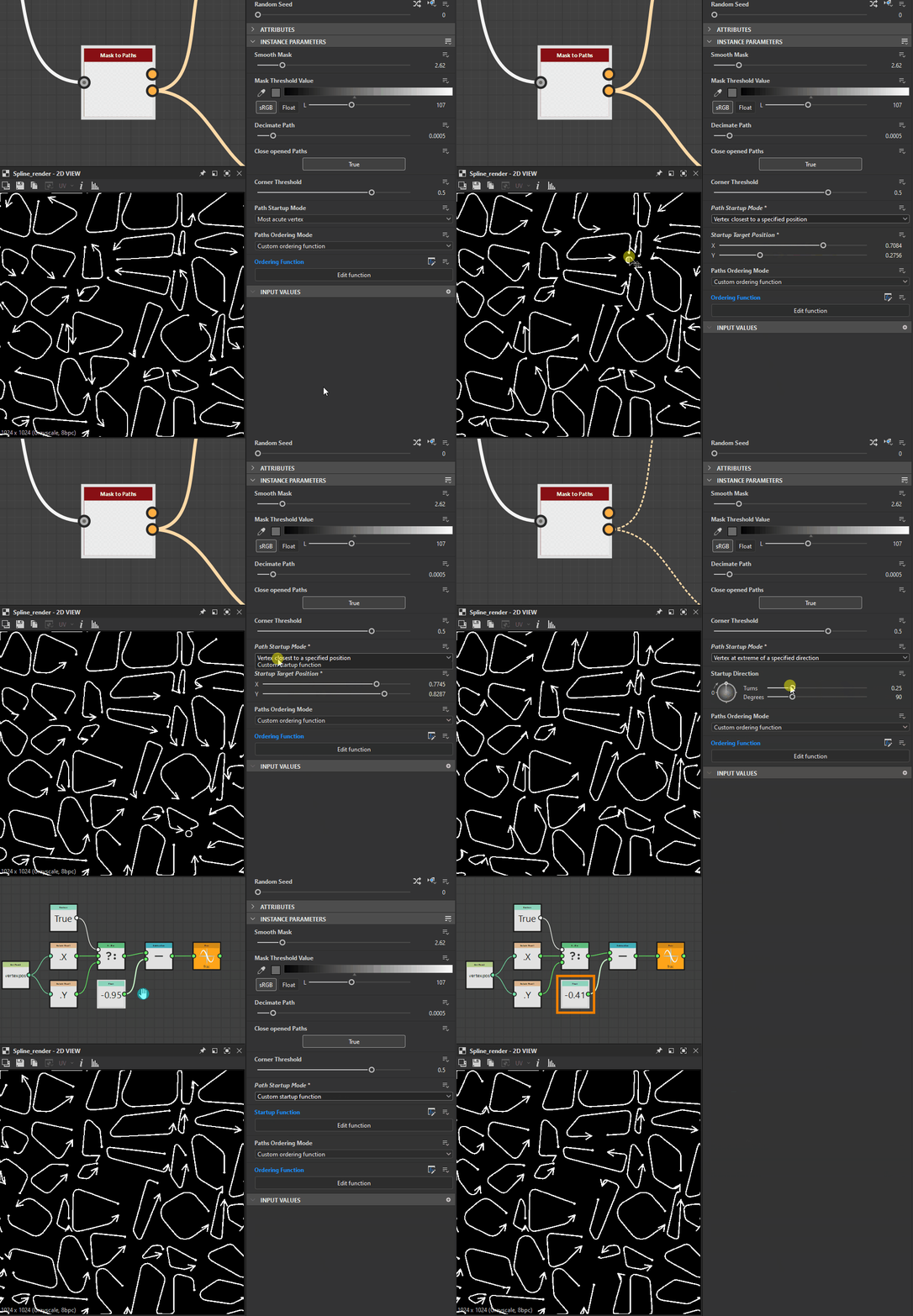
The method of selecting which vertex should be the start of each generated Path around the shapes in the Mask.
This has a significant impact when converting the generated Paths to Splines using the dedicated node, as multiple Spline nodes use the Splines’ start and end.
- Most acute vertex: The vertex forming the lowest angle with its previous and next vertices
- Vertex at extreme of a specified direction: The last vertex in a given direction
- Vertex closest to a specified positionVertex farthest from a specified position
* Custom startup function:* Use a custom function to select the vertex which should be used as the start each Path
This has a significant impact when converting the generated Paths to Splines using the dedicated node, as multiple Spline nodes use the Splines’ start and end.
- Most acute vertex: The vertex forming the lowest angle with its previous and next vertices
- Vertex at extreme of a specified direction: The last vertex in a given direction
- Vertex closest to a specified positionVertex farthest from a specified position
* Custom startup function:* Use a custom function to select the vertex which should be used as the start each Path
Startup Direction Float
The angle describing the direction used to select the startup vertex. For each Path, the last vertex in this direction is selected.
The value is a number of turns used to rotate an X-leftdirection vector. This means 0 sets a direction vector of (-1, 0), and 0.25 (90 degrees) sets a direction vector of (0, 1).
Note: This parameter is available when Path Startup Mode is set to ‘Vertex at extreme of a specified direction’
The value is a number of turns used to rotate an X-leftdirection vector. This means 0 sets a direction vector of (-1, 0), and 0.25 (90 degrees) sets a direction vector of (0, 1).
Note: This parameter is available when Path Startup Mode is set to ‘Vertex at extreme of a specified direction’
Startup Target Position Float2
The position in the image used to select the startup vertex.
For each Path, the vertex closest to or farthest from this position is selected, according to the selected Path Startup Mode.
Note: This parameter is available when Path Startup Mode is set to ‘Vertex closest to a specified position’ or ‘Vertex farthest from a specified position’
For each Path, the vertex closest to or farthest from this position is selected, according to the selected Path Startup Mode.
Note: This parameter is available when Path Startup Mode is set to ‘Vertex closest to a specified position’ or ‘Vertex farthest from a specified position’
Startup Function Float
The function used to select the startup vertex. It returns a Float value.
For each vertex, the function is executed and the vertex for which the function returns the highest result is selected.
Available variables:
- vertex.cornerness(Float): The score of the vertex as a candidate to be a corner
- vertex.pos(Float2): The vertex position in image space
Note: This parameter is available when Path Startup Mode is set to ‘Vertex closest to a specified position’ or ‘Custom startup function’
For each vertex, the function is executed and the vertex for which the function returns the highest result is selected.
Available variables:
- vertex.cornerness(Float): The score of the vertex as a candidate to be a corner
- vertex.pos(Float2): The vertex position in image space
Note: This parameter is available when Path Startup Mode is set to ‘Vertex closest to a specified position’ or ‘Custom startup function’
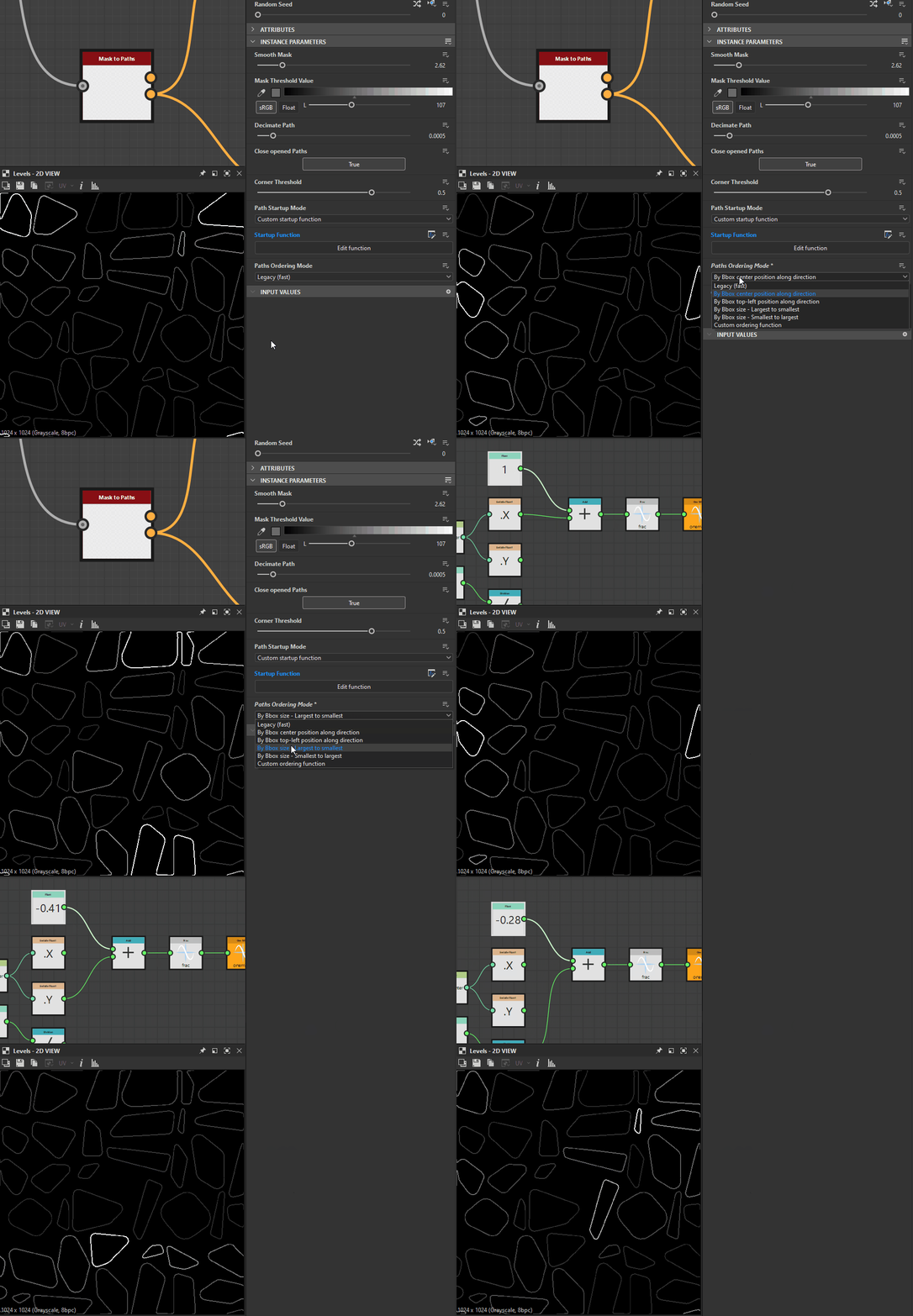
Order Mode Integer
The method of ordering the generated Paths.
The position or size Paths’ bounding box (Bbox) may be used as a criterion for ordering the Paths.
This has a significant impacts when converting the generated Paths to Splines using the dedicated node, as multiple Spline nodes use the Splines’ order.
- Legacy (fast): The method used in the previous version of this node, which offers significantly better performance
- By Bbox center position along direction: Paths are ordered according to the position of the center of their Bbox, from first to last along the specified direction
- By Bbox Bbox top-left position along direction: Paths are ordered according to the position of the top-left corner of their Bbox, from first to last along the specified direction
- By Bbox size - Largest to smallest: Paths are ordered according to the size of their Bbox, from largest to smallest
- By Bbox size - Smallest to largest: Paths are ordered according to the size of their Bbox, from smallest to largest
- Custom ordering function: Use a custom function to order Paths
The position or size Paths’ bounding box (Bbox) may be used as a criterion for ordering the Paths.
This has a significant impacts when converting the generated Paths to Splines using the dedicated node, as multiple Spline nodes use the Splines’ order.
- Legacy (fast): The method used in the previous version of this node, which offers significantly better performance
- By Bbox center position along direction: Paths are ordered according to the position of the center of their Bbox, from first to last along the specified direction
- By Bbox Bbox top-left position along direction: Paths are ordered according to the position of the top-left corner of their Bbox, from first to last along the specified direction
- By Bbox size - Largest to smallest: Paths are ordered according to the size of their Bbox, from largest to smallest
- By Bbox size - Smallest to largest: Paths are ordered according to the size of their Bbox, from smallest to largest
- Custom ordering function: Use a custom function to order Paths
Ordering direction Float
The angle describing the direction used to order the Paths from first to last along that direction.
The value is a number of turns used to rotate an X-left direction vector. This means 0 sets a direction vector of (-1, 0), and 0.25 (90 degrees) sets a direction vector of (0, 1).
The value is a number of turns used to rotate an X-left direction vector. This means 0 sets a direction vector of (-1, 0), and 0.25 (90 degrees) sets a direction vector of (0, 1).
Ordering function Float
The function used to order the Paths. It returns a Float value.
Paths are ordered in ascending order according to this function’s value. In other words, the result of the function for each Path is the sorting key used to order the Paths.
Available variables:
* bbox.center (Float2): The position of the Path Bbox’s center
* bbox.topleft (Float2): The position of the Path Bbox’s top-left corner
* bbox.size (Float2): The size of the Path Bbox (X: width, Y: height)
Paths are ordered in ascending order according to this function’s value. In other words, the result of the function for each Path is the sorting key used to order the Paths.
Available variables:
* bbox.center (Float2): The position of the Path Bbox’s center
* bbox.topleft (Float2): The position of the Path Bbox’s top-left corner
* bbox.size (Float2): The size of the Path Bbox (X: width, Y: height)
Examples
| table 0-row-2 html-authored no-header | |
|---|---|
Before |
After |
| table 0-row-2 html-authored no-header | |
|---|---|
Before |
After |
recommendation-more-help
substance-3d-designer-help-guide