Path 2D Transform
In: Spline & Path Tools > Path Tools
Description
Transforms Paths using a gizmo.
Inputs
Paths Color
A list of encoded segments paths. Connect this input to the result of a Mask to Paths or to another Path-processing node.
Outputs
Paths Color
The transformed Paths. You can either use Preview Paths to get an idea of what the result represents, use another Paths-processing node, or input it to a Paths to Spline to further process it as Splines.
Parameters
Transform matrix Float4
The transformation matrix applied to the splines. Three modes of editing the matrix parameters are available:
- Transformation gizmo: tweak the handles of the gizmo displayed in the 2D View when the Spline 2D Transform node is selected;
- Rotation/Stretch: Individually control the rotation and stretching of the splines. Note that values are always applied relatively to the current transformation. E.g., applying 50% width twice results in a 25% width;
- Matrix values: Click the Edit Matrix Values button to input the raw numerical values of the matrix directly.
- Transformation gizmo: tweak the handles of the gizmo displayed in the 2D View when the Spline 2D Transform node is selected;
- Rotation/Stretch: Individually control the rotation and stretching of the splines. Note that values are always applied relatively to the current transformation. E.g., applying 50% width twice results in a 25% width;
- Matrix values: Click the Edit Matrix Values button to input the raw numerical values of the matrix directly.
Offset Float2
Applies a position offset to the splines in X (horizontal) and Y (vertical).
Examples
| table 0-row-2 html-authored no-header | |
|---|---|
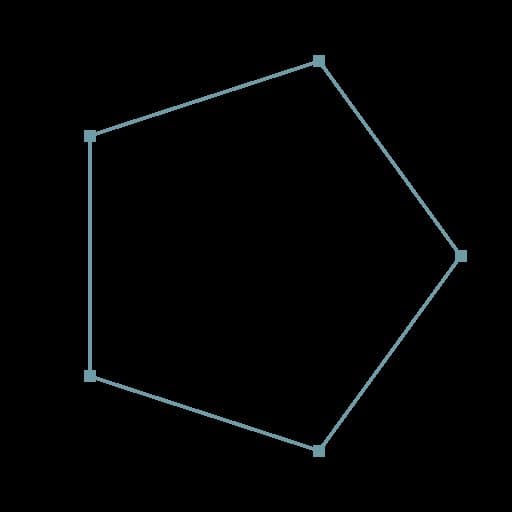
Before |
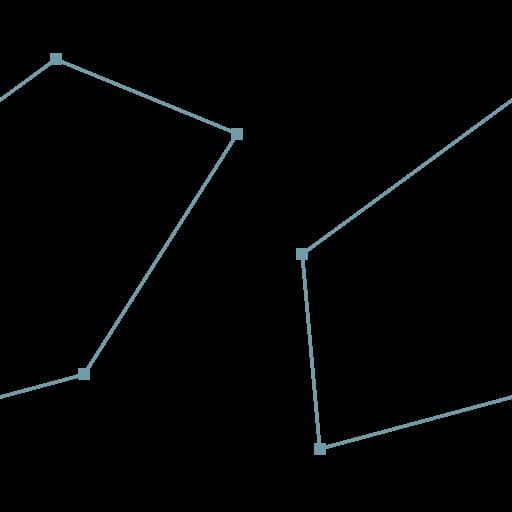
After |
| table 0-row-2 html-authored no-header | |
|---|---|
|
Before |

After |
recommendation-more-help
substance-3d-designer-help-guide