Adobe LLM Apps - An Overview adobe-llm-apps-an-overview
What is Adobe LLM Apps?
Adobe LLM Apps lets your brand offer useful actions—such as product discovery, availability checks, or service bookings—inside AI assistants such as ChatGPT.
LLM Apps is available at experience.adobe.com.
What you can do with LLM Apps
- Create brand-owned LLM actions — Define the specific business flows you want to activate inside AI assistants (for example, Schedule a Test Drive, Compare Products, Book a Service).
- Build interactive LLM widgets — Create visual UI components (product cards, booking forms, store locators) managed as AEM components in your GitHub repository.
- Maintain centralized brand governance — Authors and developers retain full control over all content, copy, and visuals exposed inside the LLM platform, with approvals managed through AEM.
- Deploy to staging and production — A controlled deployment pipeline lets you test the experience in a staging environment before promoting to production.
- Control visibility at the action level — After deployment, individual actions can be toggled on or off without redeploying the entire app.
- Measure what drives decisions — Built-in analytics (powered by Adobe Customer Journey Analytics) surface action trigger counts, success rates, abandonment rates, top user prompts, and visibility scores.
Why LLM Apps matter
LLM interactions are fundamentally different from traditional search. The average LLM session lasts four times longer than a traditional search session. More than 40% of consumers rely on AI tools for complex purchase decisions. Without LLM Apps, you might win the mention but lose the customer. LLM Apps ensures your brand is not just visible but actionable at the exact moment a user is ready to decide.
Key concepts key-concepts
LLM App
Your branded assistant that users interact with inside ChatGPT or other LLM platforms. It groups together all your actions and deploys as a single unit.
Action actions
A capability your app offers, such as Find a distributor or Browse products. The LLM platform invokes an action when a request matches its description. Action metadata is managed in LLM Apps, while its handler is code in your GitHub repository.
Action handler
The server-side function that runs when an action is invoked. It can validate input, call your APIs, and return text plus structured data.
Widget widgets-eds
The visual response shown with the LLM’s reply, such as a card, carousel, or table. Generated widgets are blocks in an Edge Delivery Services (EDS) repository that you own.
MCP server
The endpoint exposed after deployment. A supported LLM platform connects to this endpoint to discover and invoke your actions.
How it works
At a high level, three things happen: you tell LLM Apps what your brand offers, it turns that into something an AI assistant can act on, and your customer gets a real answer — right inside the chat.
┌────────────────────┐          ┌────────────────────┐          ┌────────────────────┐
│     Your brand     │          │      LLM Apps      │          │    AI assistant    │
│                    │          │                    │          │                    │
│   What you offer   │   ───▶   │  Turns that into   │   ───▶   │ Answers with your  │
│  and how you help  │          │    something AI    │          │    brand, live     │
│  customers today   │          │     can act on     │          │  inside the chat   │
└────────────────────┘          └────────────────────┘          └────────────────────┘
Want the technical detail — what you build, and how the pieces fit together? See How an app is wired together.
Requirements requirements
Complete all of the following requirements before creating an app.
Adobe Developer Console
Your Adobe IMS organization must have access to App Builder. You need the Developer or System Admin role.
To verify your access, open Adobe Developer Console. The Quick Start screen confirms that you have the required access.
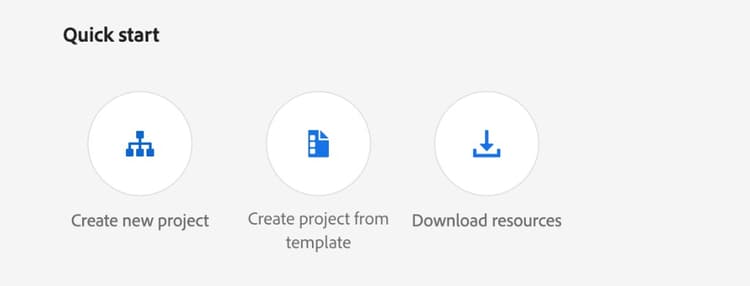
If you see Restricted access, contact your IMS organization administrator and request the Developer role.

GitHub
You need a GitHub account that can do the following. This is a permission check — do not install anything yet:
- Create two repositories in the account or organization that will own the app.
- Install GitHub Apps later in the setup process, or has an organization administrator who can approve them.
To verify repository creation access, open github.com/new and confirm that the intended account or organization appears under Owner.

For organization-owned repositories, an organization administrator might need to approve the GitHub Apps.
Website
You need a public HTTPS website that represents the products, services, or tasks that the app should support. The platform analyzes this website to propose actions and create representative sample data.
Do not use a website that exposes confidential or access-controlled information.
ChatGPT or Claude for testing
To complete the getting-started tutorial, use a supported ChatGPT plan with developer mode enabled, or a supported Claude plan with custom connectors enabled. Workspace or organization administrators can restrict access. See Test in ChatGPT or Test in Claude.
Choose your journey choose-your-journey
1. Build and launch your first app
Start with Build and launch your first app. This journey begins with two empty repositories and ends with a production-ready app tested as a plugin in a supported LLM platform such as ChatGPT.
2. Customize the generated app
Choose this journey when the platform created the app automatically and you want to replace sample behavior:
- Customize the generated handlers to connect your APIs and define the data returned by each action.
- Customize the generated widgets to use that data and apply your interactions and design.
3. Add a new action from scratch
Choose Add a new action from scratch to define new metadata, write the handler, connect a widget, test, and deploy the action.
4. Connect an existing EDS project
Choose Connect an existing EDS project when you already have an EDS site or did not build the app automatically.
Every journey uses the shared deployment step, then ChatGPT plugin testing or Claude connector testing.