Journey Optimizer - Mobile Learning Hub
Jumpstart or elevate your mobile engagement strategy with Adobe Journey Optimizer. This mobile learning hub equips developers, administrators, marketers, and analysts with everything needed to configure inbound and outbound mobile channels and integrate them seamlessly into powerful cross-channel campaigns and journeys.
Explore best practices, learn how to drive adoption, and setup centralized reporting workflows — all in one place — to deliver impactful, data-driven mobile experiences that reach customers anytime, anywhere.
Mobile channel overview
Journey Optimizer supports both inbound and outbound mobile channels:
Outbound channels
Outbound channels let you proactively deliver messages to customers without requiring a prior interaction. These interactions are ideal for campaigns, promotions, or transactional events.
All outbound channels in Adobe Journey Optimizer enforce Custom Consent Policies at message send time. If consent is not granted for a specific marketing action, the message is automatically suppressed to ensure compliant delivery.


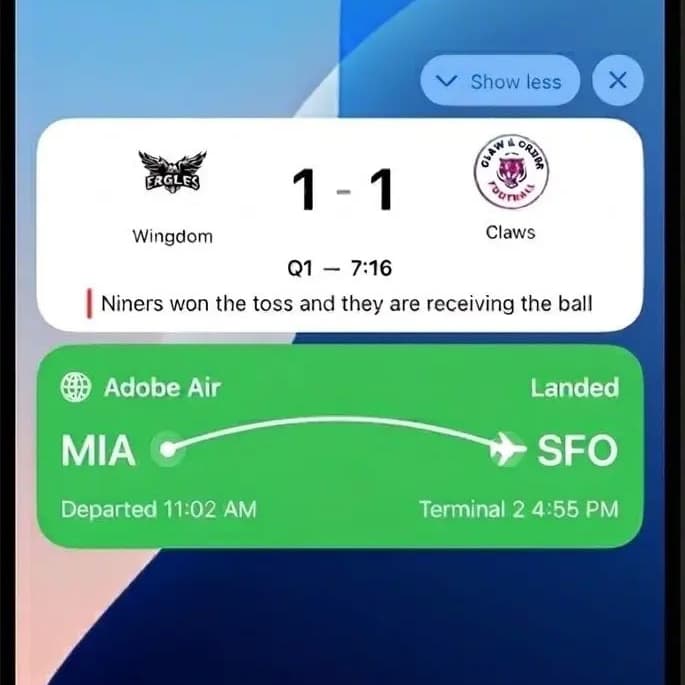
Inbound channels
Inbound channels support customer-initiated interactions, allowing you to deliver personalized experiences the moment users engage with your brand. They enable real-time personalization and data capture—such as landing page forms or on-site behaviors—that feed directly into Adobe Experience Platform (AEP) for segmentation, targeting, and activation across journeys.


How can mobile channels work together?
By combining these channels, you can create a seamless and effective customer experience:
-
Use push notifications to quickly grab attention and bring users back to your app (e.g., “Sale starts now!”).
-
Once inside, deliver in-app messages with personalized promotions (e.g., “Here’s your 15% discount for today’s sale”).
-
Offer content cards so users can revisit the promotion anytime before it expires (e.g., “Your 15% discount ends Friday”).
-
Use SMS/MMS/RCS to send timely reminders or rich media offers directly to users who may not be in the app.
-
Engage customers in meaningful conversations through WhatsApp, ideal for customer support or interactive campaigns.
-
Leverage code-based experiences to tailor every message based on user behavior and preferences, creating a truly personalized journey across channels.
Build your foundation
Learn the concepts and how to

Configure & Launch
Configure the mobile channeles and integrate with mobile apps.

Design & Deliver
Use mobile channels to build personalized journeys and campaigns that engage customers in real time.

Measure & Optimize
Access reports, analyze performance, and refine strategies for better outcomes.
Common Mobile Business Use Cases
- In-app messages highlight features and encourage first actions.
- Deep links in emails or ads direct users to specific app screens for seamless onboarding.
- SMS/MMS deliver localized offers and updates.
- In-app banners and cards adapt content based on real-time location.
- SMS follow-ups include incentives or direct links to resume.
- In-app prompts appear when users return, offering personalized recommendations.
- In-app messages and content cards showcase complementary items.
- SMS campaigns target segmented audiences with exclusive offers.
- Push notifications and SMS offer loyalty rewards or personalized content.
- In-app surveys gather feedback to improve retention strategies.
- SDKs enable real-time personalization across channels.
- Content cards persist across sessions to reinforce key messages.