Design and deliver

Discover how to build and deliver impactful mobile communications using Adobe Journey Optimizer. Learn to create, design, and send a variety of message types—including push notifications, in-app messages, content cards, SMS/MMS/RCS, WhatsApp marketing messages, and code-based experiences tailored to your audience and optimized for mobile engagement.

Transcript

In this video, we’ll describe what Adobe Journey Optimizer is, some of the business challenges that Adobe Journey Optimizer is built to solve, and highlight some of the key use cases.

Adobe Journey Optimizer is a new application from Adobe built natively on the Adobe Experience Platform. It empowers customer-focused brands to orchestrate and deliver personalized connected customer journeys across any app, device, screen, or channel. With Journey Optimizer, brands can create, orchestrate, and deliver both scheduled marketing programs and outreach such as weekly promotions for a retail store, and tailored individual communications like a push notification for an item that a loyalty customer had shopped for that was previously out of stock all from within the same application. This gives brands the flexibility and power to engage with customers across a broad range of use cases.

Journey Optimizer is built for today’s business environment where consumer expectations for brand interactions are higher than ever before. And ultimately, the customer is in control of their journey. Brands must be prepared to meet customers where they are and provide the next best offer and next best action to provide a consistent and contextual journey that is personalized and unique to that individual. Consumers expect the companies they interact with to know them and anticipate their needs, but meeting these expectations can be challenging because it requires combining data from multiple solutions within their tech stacks to get a clear picture of each individual customer and act on those real-time insights to deliver a truly connected experience.

Some of the common challenges that prevent brands from orchestrating and delivering a truly seamless and personal customer journey include that they lack a single organizational truth on the customer experience for managing marketing programs and customer service engagement.

They likely did not have a way of integrating all data sources across the customer experience to create the single source of truth.

With disconnected MarTech applications, they often also have disparate teams and processes that make it difficult to manage the customer journey holistically.

They’re unable to react to behavioral data like a customer service inquiry in real time to then pause marketing programs.

And finally, they likely lack centralized decisioning, insights, or prediction to drive processes and personalization in a consistent way across customer touchpoints.

Journey Optimizer addresses these challenges with some key capabilities that fall into three main value drivers. Real-time customer insights and engagement powered by Adobe’s real-time customer profile. You can integrate all your customer and business data, whether it’s from the web, CRM database, or other offline data, into a unified 360 degree view of the customer.

Journey Optimizer offers a modern omni-channel orchestration through a unified Journey Orchestration canvas and a modern message designer, as well as intelligent decisioning and personalization through offer decisioning and machine learning-based send time optimization and engagement scoring to deliver the right content to the right person at the right time. And we’ve built Journey Optimizer with an emphasis on end-to-end scale, speed, and flexibility to meet the needs of your enterprise, as well as ease of use to allow brands to work efficiently with quick time to value. Journey Optimizer provides brands the flexibility to engage customers across a broad range of use cases.

Journey Optimizer can listen in real-time for actions, event signals, or segment qualification that impacts an individual, triggering an interaction or real-time update to a journey. For example, sending mobile push message when a customer enters the geolocation fence or a customer completes a flight and their frequent flyer loyalty status improves, triggering a new welcome journey.

With Journey Optimizer, you can also listen for events that pertain to a segment of profiles and require real-time notification to that relevant audience. For example, an inventory update could trigger a message to customers who had a previously out of stock product on their wishlist, or a weather event causing a delayed flight, triggering a message to passengers on that flight.

Journey Optimizer also supports scheduled or on-demand audience-based campaigns that are initiated by the marketer, such as daily promotional messages, loyalty newsletters, or flash sale announcements. And finally, Journey Optimizer provides the scale and speed needed for immediate broad-based burst messaging of time-sensitive information, such as real-time sports scores or other breaking news.

So, in summary, Adobe Journey Optimizer is an application built on the Adobe Experience Platform for orchestrating and delivering personalized, connected, omni-channel customer journeys. It solves the challenges brands face in today’s business environment by providing a unified journey canvas to design one-to-one and audience-based customer interactions powered by a real-time customer profile that provides a comprehensive view of the customer and is optimized by intelligent offer decisioning.

Journey Optimizer empowers a broad range of use cases, including real-time one-to-one interactions and response to individual events, both event-triggered or marketer-initiated engagement with audience, and high-speed burst messaging use cases for time-sensitive breaking news. - -

NOTE
If you are new to Journey Optimizer, start by familiarizing yourself with Journey Optimizer by completing these courses:
  1. Build and activate audiences in Adobe Journey Optimizer
  2. Orchestrate journeys and action campaigns in Adobe Journey Optimizer

Design and deliver mobile messages

Learn how to design, author, and deliver mobile messages per channel:

Overview

Overview

Understand which mobile channels Journey Optimizer supports and how to configure and send messages using these channels.

embed
https://video.tv.adobe.com/v/3426021?quality=12&learn=on
accordion
Transcript
Digital technology has penetrated nearly every aspect of life for today’s consumers, so engaging your customers, fans, or guests on mobile channels is key to providing a painless experience. With Adobe Journey Optimizer, you can personalize mobile messages on an individual level thanks to a unified profile that fuses data from any source and is continuously updated with real-time events. And because Journey Optimizer can actively listen for events, such as a person entering a store, marketers can use location-aware triggers to ensure that customers receive mobile messages that are contextually relevant. Whether you’re composing push notifications, in-app messages, SMS text messages, or even email, you can do it all from a single application. Creating personalized push notifications is a great way to drive engagement with your app, and you can even customize the desired action you want customers to take. Journey Optimizer can personalize in-app messages based on profile attributes, app usage history, and device location to help you go from a one-size-fits-all app experience to a rich, context-aware experience. You can also author SMS text messages natively in Journey Optimizer and connect to an SMS aggregator such as Synch to seamlessly deliver personalized text messages as part of the customer journey. With Journey Optimizer, you’re not just sending generic mobile messages. The Journey Canvas lets you easily visualize the customer journey so that each mobile interaction is tailored to the individual and included as part of the broader customer life cycle. Whether you’re connecting with fans at a live event, engaging with shoppers in your store, or building relationships with loyalty members, Adobe Journey Optimizer facilitates contextual mobile engagement at every stage of the customer journey.
Push

Push notifications

note prerequisites
PREREQUISITES
  1. Verify that the app is integrated with the Mobile SDK and configured for mobile channels.
  2. Make sure that the Push channel has been configured.
  3. Ensure that the customer profiles and audience segments are ready for targeting.

Tutorials

Push notifications- Overview

Push notifications- Overview

Understand how to build push notifications, to engage mobile app users at any time with personalized targeted messages.
Watch

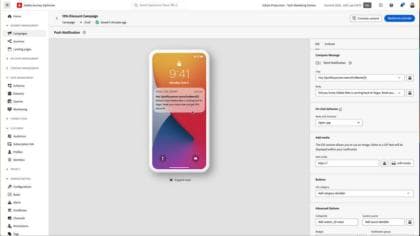
Configure and send a push campaign

Configure and send a push campaign

Learn how to configure and send a push notification with a campaign.
Watch

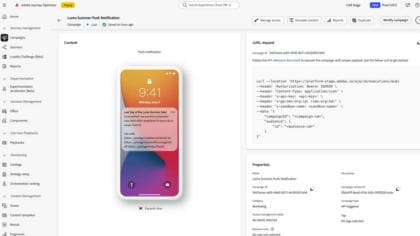
Optimize Push Notifications with AJO Decisioning

Optimize Push Notifications with AJO Decisioning

Enhance engagement with personalized push notifications using AJO decisioning. Create tailored offers and analyze campaign performance.

Watch

Product Documentation

table 0-row-3
Create Push Create a push notification Design push {width="50"}Design a push notification Send push Send a push notification
In-app

In-app messages

note prerequisites
PREREQUISITES
  1. Verify that the app is integrated with the Mobile SDK and configured for mobile channels.
  2. Make sure that the In-App channel has been configured.
  3. Ensure that customer profiles and audience segments are ready for targeting.

Tutorials

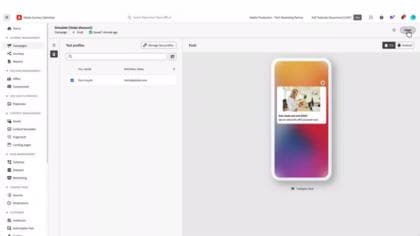
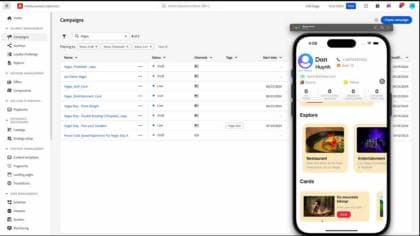
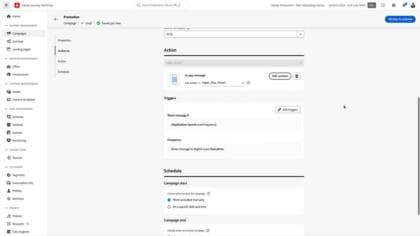
Author an in-app message

Author an in-app message

Learn how to author and test an in-app message.
Learn more

Create an in-app campaign

Create an in-app campaign

Understand what an in-app message is. Learn how to create, configure, and publish in-app messages in Campaigns.

Learn more

Create in-app journeys

Documentation

table 0-row-3
Create message Create Mobile In-app Messages Design Content {width="50"}Design In-app Content Send notification Send an In-app Notifications
Content Cards

Content cards

note prerequisites
PREREQUISITES
  1. Verify that the app is integrated with the Mobile SDK and configured for mobile channels.
  2. Make sure the in-app channel has been configured.
  3. Ensure that customer profiles and audiencea are ready for targeting.

Tutorials

Create content cards

Create content cards

Learn how to create content cards for your application.

Watch

Product Documentation

table 0-row-2
Create and Configure Content Cards Create and Configure Content Cards Design Content Cards {width="50"}Design Content Cards
SMS/MMS/RCS

SMS/MMS/RCS messages

note prerequisites
PREREQUISITES
  1. Make sure the SMS credentials and channel and/or MMS credentials and channel and have been configured -> the RCS configuration is explained in the tutorial below.
  2. Ensure that customer profiles and audience segments are ready for targeting.

SMS Tutorials

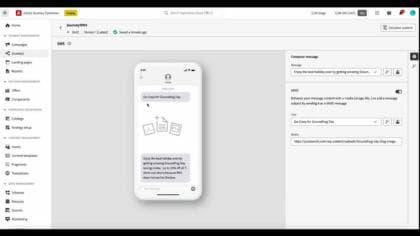
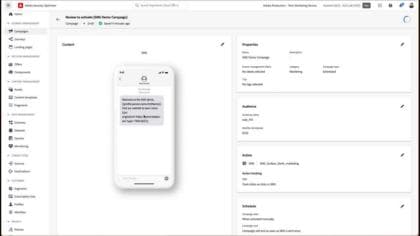
SMS/MMS messages - Overview

SMS/MMS messages - Overview

Understand how to to create, schedule, and distribute SMS and MMS messages to reach your customers easily on the go.
Watch

Configure, author, and deliver SMS messages

Configure, author, and deliver SMS messages

Learn how to configure, author, and deliver SMS messages in Journey Optimizer campaigns and journeys.

Learn more

Double opt-in for Sinch and Infobip

Double opt-in for Sinch and Infobip

Learn how to configure double opt-in for SMS.

Watch

MMS and RCS Tutorials

Author an MMS message

Author an MMS message

Learn how to connect Journey Optimizer to an MMS service provider and how to create an MMS channel surface.
Watch

Set up RCS in Journey Optimizer

Set up RCS in Journey Optimizer

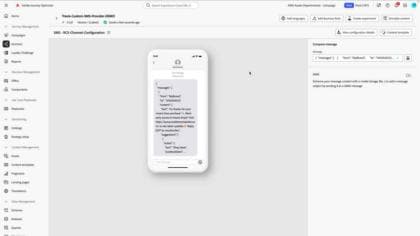
Learn how to configure and send branded, interactive RCS messages in Adobe Journey Optimizer using a custom SMS provider. This tutorial walks through setting up API credentials, webhooks, and channel configurations, then building a journey to deliver rich, personalized messaging experiences - all within the native messaging app.

Watch

Product Documentation

table 0-row-3
Get started with text messaging Get started with text messaging Design Content {width="50"}Create SMS, MMS, and RCS Messages Send notification Check and Send Text Messages
Code-based experiences

Code-based experiences

note prerequisites
PREREQUISITES
  1. Make sure that the code-based channel has been configured.
  2. Ensure that customer profiles and audiences are ready for targeting.

Tutorials

Create a code-based experience campaign.

Create a code-based experience campaign.

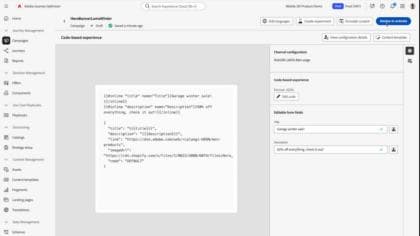
Learn how to create a code based experience campaign to scale personalization with support for server-side, API-based, or SDK-based implementation methods to seamlessly integrate with development environments.
Watch

Add Form Fields to Code-Based Experience Channel Templates

Add Form Fields to Code-Based Experience Channel Templates

Discover how developers can streamline collaboration with marketing teams by enabling editable fields within code-based experience channels.

Watch

Product Documentation

table 0-row-1
Create Code-Based Experiences {width="50"}Create Code-Based Experiences
WhatsApp

WhatsApp messages

note prerequisites
PREREQUISITES
  1. Make sure the WhatsApp channel has been configured.
  2. Ensure that customer profiles and audiences are ready for targeting.

Tutorials

Introduction to the WhatsApp channel

Introduction to the WhatsApp channel

The video gives a high-level overview of the value of integrating WhatsApp with Adobe Journey Optimizer. It highlights WhatsApp's global reach and engagement benefits, and outlines key prerequisites like setting up a WhatsApp Business Account, generating access tokens, and creating message templates.

Watch

Create a WhatsApp journey

Create a WhatsApp journey

This tutorial walks you through creating a multi-step WhatsApp journey using Adobe Journey Optimizer.

Watch

Product Documentation

table 0-row-2
Create WhatsApp Messages Create WhatsApp Messages Preview, Validate, and Send WhatsApp Messages {width="50"}Preview, Validate, and Send WhatsApp Messages

Apply Best Practices

Time messages to moments of value for the user

Identify potential conflicts

Identify potential conflicts

Discover how to identify and manage potential conflicts - such as overlapping audiences, concurrent timelines, shared communication channels, and frequency constraints across journeys and campaigns to ensure a seamless and customer-friendly communication experience.

Watch

Personalize content

Personalization editor - Overview

Personalization editor - Overview

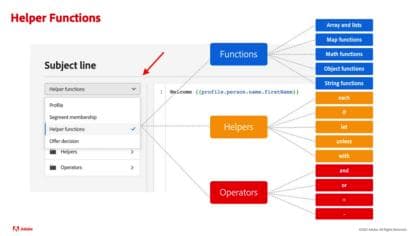
Understand which content can be personalized in Journey Optimizer.
Watch

Use helper functions for personalization

Use helper functions for personalization

Learn how to transform personalization values using personalization helper functions and understand different use cases for helper functions.

Watch

Use and manage saved expressions in the personalization library

Use and manage saved expressions in the personalization library

Learn how to use saved personalization library items in a message and how to create and manage personalization library items.

Learn more

Control message frequency to avoid user fatigue:

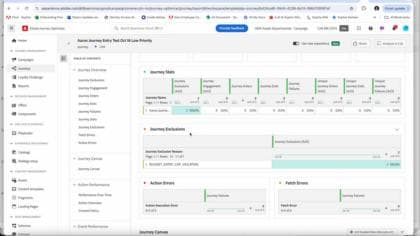
Assign Priority Scores to Inbound Actions

Assign Priority Scores to Inbound Actions

Learn how to prioritize inbound actions, ensuring that the highest priority content is delivered to a customer when they qualify for multiple inbound actions using the same channel configuration.
Watch

Journey Frequency Capping and Prioritization

Journey Frequency Capping and Prioritization

Learn how to prioritize inbound actions, ensuring that the highest priority content is delivered to a customer when they qualify for multiple inbound actions using the same channel configuration.

Watch

recommendation-more-help
3c815ced-85ff-4d0f-8ef4-003f644f5cd0