The Trade Desk Third-Party Audiences connection the-trade-desk-third-party-audiences
The Trade Desk is a self-service platform for ad buyers. Buyers use it to run remarketing and audience-targeted campaigns across display, video, and mobile inventory sources.
Use this destination to send audiences from Adobe Real-Time CDP to the Data Marketplace in The Trade Desk. Buyers can then license your audiences and target them in programmatic campaigns.
Use cases use-cases
Use this destination to deliver your audiences to the Data Marketplace in The Trade Desk. After you make the audiences available in the Data Marketplace, buyers can license them. Buyers can then activate the audiences in display, video, and mobile campaigns.
To make your audiences available to buyers, follow the steps in Validate in The Trade Desk.
Prerequisites prerequisites
Before you set up this destination, complete the following tasks:
- Contact your The Trade Desk account team to confirm that your organization is enrolled as a data provider.
- Get your data provider ID from your The Trade Desk account team.
- Generate an API token in Open TTD with your The Trade Desk API credentials.
- To activate TDID (The Trade Desk ID), make sure that a mapping between ECID (Experience Cloud ID) and TDID exists in Adobe Experience Platform. To set up the mapping, follow the prerequisites for The Trade Desk connection.
Supported identities supported-identities
This destination activates the identities described in the following table. Learn more about identities.
Supported audiences supported-audiences
This section describes which types of audiences you can export to this destination.
This category includes all audience origins outside of audiences generated through the Segmentation Service. Read about the various audience origins. Some examples include:
- custom upload audiences imported into Experience Platform from CSV files
- look-alike audiences
- federated audiences
- audiences generated in other Experience Platform apps, such as Adobe Journey Optimizer
The following table describes supported audiences by audience data type.
Export type and frequency export-type-frequency
The following table describes the export type and frequency for this destination.
Connect to the destination connect
To connect to this destination, follow the steps in the destination configuration tutorial. In the configure destination workflow, fill in the fields listed in the next two sections.
Authenticate to destination authenticate
To authenticate to the destination, select New account, fill in the required fields, and select Connect to destination.

- Account name: Required. A name to identify this account.
- Description: Optional. A description to help you identify this account.
- Bearer token: Required. Enter the API token that you generated in Open TTD. For details about the token, read Prerequisites.
Fill in destination details destination-details
To configure details for the destination, fill in the required and optional fields. An asterisk next to a field in the UI indicates that the field is required.

- Name: Required. A name to identify this destination.
- Description: Optional. A description to help you identify this destination.
- Data Provider ID: Required. Your data provider ID from your The Trade Desk account team.
- Audience membership expiration (days): Required. The number of days that The Trade Desk keeps a profile in an audience after the profile qualifies. The default is 90 days.
Enable alerts enable-alerts
Enable alerts to receive notifications about the status of the dataflow to your destination. Select an alert from the list to subscribe to notifications. For more information, read Subscribe to destinations alerts using the UI.
When you finish providing details for your destination connection, select Next.
Activate audiences to this destination activate
- To activate data, you need the View Destinations, Activate Destinations, View Profiles, and View Segments access control permissions. Read the access control overview or contact your product administrator to get the required permissions.
- To export identities, you need the View Identity Graph access control permission.
To activate audiences to this destination, follow the instructions in Activate profiles and audiences to streaming audience export destinations.
Map attributes and identities map
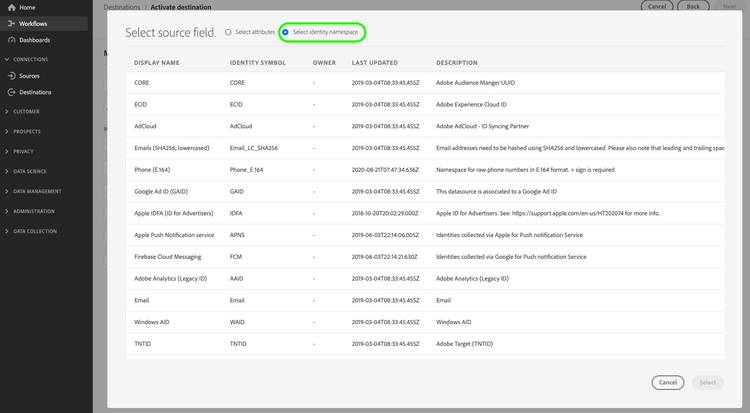
In the Mapping step of the activation workflow, map source identities to the target identities that this destination supports. Follow these practices:
- Map at least one supported identity. Experience Platform cannot activate a profile that has no mapped identity.
- Map more than one supported identity to reach more of the profiles in your audiences.
- For UID2, map a profile attribute or custom identity namespace that already contains a UID2 token. Generate the token outside of Experience Platform. This destination does not convert email addresses, phone numbers, or other identifiers into UID2 tokens.
Validate data export exported-data
Experience Platform sends audience memberships to the third-party data endpoint of The Trade Desk. Each request contains your data provider ID and a list of profiles. Each profile includes one identifier and the audiences that the profile belongs to. The following example shows a request with one IDFA value.
{
  "DataProviderId": "your-data-provider-id",
  "Items": [
    {
      "DAID": "E2C892CF-AAF3-471D-BD13-8DCB9C61DC67",
      "Data": [
        {
          "Name": "e745063a-3902-4268-9ded-197183a57fa6",
          "TTLInMinutes": 129600
        }
      ]
    }
  ]
}
The request uses the following fields:
DataProviderId: The value of the Data Provider ID field.DAIDorUID2: The profile identifier. IDFA values use theDAIDfield. UID2 tokens use theUID2field.Name: The ID of the Experience Platform audience. The Trade Desk uses this value as the segment name.TTLInMinutes: The Audience membership expiration (days) value, converted to minutes.
Validate in Experience Platform validate-experience-platform
To confirm that Experience Platform exports your audiences, complete the following steps:
- In Experience Platform, go to Destinations > Browse.
- Select your destination.
- Select the Dataflow runs tab.
- Confirm that the activation runs complete successfully with the expected number of profiles.
For details about dataflow run metrics, statuses, and errors, read Monitor dataflows for streaming destinations.
Validate in The Trade Desk validate-trade-desk
The Trade Desk calls each exported audience a segment. After The Trade Desk receives your audiences, complete the following steps to make the segments available for targeting:
- Sign in to Open TTD.
- Select Manage Segments, then select Create New.
- Find the segment whose name matches the ID of the audience that you exported from Experience Platform.
- Assign taxonomy and rates to the segment to make the segment available in the Data Marketplace.
Data usage and governance data-usage-governance
All Adobe Experience Platform destinations comply with data usage policies when they handle your data. To learn how Experience Platform enforces data governance, read the Data Governance overview.
Additional resources additional-resources
Use the following resources to learn more about this destination and related identifiers: