在此頁面上:瞭解如何在電子郵件Designer中設定電子郵件中繼資料,包括預覽文字、檔案標題和檔案語言,以改善電子郵件內容的可讀性和可存取性。
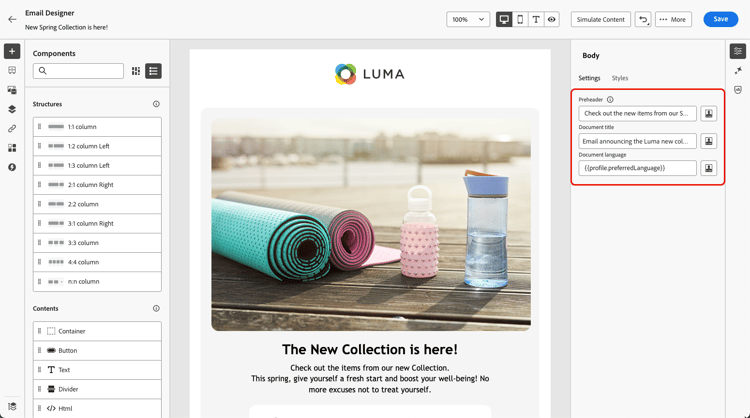
在設計電子郵件時,為了提高可讀性和可存取性,您可以為內容定義其他中繼屬性。 Journey Optimizer 電子郵件Designer可讓您指定下列元素:
-
預覽文字:預覽文字是簡短摘要文字,當從您的電子郵件使用者端檢視電子郵件時,會跟隨主旨行。 在許多情況下,這段文字會提供電子郵件的簡短摘要,並且長度通常只有一個句子。
note NOTE 並非所有電子郵件用戶端都支援預覽文字。 如果不支援,就不會顯示預覽文字。 -
檔案標題:此欄位對應至
<title>元素,提供有關電子郵件內容的描述性資訊,通常會在滑鼠懸停時顯示為工具提示。 它可提供額外的內容,以協助殘障使用者更好地瞭解您的內容。 -
檔案語言:若要確保無障礙環境,您可以指定熒幕朗讀程式將文字和影像轉換為語音或盲文的語言 — 適用於視障或學習障礙人士。 此設定對應至
<html>專案中的lang屬性。
若要進行這些設定,請遵循下列步驟。
-
從電子郵件Designer,新增至少 結構元件 以開始設計您的電子郵件。
-
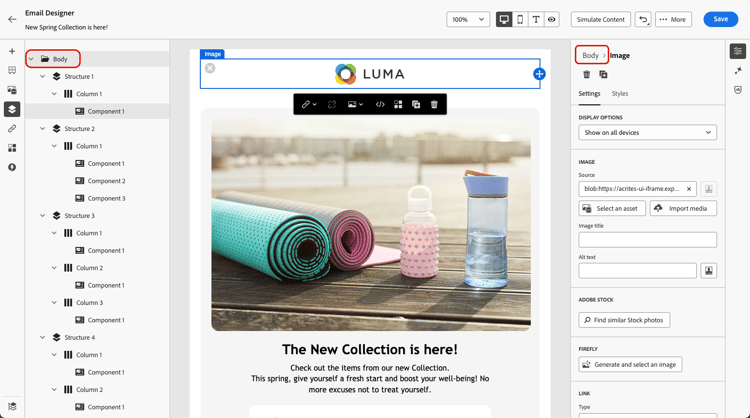
按一下內文 (從左邊的 導覽樹狀結構 或右窗格頂端)。
-
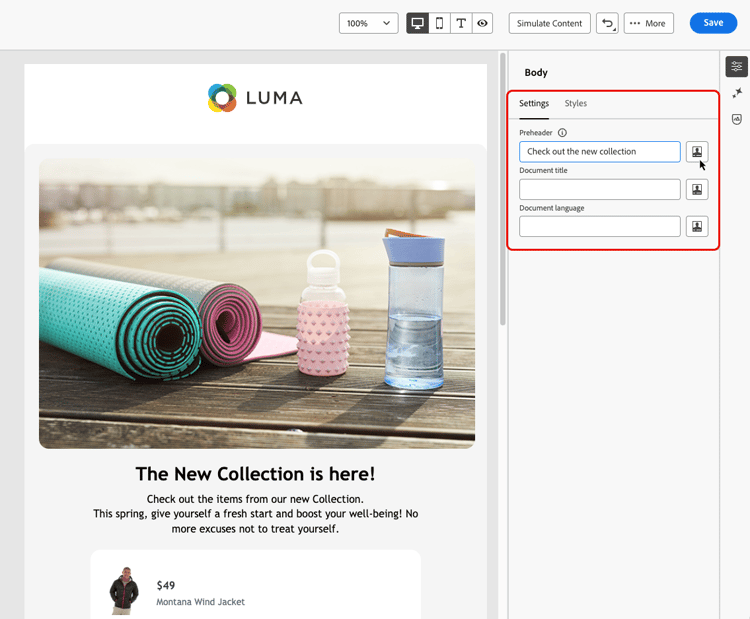
從 設定 索引標籤中,在Preheader、檔案標題和/或 檔案語言 欄位中鍵入一些文字。
-
您也可以按一下每個欄位旁的個人化圖示,從設定檔屬性、對象、內容屬性等自訂您的內容。 進一步瞭解個人化
-
按一下儲存,以確認您所做的變更。
This section contains structured knowledge intended to support interpretation, retrieval, and question answering related to this topic.
For complete understanding, this information should be combined with the documentation on this page. Neither source is intended to stand alone; the page describes the feature, while this section provides additional context that helps disambiguate terminology, intent, applicability, and constraints.
- TL;DR: This page explains how to set email metadata in the Email Designer — the preheader, document title, and document language — to improve the readability and accessibility of your email content.
Intents:
- Define a preheader that follows the subject line in the recipient’s email client
- Set a document title to provide descriptive information about the email content
- Set a document language so screen readers use the correct language
- Personalize metadata fields from profile attributes, audiences, contextual attributes, and more
- Improve the readability and accessibility of email content
Glossary:
- Preheader: A short summary text that follows the subject line when viewing an email from your email client, typically one sentence long (product-specific)
- Document title: A field corresponding to the
<title>element that provides descriptive information about the email, typically displayed as a tooltip on mouse hover (product-specific) - Document language: A setting corresponding to the
langattribute in the<html>element that specifies the language screen readers use to convert text and images into speech or braille (product-specific)
Guardrails:
- Preheaders are not supported by all email clients; when not supported, the preheader does not display.
- You must add at least a Structure component before you can start designing the email and configure these settings.
- Metadata is configured from the Body settings, accessed via the Navigation tree or the top of the right pane, on the Settings tab.
Terminology:
- Canonical name: email metadata — Acronym: n/a — variants: meta attributes, email content metadata
- Synonyms: “Document title” = “
<title>element”; “Document language” = “langattribute” - Do not confuse: “Preheader” (summary text after the subject line) ≠ “Document title” (
<title>element shown as a tooltip)
FAQ:
- Q: What is a preheader? — A short summary text that follows the subject line when viewing an email from your email client, typically one sentence long.
- Q: Why might a preheader not display? — Preheaders are not supported by all email clients; when not supported, the preheader does not display.
- Q: What does the document language setting do? — It specifies the language that screen readers use to convert text and images into speech or braille, corresponding to the
langattribute in the<html>element. - Q: Can I personalize the metadata fields? — Yes. Click the personalization icon next to each field to customize content from profile attributes, audiences, contextual attributes, and more.