
CreditCard Container
The CreditCard container renders a form for entering credit card details during checkout.
Configuration
Section titled “Configuration”The CreditCard container provides the following configuration options:
| Option | Type | Req? | Description |
|---|---|---|---|
getCartId | function | No | Returns a promise that resolves to the shopper’s cart ID. |
creditCardFormRef | object | No | Reference to the credit card form. Initially, { current: null } should be passed. After rendering, the container sets current to the validate: () => boolean and submit: () => Promise<void> object, which parent containers can use to programmatically validate and submit the form. Any error during the payment flow propagates to onError and causes the promise returned by submit() to be rejected. |
onSuccess | function | No | Called when the payment completes successfully. Receives { cartId: string }. |
onError | function | No | Called when the payment flow fails or is aborted. Receives { name: string, message: string }, containing localized, user-facing error details. These values can be translated using PaymentServices.CreditCard.errors language definitions. |
This container exposes no customizable slots.
The following example demonstrates how to render a credit card form and submit it using the submitCreditCard API function:
import * as paymentsApi from '/@dropins/storefront-payment-services/api.js';import CreditCard from '/@dropins/storefront-payment-services/containers/CreditCard.js';import { render as PaymentServices } from '/@dropins/storefront-payment-services/render.js';
const $content = document.createElement('div');const $placeOrderButton = document.getElementById('place-order');
PaymentServices.render(CreditCard)($content);
$placeOrderButton.onclick = () => { paymentsApi.submitCreditCard() .then(() => { console.log('Credit card submitted successfully.'); }) .catch((error) => { if (error.code === 'payment-services/credit-card-form-invalid') { return; } console.error(error.code, error.message); });};Card vaulting
Section titled “Card vaulting”The CreditCard container renders a “Save this card for future purchases” checkbox below the form fields when both of the following are true:
- The shopper is signed in.
- Vault Enabled is set to Yes in the Payment Services configuration in the Commerce Admin.
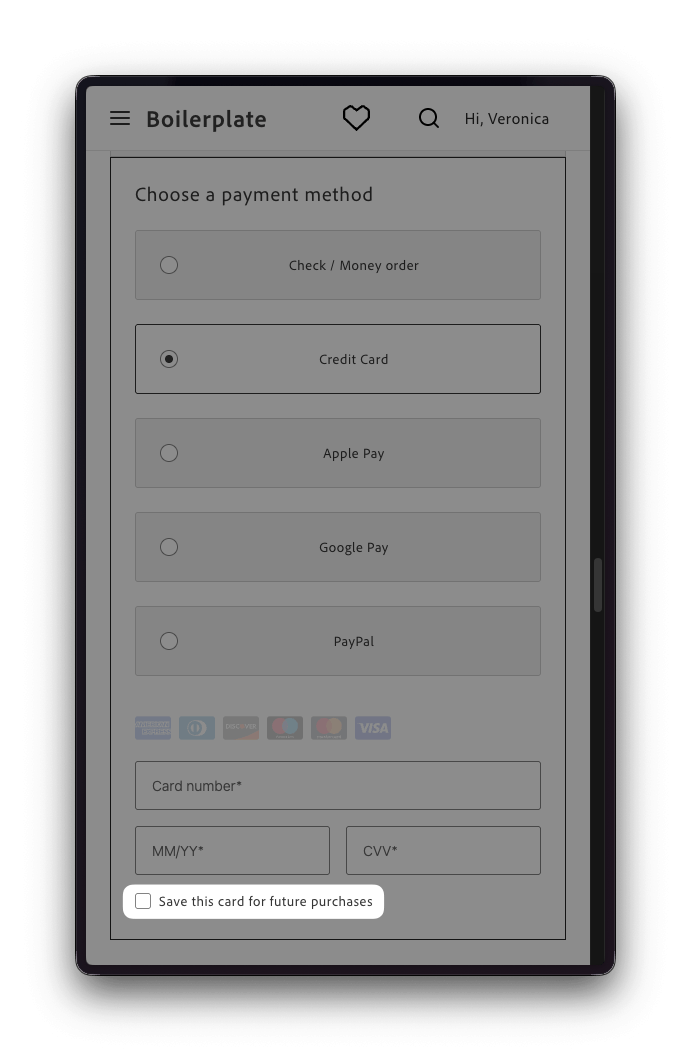
CreditCard form with the save-card checkbox
When checked, Payment Services saves the card when the shopper places the order. The shopper can then pay with the saved card on future orders. To display saved cards in checkout, use the VaultedCreditCard container. For the checkout integration, see Use vaulted cards in checkout.