Shape splatter v2 mapper grayscale
In: Generator > Pattern
Description
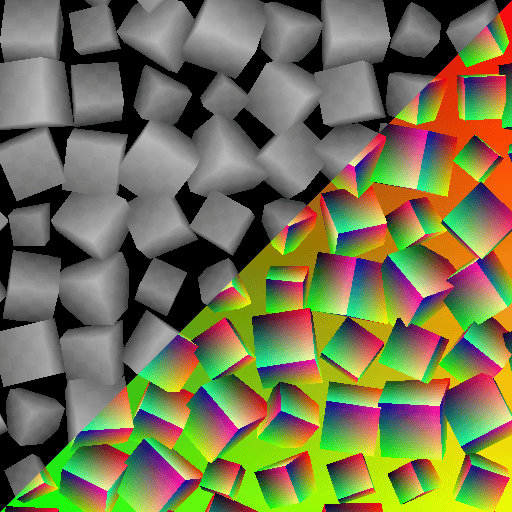
Maps grayscale images on shapes generated and scattered using the Shape splatter v2 node , using the additional data provided by the node.
Images are provided as separate pattern inputs or packed into a grid atlas, and can be applied to the shapes using UV mapping, triplanar projection or custom mapping.
Shapes can be tinted and their luminance adjusted uniformly or randomly per shape.
See also Shape splatter v2 mapper color.
INFO
This node requires input data generated by the Shape splatter v2 node.
Other nodes in the Shape splatter v2 family:
The Grid atlas grayscale nodes let you pack images into an atlas of custom size, up to 16 patterns in 4*4 cells.
TIP
The ‘Rusty bolts’ material sample is available to get started with Shape splatter v2 nodes.
To learn more about concepts and workflows involving SDF functions, go to the dedicated page: Working with SDF functions
Inputs
Grid atlas input Grayscale
A grayscale image of patterns packed into a grid layout.
The grid size should match that used by the Shape splatter v2 node .
Use the Grid atlas grayscale node to pack separate patterns into a grid atlas.
The grid size should match that used by the Shape splatter v2 node .
Use the Grid atlas grayscale node to pack separate patterns into a grid atlas.
Pattern input 1 Grayscale
The grayscale image for the #1 pattern that is mapped to the shapes.
Tip: Use a resolution that is close to the maximum size the pattern may have when scattered.
Tip: Use a resolution that is close to the maximum size the pattern may have when scattered.
Pattern input 2 Grayscale
The grayscale image for the #2 pattern that is mapped to the shapes.
Tip: Use a resolution that is close to the maximum size the pattern may have when scattered.
Tip: Use a resolution that is close to the maximum size the pattern may have when scattered.
Pattern input 3 Grayscale
The grayscale image for the #3 pattern that is mapped to the shapes.
Tip: Use a resolution that is close to the maximum size the pattern may have when scattered.
Tip: Use a resolution that is close to the maximum size the pattern may have when scattered.
Pattern input 4 Grayscale
The grayscale image for the #4 pattern that is mapped to the shapes.
Tip: Use a resolution that is close to the maximum size the pattern may have when scattered.
Tip: Use a resolution that is close to the maximum size the pattern may have when scattered.
Pattern input 5 Grayscale
The grayscale image for the #5 pattern that is mapped to the shapes.
Tip: Use a resolution that is close to the maximum size the pattern may have when scattered.
Tip: Use a resolution that is close to the maximum size the pattern may have when scattered.
Pattern input 6 Grayscale
The grayscale image for the #6 pattern that is mapped to the shapes.
Tip: Use a resolution that is close to the maximum size the pattern may have when scattered.
Tip: Use a resolution that is close to the maximum size the pattern may have when scattered.
Pattern input 7 Grayscale
The grayscale image for the #7 pattern that is mapped to the shapes.
Tip: Use a resolution that is close to the maximum size the pattern may have when scattered.
Tip: Use a resolution that is close to the maximum size the pattern may have when scattered.
Pattern input 8 Grayscale
The grayscale image for the #8 pattern that is mapped to the shapes.
Tip: Use a resolution that is close to the maximum size the pattern may have when scattered.
Tip: Use a resolution that is close to the maximum size the pattern may have when scattered.
Background input Grayscale
The grayscale image used as background for the mapped shapes.
Color input Grayscale
The grayscale image used to tint the mapped shapes according to their pivot position.
Use the Color input opacity parameter to adjust the intensity of these colors’ contribution to the shapes color.
Use the Color input opacity parameter to adjust the intensity of these colors’ contribution to the shapes color.
Normal Color
The normals computed for the scattered shapes, masked according to the blending with the background height.
If the Shape type is ‘Grid atlas’, the normals provided to the Grid atlas normal input are used directly.
If the Shape type is ‘Grid atlas’, the normals provided to the Grid atlas normal input are used directly.
Splatter UVW Color
R - U component of the shapes’ UVs.
G - V component of the shapes’ UVs.
B - The shapes’ height. (W)
A - Packed data:
- Integer part: The shapes’ unique identifier. (ID)
- Fractional part: Depends on the Shape type: Material ID if SDF/primitive, pattern ID* if pattern input/grid atlas.
*: The pattern ID is the index of the shape in the list/atlas.
G - V component of the shapes’ UVs.
B - The shapes’ height. (W)
A - Packed data:
- Integer part: The shapes’ unique identifier. (ID)
- Fractional part: Depends on the Shape type: Material ID if SDF/primitive, pattern ID* if pattern input/grid atlas.
*: The pattern ID is the index of the shape in the list/atlas.
Splatter data 1 Color
R - X component of the position on the shape surface, in object space.
G - Y component of the position on the shape surface, in object space.
B - Z component of the position on the shape surface, in object space.
A - Packed data:
- Integer part: U component of the UV coordinates for the shapes’ data in the Data 2/3 outputs.
- Fractional part: V component of the UV coordinates for the shapes’ data in the Data 2/3 outputs.
- Sign: Binary mask for the blending of the shapes with the background height.
G - Y component of the position on the shape surface, in object space.
B - Z component of the position on the shape surface, in object space.
A - Packed data:
- Integer part: U component of the UV coordinates for the shapes’ data in the Data 2/3 outputs.
- Fractional part: V component of the UV coordinates for the shapes’ data in the Data 2/3 outputs.
- Sign: Binary mask for the blending of the shapes with the background height.
Splatter data 2 Color
R - X component of the shapes’ 3D rotation.
G - Y component of the shapes’ 3D rotation.
B - Z component of the shapes’ 3D rotation.
A - The shapes’ rotation around their normal.
All rotations are defined in number of turns.
G - Y component of the shapes’ 3D rotation.
B - Z component of the shapes’ 3D rotation.
A - The shapes’ rotation around their normal.
All rotations are defined in number of turns.
Splatter data 3 Color
R - X component of the shapes’ position.
G - Y component of the shapes’ position.
B - The shapes’ offset along their normal.
A - Packed data:
- Integer part: The shape’s ID.
- Fractional part:The index of the shapes’ pattern in its source atlas. (If using a grid atlas pattern type)
G - Y component of the shapes’ position.
B - The shapes’ offset along their normal.
A - Packed data:
- Integer part: The shape’s ID.
- Fractional part:The index of the shapes’ pattern in its source atlas. (If using a grid atlas pattern type)
Splatter data 4 Color
Pixel 1
R - X size of the Data 2/3 output images.
G - Y size of the Data 2/3 output images.
B - X size of the Data 4 output image.
A - Y size of the Data 4 output image.
Pixel 2
R - The shape type. (E.g. Cube, cylinder, …)
G - Packed data:
- Absolute value: The pattern input number.
- Sign: Normal format of the output normal map. (Positive: DirectX / Negative: OpenGL)
B - X size of the grid atlas. (I.e. the amount of columns)
A - Y size of the grid atlas. (I.e. the amount of rows)
R - X size of the Data 2/3 output images.
G - Y size of the Data 2/3 output images.
B - X size of the Data 4 output image.
A - Y size of the Data 4 output image.
Pixel 2
R - The shape type. (E.g. Cube, cylinder, …)
G - Packed data:
- Absolute value: The pattern input number.
- Sign: Normal format of the output normal map. (Positive: DirectX / Negative: OpenGL)
B - X size of the grid atlas. (I.e. the amount of columns)
A - Y size of the grid atlas. (I.e. the amount of rows)
Outputs
Output
The colored shapes.
Parameters
Projection mode Integer
The method of projecting the input images onto the shapes:
- From splatter UVs: Use the UVs provided by the Shape splatter v2 node.
- Triplanar: Use triplanar projection to map the images on the shapes’ local XYZ axes.
- Custom function: Author a function graph to define the mapping of the images onto the shapes.
- From splatter UVs: Use the UVs provided by the Shape splatter v2 node.
- Triplanar: Use triplanar projection to map the images on the shapes’ local XYZ axes.
- Custom function: Author a function graph to define the mapping of the images onto the shapes.
Custom function Float
Specifies the per-pixel luminance of the shapes as a Float.
The following variables are available:
-
-
-
-
-
-
*: The shape’s world space is centered on its pivot and does not account for the shape’s height. This means the only difference with object space is orientation.
If sampling the Shape splatter v2 mapper grayscale node’s inputs is needed, these Sample grayscale node input slots may be used:
- 0: Grid atlas
- 1-8: Pattern input 1-8
The following variables are available:
-
shape.position.os (Float3) The position of the shape surface in object space.-
shape.position.ws (Float3) The position of the shape surface in world space*.-
shape.normal.os (Float3) The normals of the shape surface in object space.-
shape.normal.ws (Float3) The normals of the shape surface in world space*.-
shape.id (Float) The shape’s unique identifier.-
material.id (Float) The material ID of the shape surface, defined by the Shape splatter v2 node.*: The shape’s world space is centered on its pivot and does not account for the shape’s height. This means the only difference with object space is orientation.
If sampling the Shape splatter v2 mapper grayscale node’s inputs is needed, these Sample grayscale node input slots may be used:
- 0: Grid atlas
- 1-8: Pattern input 1-8
Blending contrast Float
The sharpness of the transitions between planar projections, where 1 means no fade gradient.
Image projection Integer
The amount of Pattern input # images distributed across the planar projections contributing to the triplanar mapping.
In order to cover all sides of a shape, a front (+) and back (-) planar projection is performed on each axis, totalling 6 projections.
- 1 image: The Pattern input 1 is used for all planar projections.
- 3 images: A separate Pattern input is used for the +/- projection of each axis.
- 6 images: Each projection uses a separate Pattern input.
- 1 image per material ID: Use a separate Pattern input per material ID, where each image is used for all planar projections.
In order to cover all sides of a shape, a front (+) and back (-) planar projection is performed on each axis, totalling 6 projections.
- 1 image: The Pattern input 1 is used for all planar projections.
- 3 images: A separate Pattern input is used for the +/- projection of each axis.
- 6 images: Each projection uses a separate Pattern input.
- 1 image per material ID: Use a separate Pattern input per material ID, where each image is used for all planar projections.
Projection center Float3
Offsets the triplanar projection per axis, in object space.
The offset is applied to the entire projection space, so an offset on one axis will affect the positioning of the textures projected on the other two axes.
The offset is applied to the entire projection space, so an offset on one axis will affect the positioning of the textures projected on the other two axes.
Projection scale Float
Adjusts the scale of the projected textures on all axes, by the specified factor.
Input selection mode Integer
The method of selecting which of the input images should be mapped to the shapes.
The Shape type selected in the source Shape splatter v2 node changes the way of assigning images to shapes:
- Grid atlas means the images are fetched in the ‘Grid atlas input’ by matching grid indexes (Both atlases should use the same grid size)
- Pattern input means the images are fetched in the ‘Pattern input #’ inputs by matching indexes.
- Other shape types: images are assigned by matching the indexes to the shape’s material IDs.
The available methods of selecting the indexes are:
- From splatter data: Match the indexes of the ‘Pattern input #’ or ‘Grid atlas input’ images to the indexes of the shapes assigned by the Shape splatter v2 node.
- Manual: Use the index specified by the ‘Image index’ parameter.
- Random: Use a random index in the range specified by the ‘Random range’ parameter.
The Shape type selected in the source Shape splatter v2 node changes the way of assigning images to shapes:
- Grid atlas means the images are fetched in the ‘Grid atlas input’ by matching grid indexes (Both atlases should use the same grid size)
- Pattern input means the images are fetched in the ‘Pattern input #’ inputs by matching indexes.
- Other shape types: images are assigned by matching the indexes to the shape’s material IDs.
The available methods of selecting the indexes are:
- From splatter data: Match the indexes of the ‘Pattern input #’ or ‘Grid atlas input’ images to the indexes of the shapes assigned by the Shape splatter v2 node.
- Manual: Use the index specified by the ‘Image index’ parameter.
- Random: Use a random index in the range specified by the ‘Random range’ parameter.
Pattern input number Integer
The amount of Pattern input # input images that should be mapped onto the shapes.
Image index Integer
The index of the input pattern from the Pattern input # or Grid atlas input that should be mapped onto the shapes.
Random range Integer2
The range of indexes from the Pattern input # or Grid atlas input that pattern should be randomly selected in to be mapped onto the shapes.
Luminance adjustment Float
An offset uniformly applied to the luminance of all shapes.
Luminance random Float
A random positive or negative offset applied to the luminance of the shapes, up to the specified values.
Color input opacity Float
The intensity of the Color input‘s contribution to the shapes’ colors, according to the selected Color input blending mode.
Color input blending mode Integer
The color blending operation used to combine the foreground and background images.
These operations are identical to their counterparts in the Blend node.
Available modes:
- Copy
- Add (linear dodge)
- Subtract
- Multiply
- Overlay
These operations are identical to their counterparts in the Blend node.
Available modes:
- Copy
- Add (linear dodge)
- Subtract
- Multiply
- Overlay
Tiling mode Integer
The axes along which the texture should be repeated:
- No tiling
- Horizontal tiling
- Vertical tiling
- H and V tiling: Combined horizontal and vertical tiling.
- No tiling
- Horizontal tiling
- Vertical tiling
- H and V tiling: Combined horizontal and vertical tiling.
UV tiling Float
Adjusts the global tiling of the images mapped onto the shapes
Higher values result in more repetitions.
Higher values result in more repetitions.
UV scale Float2
Adjusts the tiling of the images mapped onto the shapes by the specified factor, with separate controls for U and V scaling. Higher values result in more repetitions.
UV offset Float2
Applies an offset to the mapping of the images across the shapes, which enables fine adjustment of the positioning of the images on the shapes.
This offset is added to the Random offset, if any.
This offset is added to the Random offset, if any.
Random offset Float
Applies a random amount of positive or negative offset per shape to to the mapping of the images across the shapes, up to the specified value.
This offset is added to the UV offset, if any.
This offset is added to the UV offset, if any.
recommendation-more-help
substance-3d-designer-help-guide