Sampler nodes
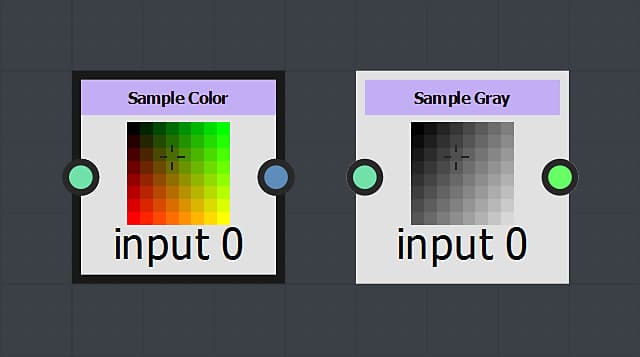
These nodes sample a value in an input image at the provided 2D coordinates:
Sample Gray samples a luminance value at the input Position in a grayscale image and outputs it as a Float value.
Sample Color samples an RGBA value at the input Position in a color image and outputs it as a Float4 value where the R,G,B and A components are mapped to the X, Y, Z and W components respectively.
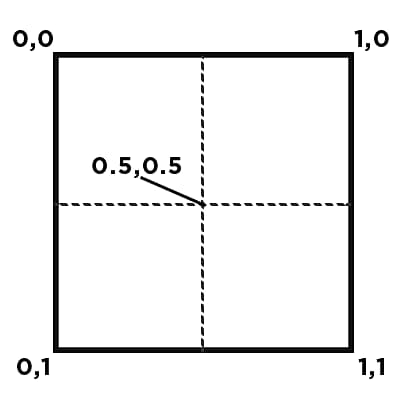
Coordinates start from the top left corner of an input, and range between 0 and 1 horizontally and vertically.
Positions out of this range are handled according to the selected Addressing mode (see below).
Parameters
Lets you select which node input to use for sampling.
The list adapts dynamically to the currently connected inputs. This means entries are added as you connect node inputs.
The numbering of the inputs starts at 0, so that an image connected to the node’s first input is listed as Input image 0.
Lets you define how to handle interpolation when pixels from the sampled image do not map exactly to the output image, because of resolution differences.
Nearest
The pixel will be mapped to the target as-is at the matching coordinate. If the target is of lower resolution the pixel may be entirely ignored. If the target is of higher resolution; it will be mapped to all pixels covering its span. The output is crisper and will look slightly aliased.
Bilinear filtering
A filtering process is applied to the source image so its pixels are mapped to the target resolution in a way that smooths out the transitions between pixels. The output is smoother and will look slightly blurred.
Controls how position values outside of the [0;1] range are handled.
Repeat
Loops over the [0;1] range as the value increases.
E.g.: 3.4 is 0.4, -1.7 is 0.3.
Clamp to Edge
Clamps values out of to the [0;1] range to its closest limit.
E.g.: .3.4 is 1, -1.7 is 0.