Profile settings
In the left navigation, expand Configuration and select Profile settings. Use these settings to manage your personal details, email connection, calendar, and chat availability.
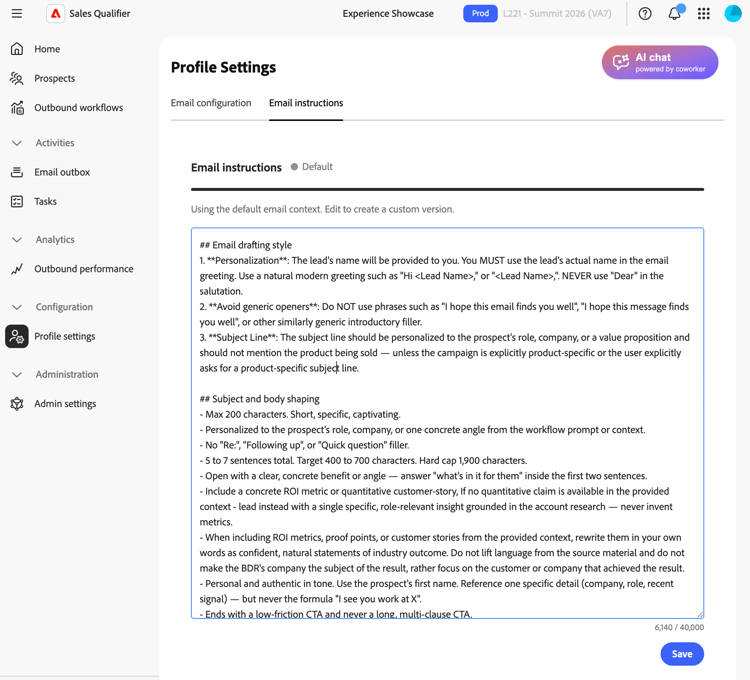
Email settings
In the Email settings tab, set up your email connections.
- Email connections — Select Microsoft Outlook or Google and follow the sign-in process. See Connect Outlook for the access you approve and the administrator approval path, if required.
- Email signature — Add or update the signature used in generated emails. Include your meeting booking link so that prospects can schedule time with you.
- Meeting booking link - Send a meeting invite within your emails. Takes the meeting URL.
Email drafting context
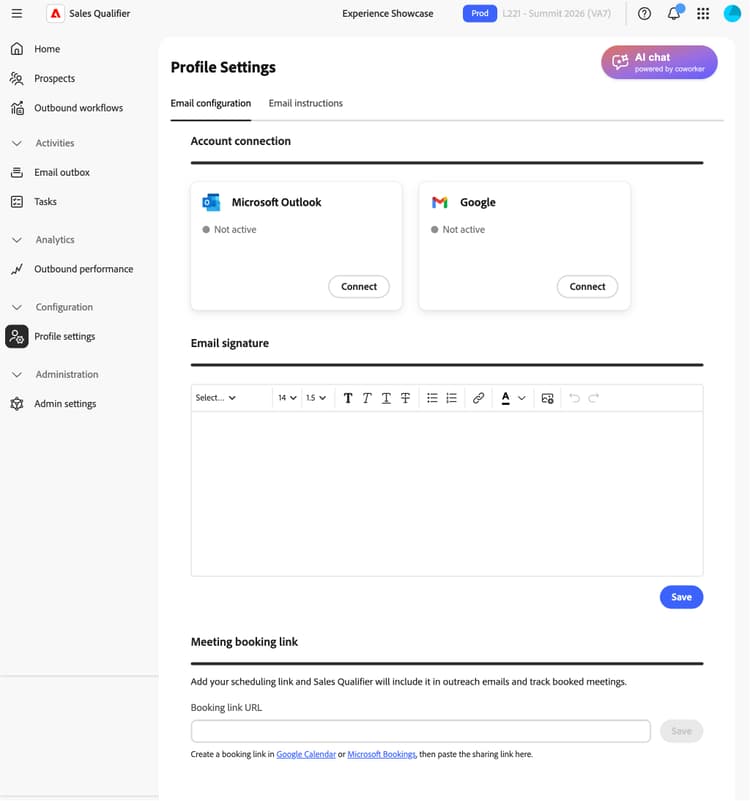
Use Email drafting context to set the email tone, structure, and style, so that emails are consistent.
Write your context in plain markdown on the Email drafting context area.
Use it to define:
- Tone and voice
- Structure and length
- Personalization and greeting rules
- Subject-line style
- How engagement signals are used
- How metrics, proof points, and customer stories are framed
By default, drafts use a house-style context, so your existing drafts do not change until you add your own context.
Calendar configuration
On the Calendar configuration tab, set your time zone and availability.
- Calendar connection—Select Connect and follow the Microsoft sign-in process.
- Meeting confirmation email—Define the subject and body of the confirmation email that a prospect receives after booking a meeting.
- Preferences—Set the default meeting length and the buffer between meetings.
If you disconnect your calendar:
- Active booking links stop working.
- The booking page shows a temporary unavailability message.
- Your settings are preserved when you reconnect.
Calendar availability
Your calendar availability in Adobe Marketo Qualifier is based on two inputs:
- Your connected work calendar, such as Outlook or Gmail
- The availability and time-slot rules in Calendar configuration
Marketo Qualifier reads free/busy status, not event details, from the connected calendar. It combines this status with your rules to determine the time slots that prospects can book.
You can configure:
- Working hours by day of week
- Multiple blocks per day, for example, 9:00 a.m.–noon and 1:00–5:00 p.m.
- Your time zone
- Meeting duration
- Buffer before and after meetings
- Minimum notice
- Booking window