1.4.1 Getting started with Brand Concierge
Instructor-Led Training (ILT) Instructions
IF YOUR NUMBER IS BETWEEN 1 and 95, you need to use the following environment details for setting up Brand Concierge:
- Instance: Adobe Tech Insiders
- Sandbox: techinsidersXXX and replace XXX by the number that was assigned to you
- Username: adobetechinsiders-XXX@adobeeventlab.com and replace XXX by the number that was assigned to you
- Password: use the password that was shared with you
IF YOUR NUMBER IS BETWEEN 95 and 180, you need to use:
- Instance: Adobe Tech Insiders 2
- Sandbox: techinsidersXXX and replace XXX by the number that was assigned to you
- Username: adobetechinsiders-XXX@adobeeventlab.com and replace XXX by the number that was assigned to you
- Password: use the password that was shared with you
1.4.1.1 Brand Concierge instance configuration
To start creating your own Brand Concierge instance, follow the below steps.
Go to https://experience.adobe.com/. Open Brand Concierge.
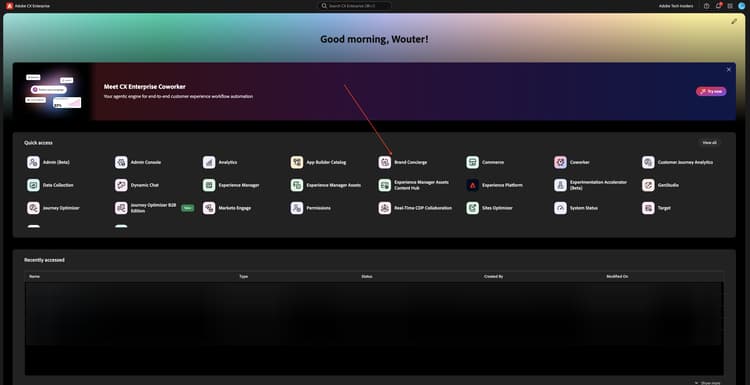
You should then see this. Click the sandbox selection menu. Choose the sandbox that has been assigned to you. That sandbox should be named techinsidersX (replace X by the number you’ve been assigned).
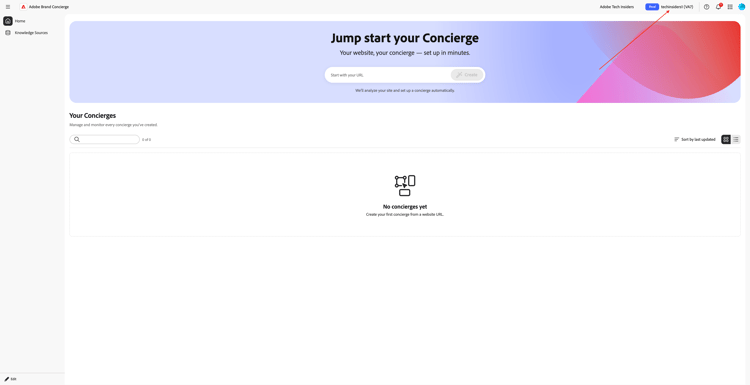
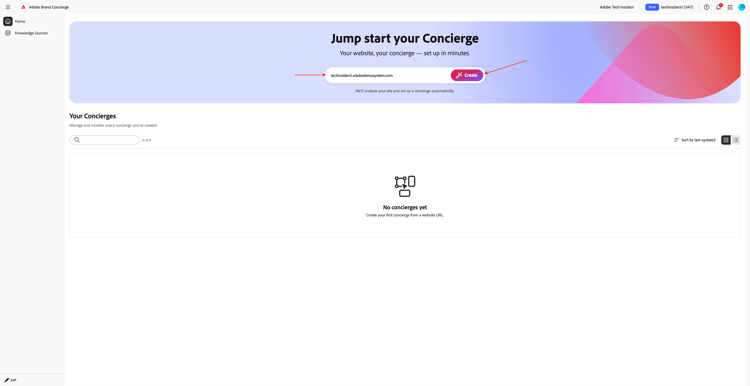
Next, enter the URL of your CitiSignal website, which should look like this: (replace X by your number). Click Create.
techinsidersX.adobedemosystem.com
You shuold then see this.
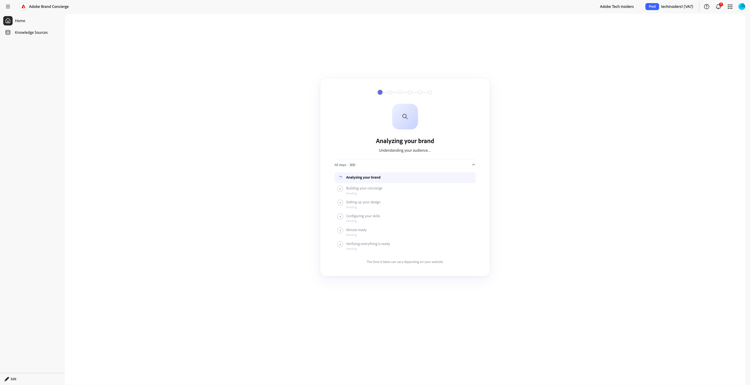
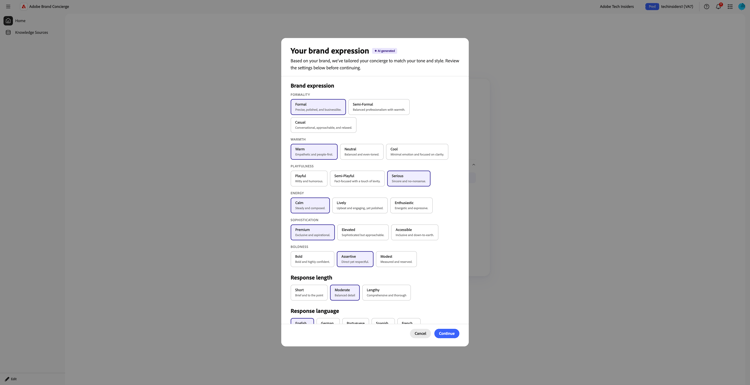
Update your Brand Expression. Click Continue.
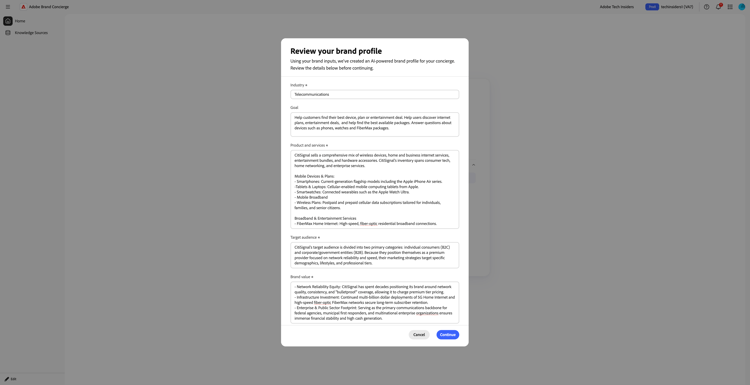
You should then see this. Review your Brand Profile. If needed, update the values in the fields using the below details.
Industry
Telecommunications
Goal
Help customers find their best device, plan or entertainment deal. Help users discover internet plans, entertainment deals, and help find the best available packages. Answer questions about devices such as phones, watches and FiberMax packages.
Product and services
CitiSignal sells a comprehensive mix of wireless devices, home and business internet services, entertainment bundles, and hardware accessories. CitiSignal's inventory spans consumer tech, home networking, and enterprise services.

Mobile Devices & Plans:
- Smartphones: Current-generation flagship models including the Apple iPhone Air series.
-Tablets & Laptops: Cellular-enabled mobile computing tablets from Apple.
- Smartwatches: Connected wearables such as the Apple Watch Ultra.
- Mobile Broadband
- Wireless Plans: Postpaid and prepaid cellular data subscriptions tailored for individuals, families, and senior citizens.

Broadband & Entertainment Services
- FiberMax Home Internet: High-speed, fiber-optic residential broadband connections.
Target audience
CitiSignal's target audience is divided into two primary categories: individual consumers (B2C) and corporate/government entities (B2B). Because they position themselves as a premium provider focused on network reliability and speed, their marketing strategies target specific demographics, lifestyles, and professional tiers.
Brand value
- Network Reliability Equity: CitiSignal has spent decades positioning its brand around network quality, consistency, and "bulletproof" coverage, allowing it to charge premium tier pricing.
- Infrastructure Investment: Continued multi-billion dollar deployments of 5G Home Internet and high-speed fiber-optic FiberMax networks secure long-term subscriber retention.
- Enterprise & Public Sector Footprint: Serving as the primary communications backbone for federal agencies, municipal first responders, and multinational enterprise organizations ensures immense financial stability and high cash generation.
Key differentiators
CitiSignal differentiates itself from competitors through network reliability, a premium bundling ecosystem, and deep corporate/enterprise integration. While competitors often lean heavily on aggressive pricing strategies, CitiSignal leverages specific structural, technological, and service-based pillars to maintain its high-value customer base.
Common use cases
CitiSignal's common use cases span daily consumer activities, enterprise-grade industrial automation, and highly secure public sector communications. Because CitiSignal provides cellular, fiber, and cloud network computing infrastructures, their technology is applied to multiple distinct real-world scenarios.
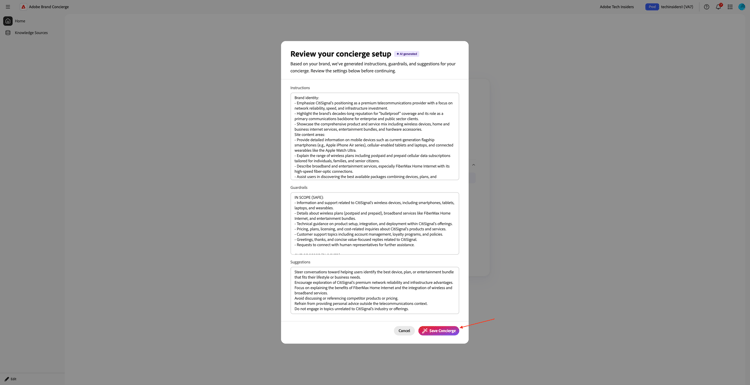
Click Continue.
Review your setup and then click Save Concierge.
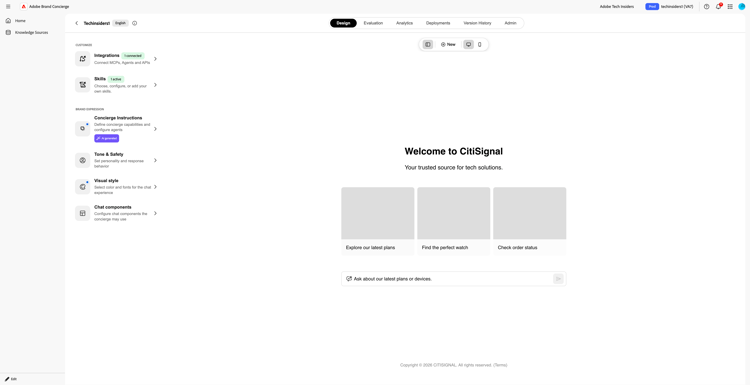
After a couple of minutes, you should then see this.
1.4.1.2 Knowledge Sources Configuration
Go to Knowledge Source and click Build your knowledge source.

Select Website links and click Continue.

You should then see this. Enter CitiSignal website as name for your knowledge source.
You now need to upload a csv file that contains the links of your website. Download CitiSignal website links CSV file to your desktop.
Click Browse Files.

Open the file citisignal-website-links.csv and update the links to point to your own CitiSignal website.
If you’re doing this tech lab as part of the Tech Insiders Tech Lab deliveries, you have been given access to an existing demo website based on an assigned number. These demo websites come with a custom domain that looks like this, whereby XX stand for the number that has been given to you:
https://techinsidersXX.adobedemosystem.com/ (for in-person training)
or
https://techinsidersodXX.adobedemosystem.com/ (for on-demand training)
In the below image, you need to replace the base URL by your website’s URL.
The links to the products in the file below are related to the products that you configured as part of exercise 1 in the module
1.5 Adobe Commerce as a Cloud Service.
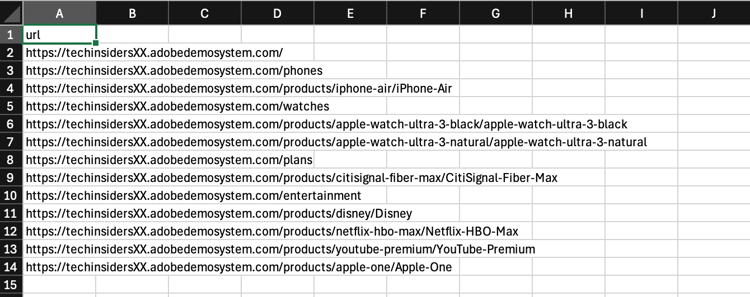
If your number is 1, your file should look like this:
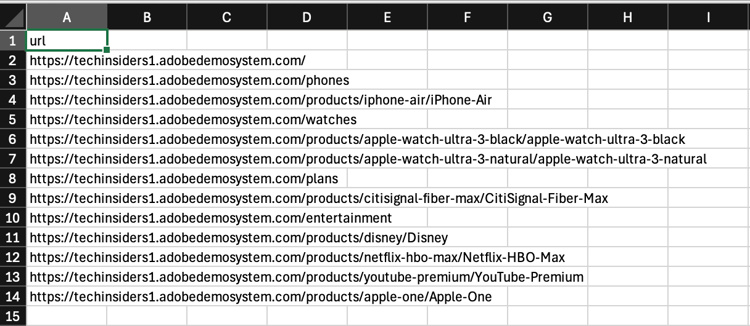
If your number is 90, your file should look like this:
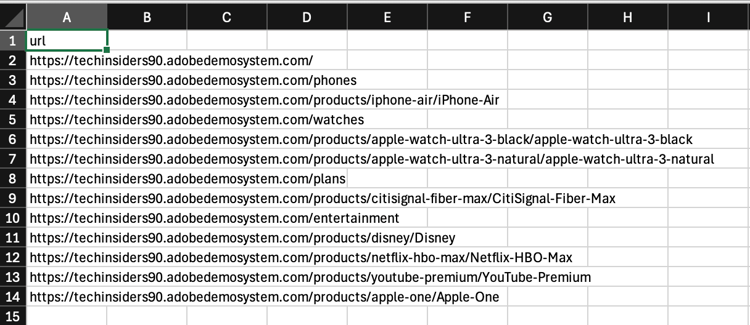
Once you’ve updated the file as instructed above, select that file citisignal-website-links.csv next. Click Open.

Your file is now added to this knowledge source. Click Add.

You should then see this. Click Build your knowledge source.

Select Product catalog and click Continue.
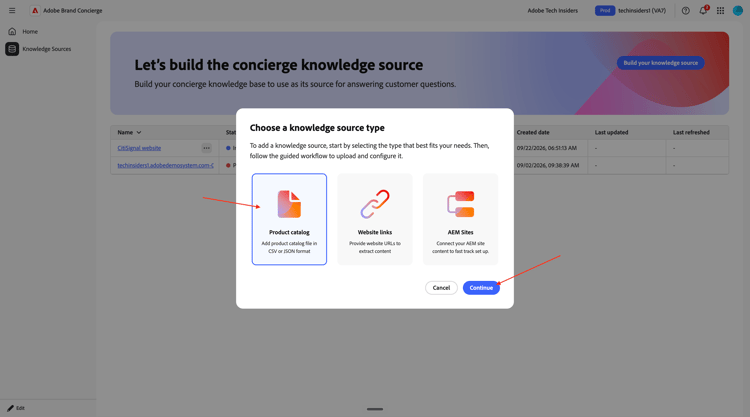
You should then see this. Enter CitiSignal Products as name for your knowledge source. Click Browse Files and then select Browse from your device.
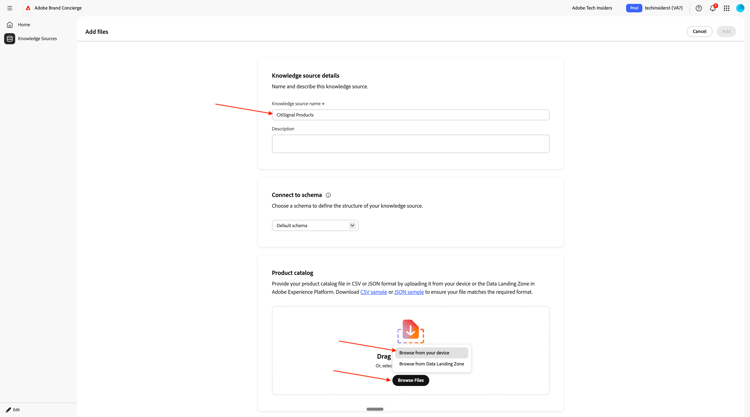
You now need to upload a csv file that contains the links of your website. Download CitiSignal product catalog to your desktop and unzip it.

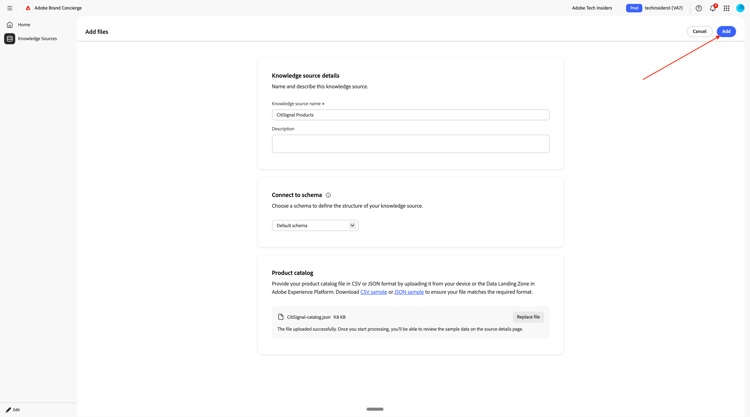
Select the file CitiSignal-catalog.json and click Open.

You should then see this. Click Add.
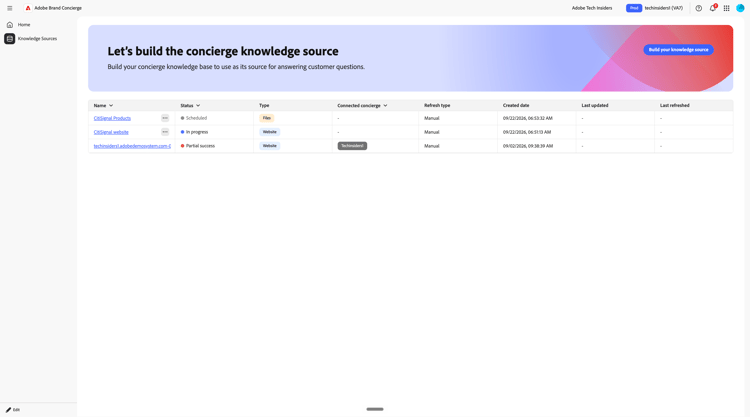
You’ll then be back here. Processing will take 10-20 minutes so you’ll have to come back here at a later stage to verify if processing was successful.
1.4.1.3 Data Collection onboarding steps
Brand Concierge uses Adobe Experience Platform to store interaction data from conversations. The connection between Brand Concierge and Experience Platform requires a datastream to be configured and used by Brand Concierge.
Datastream
Go to https://experience.adobe.com/. Open Experience Platform.

Ensure that you’ve selected the right sandbox, which should be named techinsidersX. In the left menu, scroll down and select Datastreams.

Click New Datastream.

Enter the Datastream Name --aepUserLdap-- - Brand Concierge and then select the Mapping Schema cja-brand-concierge-sb-XXX.
Click Save.

You shoudl then see this. Click Add Service.

Select the following:
- Service: Adobe Experience Platform
- Event Dataset: Brand Concierge Conversations Event Dataset
- check the box in front of Brand Concierge
Click Save.

Your datastream is now configured. Copy the datastream name and the datastream id and write them down in a text file on your computer.
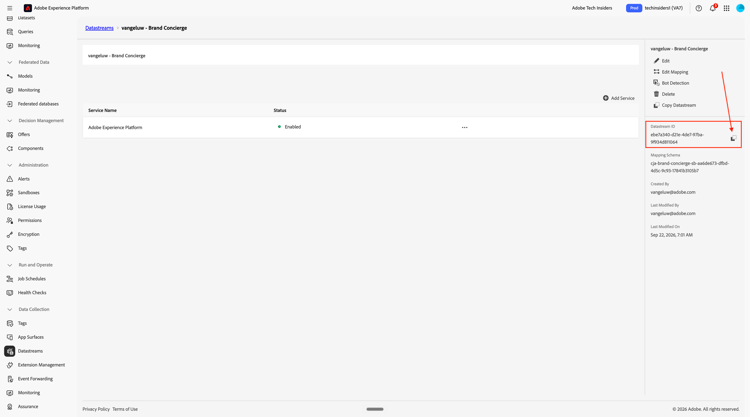
Datastream Config Management
The next step is to enable the Brand Concierge Configuration Management API to configure the datastream that you just created. This is required to resolve things like IMS Org ID and sandbox details during request processing.
Go to Home and then click your Brand Concierge instance…
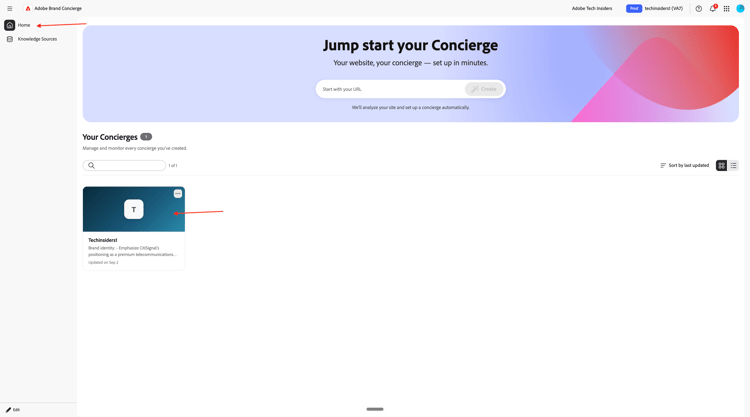
Go to Deployments.

You should then see this. Click + Add Config.

Paste the Datastream ID of the datastream that you created earlier. Click Save.
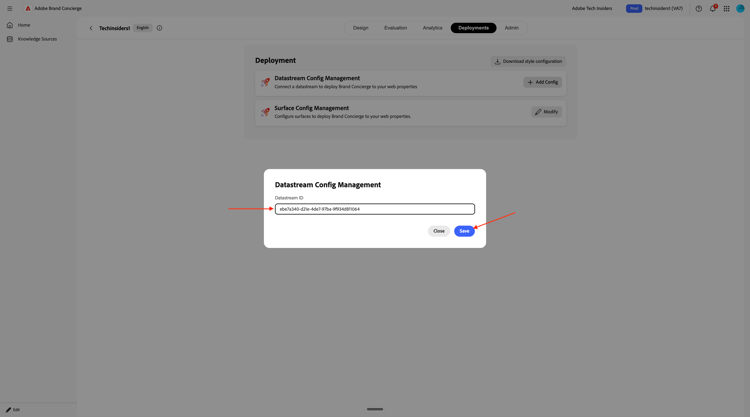
Click Modify next to Surface Config Management.

Enter the following:
- Domain equals
techinsidersX.adobedemosystem.com - Path equals
/brandconcierge
Click Save.

You should then see this.

1.4.1.4 Finish knowledge source setup
Go to Knowledge Sources. After 10-20 minutes, the Status of both knowledge sources should be Completed.
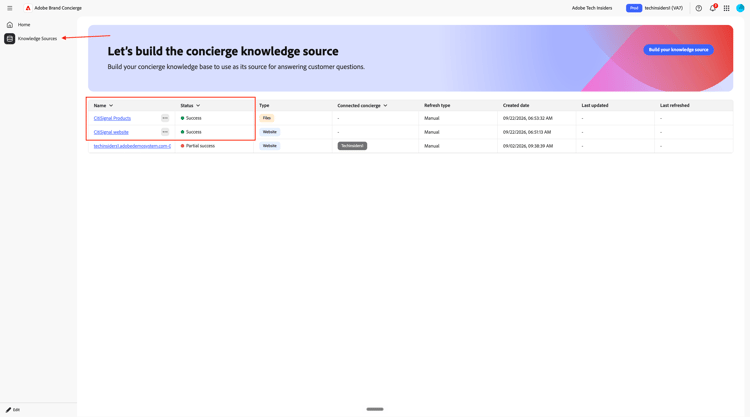
Once the status is Success for both knowledge sources, click Home and then select your Brand Concierge instance.

Click Integrations.
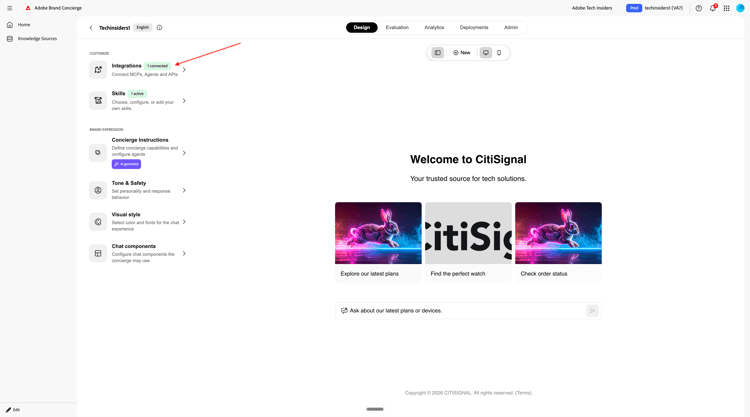
Click Browse Integrations.

Select the integration Product Catalog and click Configure.
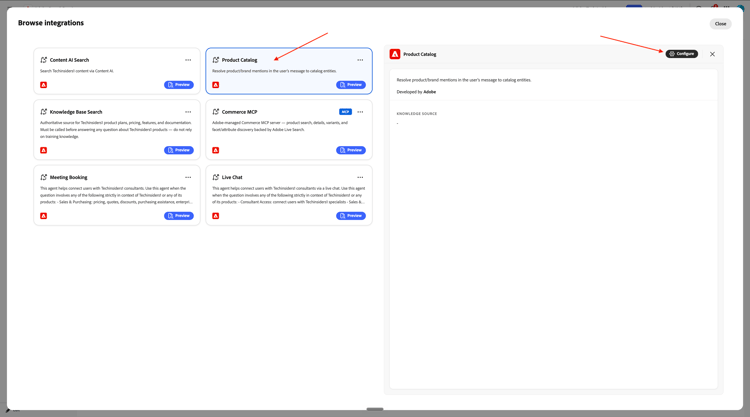
Click Select knowledge source.

Select the knowledge source CitiSignal Products and click Save.

Click the Save icon.

You should then see this. Click Knowledge Base Search.

Click Configure.
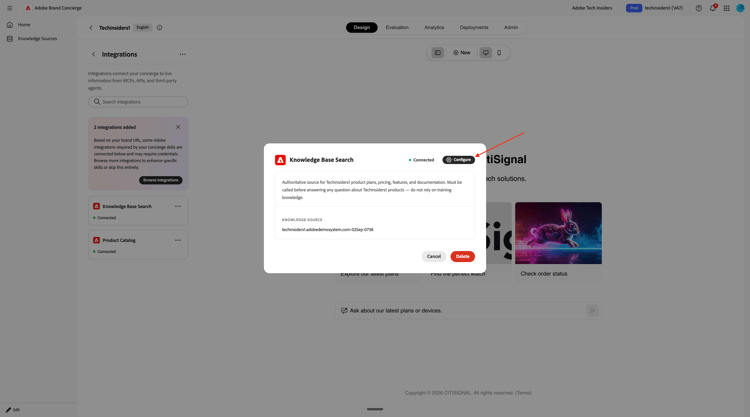
Click the field for the current knowledge source.

Select CitiSignal website and click Save.

You should then see this. Click Save.

You can now start testing your Brand Concierge. Enter the question what products do you sell? and click send.
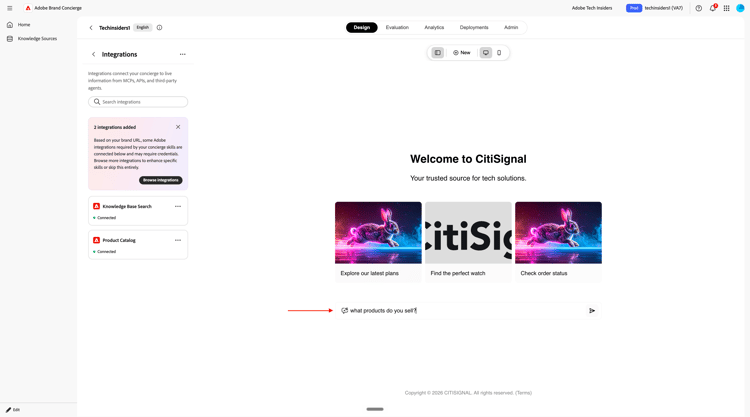
You should then get a similar response back.

Your Brand Concierge instance is now ready to be implemented on your website.
Next Steps
Go to Implement Brand Concierge on your website
Go back to Brand Concierge