Perform the initial Data Collection setup
Migrating from Target SDK to Optimize SDK requires an initial setup to enable proper data capture, features, and functions of Optimize SDK. The following steps must be completed before any mobile app implementation changes take place:
- Configure the appropriate permissions in the Adobe Admin Console for Data Collection
- Configure an XDM schema for passing structured data to the Edge Network
- Configure the schema to receive Adobe Target data
- Configure an identity namespace for cross-device personalization and mbox3rdPartyId functionality
- Create a datastream to enable forwarding of data from Edge Network
- Configure the datastream to enable forwarding of data to Adobe Target
- Configure the Tag property for Offer Decisioning and Target extension
Extension configuration
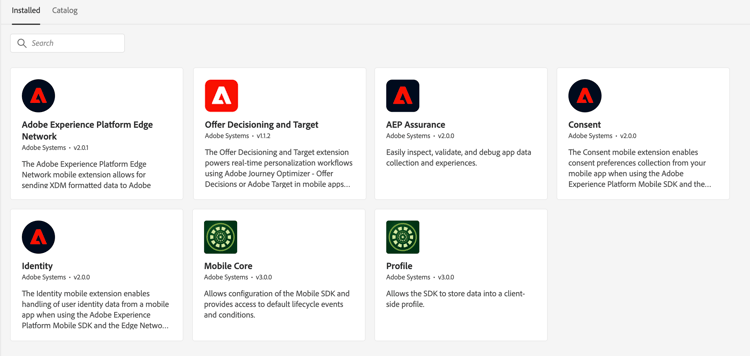
Tag extensions installed when using the Offer Decisioning and Target extension:
- Offer Decisioning and Target
- Adobe Experience Platform Edge Network
- Mobile Core
- Profile
- Consent
- Identity
- AEP Assurance (Optional, needed for debugging)
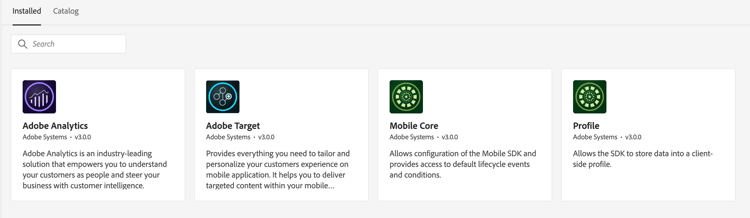
Tag extensions installed when using the Target extension:
- Adobe Target
- Mobile Core
- Profile
- Adobe Analytics (Optional, needed if using Adobe Analytics as reporting source for Adobe Target activities)
Datastream configuration
The Target extension has configurable settings which with the Decision extension are configured in the datastream.
Next, learn how to replace the Target SDK.