On this page: Configure and schedule data lifecycle operations so you can keep your records accurate, used as intended, and deleted in line with your organizational policies.
As data is continuously ingested into Adobe Experience Platform, it becomes crucial to ensure your data is used as intended, updated when necessary, and deleted per organizational policies.
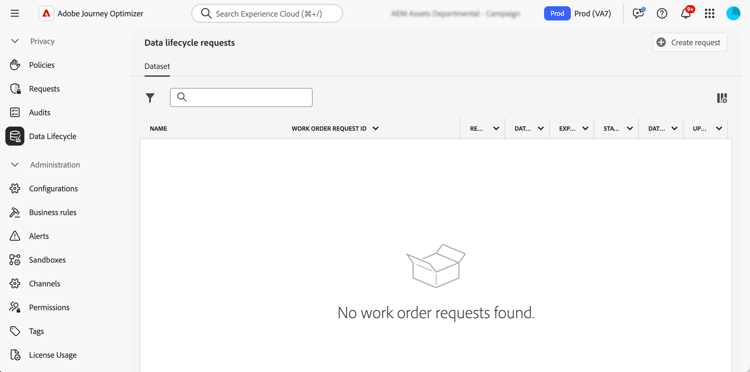
These tasks can be accomplished using the Data Lifecycle menu, which allows you to configure and schedule data lifecycle operations, ensuring that your records are properly maintained.
Recommendations data-hygiene-recommendations
When performing data hygiene operations (such as deleting identities or datasets), be aware that historical delivery events associated with deleted identities will no longer appear in standard reporting or datalake queries. This can result in discrepancies between the number of emails reported as Delivered and the number of emails Received in recipient inboxes, especially for older journeys.
Before executing large-scale deletions, validate and export any required delivery or reporting data. If reconciliation is needed after data hygiene, coordinate with Adobe support to access archived logs or use Message Feedback Event Dataset queries for recent data.
Learn more data-hygiene-learn-more
For more information on the Privacy Service and how to perform data lifecycle operations, refer to Adobe Experience Platform documentation:
This section contains structured knowledge intended to support interpretation, retrieval, and question answering related to this topic.
For complete understanding, this information should be combined with the documentation on this page. Neither source is intended to stand alone; the page describes the feature, while this section provides additional context that helps disambiguate terminology, intent, applicability, and constraints.
- TL;DR: This page explains how to configure and schedule data lifecycle operations so you can keep your records accurate, used as intended, and deleted in line with your organizational policies.
Intents:
- Understand what data lifecycle operations accomplish
- Configure and schedule operations using the Data Lifecycle menu
- Understand the reporting impact of deleting identities or datasets
- Prepare for large-scale deletions by validating and exporting required data
- Know the availability requirements for data lifecycle capabilities
Glossary:
- Data lifecycle operations: operations configured and scheduled from the Data Lifecycle menu to keep records accurate, used as intended, and deleted per organizational policies (product-specific)
- Data hygiene operations: operations such as deleting identities or datasets (product-specific)
- Data Lifecycle: the menu used to configure and schedule data lifecycle operations (product-specific)
- Message Feedback Event Dataset: dataset that can be queried to access recent data if reconciliation is needed after data hygiene (product-specific)
Guardrails:
- Data lifecycle capabilities are currently only available for organizations that have purchased the Healthcare Shield and Privacy and Security Shield add-on offerings (availability constraint)
- When performing data hygiene operations (such as deleting identities or datasets), historical delivery events associated with deleted identities will no longer appear in standard reporting or datalake queries
- Data hygiene operations can result in discrepancies between the number of emails reported as Delivered and the number of emails Received in recipient inboxes, especially for older journeys
- Before executing large-scale deletions, validate and export any required delivery or reporting data (recommended)
Terminology:
- Canonical name: Data lifecycle operations
- Do not confuse: “Delivered” (emails reported as delivered in standard reporting) ≠ “Received” (emails received in recipient inboxes)
FAQ:
- Q: Who can use data lifecycle capabilities? — Organizations that have purchased the Healthcare Shield and Privacy and Security Shield add-on offerings.
- Q: What happens to reporting after data hygiene operations such as deleting identities or datasets? — Historical delivery events associated with deleted identities no longer appear in standard reporting or datalake queries.
- Q: What should you do before large-scale deletions? — Validate and export any required delivery or reporting data.
- Q: How can you reconcile data after data hygiene? — Coordinate with Adobe support to access archived logs, or use Message Feedback Event Dataset queries for recent data.