On this page: Learn how to validate your email content against your brand guidelines and assess overall content quality using brand alignment scores in Adobe Journey Optimizer.
The Brand Alignment feature helps you create, review, and manage content that adheres to your brand guidelines. It ensures consistency in tone, messaging, and visual identity across your email campaigns, while also serving as a quality check before your content goes live.
Validate your content with brand alignment validate-content
Once your brand is set up and published, assess your brand alignment score directly within your email campaign to ensure your content aligns with your brand guidelines:
-
Create your email campaign.
-
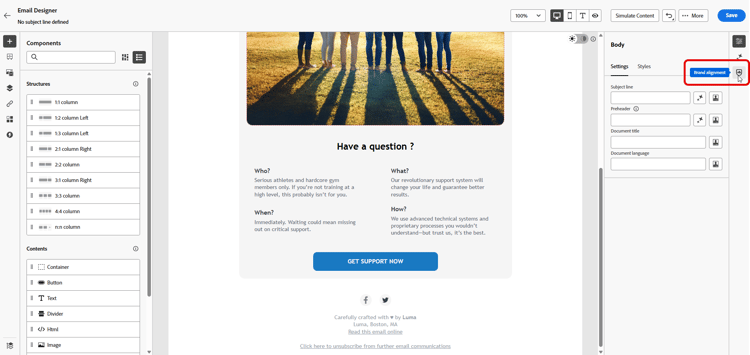
Open the Brand Alignment menu in the Email Designer.
Your content automatically evaluates against your default brand. Learn how to assign a default brand.
-
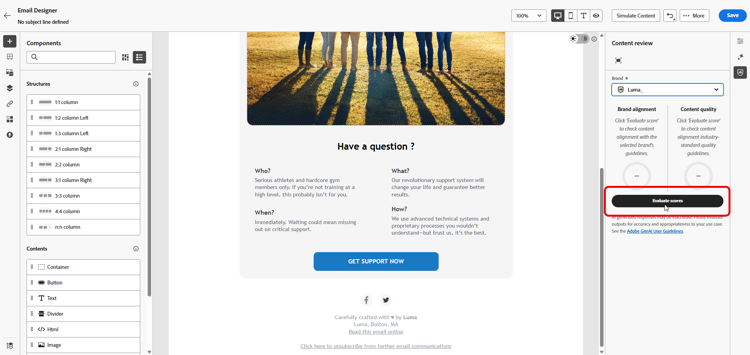
To evaluate using a different brand, select it from the Brand drop-down menu and click Evaluate score.
-
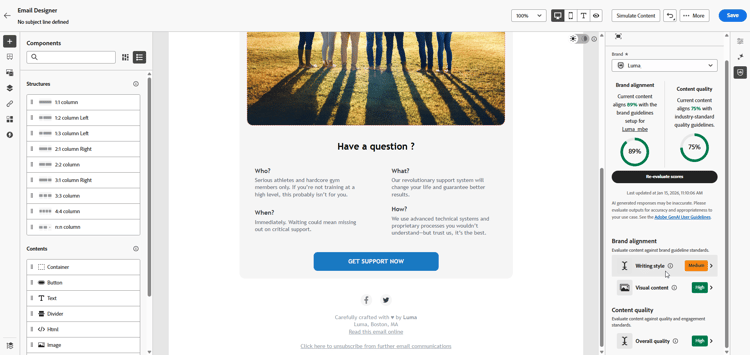
Browse through the Writing style or Visual content to see more insights into your score.
-
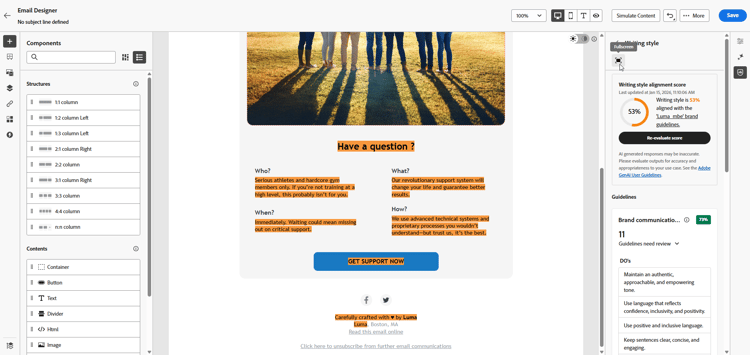
Click the

-
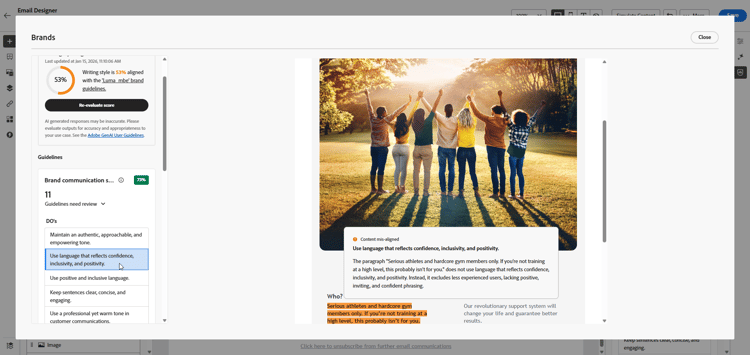
Select any flagged guideline to view specific feedback and suggestions. Brand alignment evaluates the following categories:
-
Writing style:
- Brand communication style: Defines the personality and emotional tone to ensure consistent brand voice across all channels.
- Brand messaging standards: Structural and formatting rules for effective marketing and promotional text.
- Legal compliance standards: Ensures all communications comply with legal requirements, including text placement and compliance checklists.
-
Visual content:
- Photography standards: Requirements for photographic content, including resolution, composition, lighting, and file formats.
- Illustration standards: Style parameters, line weights, color usage, and file format requirements for illustrations.
- Icon standards: Specifications for icon design, including grid systems, stroke weights, and sizing for uniformity.
- Usage guidelines: Best practices for image selection, placement, and context to maintain brand identity.
-
-
Edit your content based on the recommendations to improve brand alignment.
-
Manually re-evaluate the content after making changes to refresh your alignment score.
Validate your content quality validate-quality
In addition to brand alignment, you can assess general content quality to identify potential issues with readability, content cohesiveness, and effectivenes, independent of your brand guidelines.
To evaluate your content quality:
-
Create your email campaign.
-
Open the Brand Alignment menu in the Email Designer.
-
Click Evaluate score to generate both brand alignment and content quality scores.
-
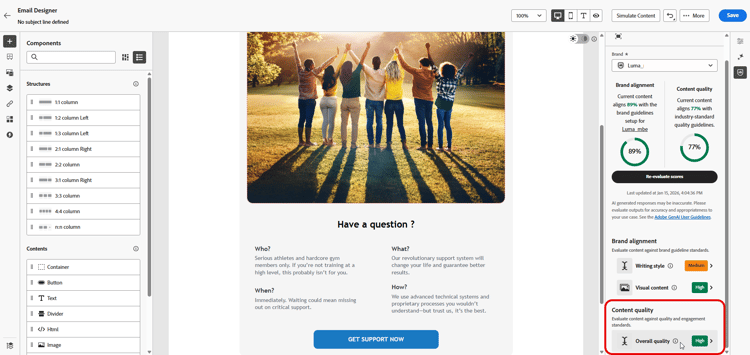
Navigate to the Overall quality tab to review your content quality insights and recommendations.
-
Click the
-
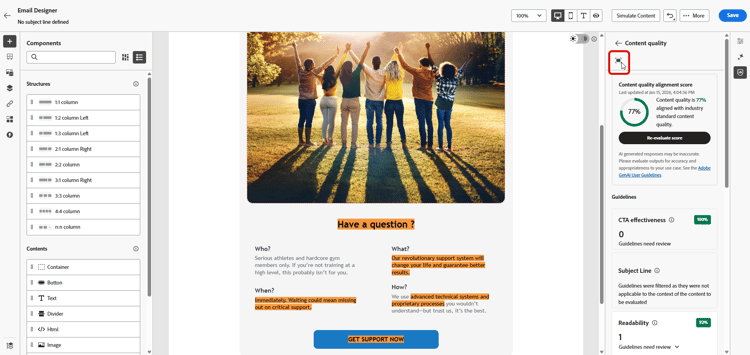
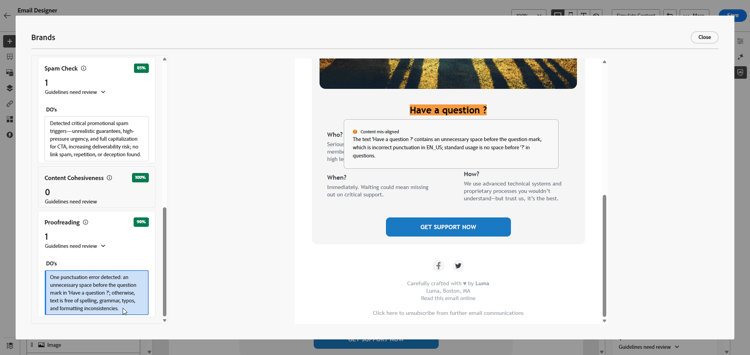
Select any flagged item to view specific feedback and actionable suggestions for improvement. Scores are based on the following categories:
- CTA effectiveness: Evaluates how well your call-to-action motivates readers to take the desired action.
- Subject Line: Assesses clarity, relevance, and attention-grabbing quality to encourage email opens.
- Readability: Measures how easy and engaging your content is for readers to understand.
- Spam Check: Identifies common spam triggers that may impact deliverability.
- Content Cohesiveness: Ensures your content flows smoothly and stays on topic.
- Proofreading: Checks for spelling, grammar, and clarity issues.
-
Edit your content based on the recommendations to enhance readability, content cohesiveness, and overall quality.
-
Click Re-evaluate score after making changes to refresh your quality score.
How-to video video
The video below shows how how to create and customize your own brands to clearly define your visual and verbal identity across communications.