Use a custom dataset for inbound keywords custom-dataset-inbound-keywords
Inbound SMS keywords can be stored in a profile-enabled custom dataset. The configuration consists of an Adobe Experience Platform schema, a dataset created from that schema, and Journey Optimizer SMS API credentials that reference the dataset for inbound messages.
For background on schemas, field groups, and datasets, refer to the following Adobe Experience Platform documentation:
To use a custom dataset for inbound keyword, you need to:
Create a schema create-schema
A schema defines the structure and validation rules that apply to ingested data. Compose an Experience Event schema for inbound keyword collection by adding the existing field groups listed below.
➡️ Learn more about schema creation in Adobe Experience Platform documentation
-
In Adobe Experience Platform, from Data management, access Schemas and select Create schema.
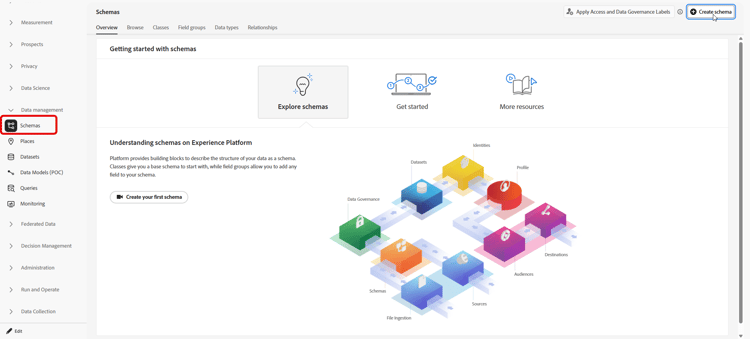
-
Choose Standard schema.
-
Select Experience Event.
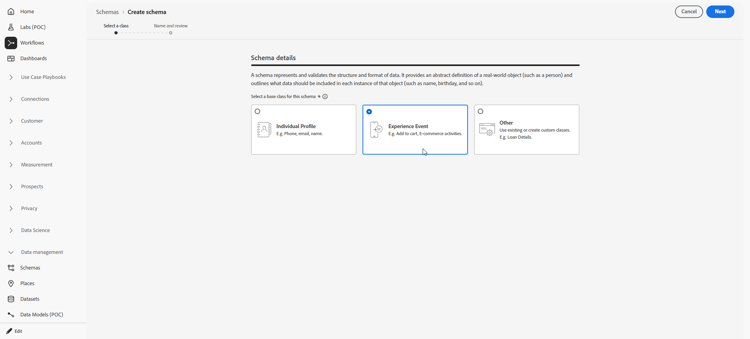
-
Enter a Display name for the schema and click Finish.
The schema is saved and the schema editor opens.
-
Open Schema properties and enable the schema for Profile.
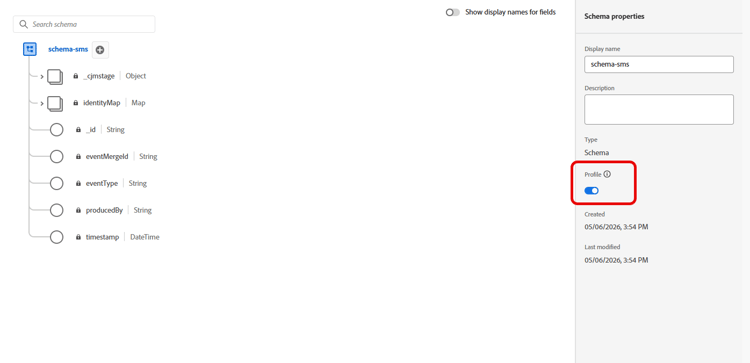
-
In Field groups, add these existing field groups:
- Adobe CJM ExperienceEvent - Message interaction details
- Adobe CJM ExperienceEvent - Message Execution Details
- Adobe CJM ExperienceEvent - Message Profile Details
-
Click Save.
Create a dataset create-dataset
A dataset is the storage container for ingested data. Each dataset is associated with exactly one schema, and records written to the dataset must conform to that schema.
-
In Adobe Experience Platform, from Data management, access Datasets and select Create dataset.
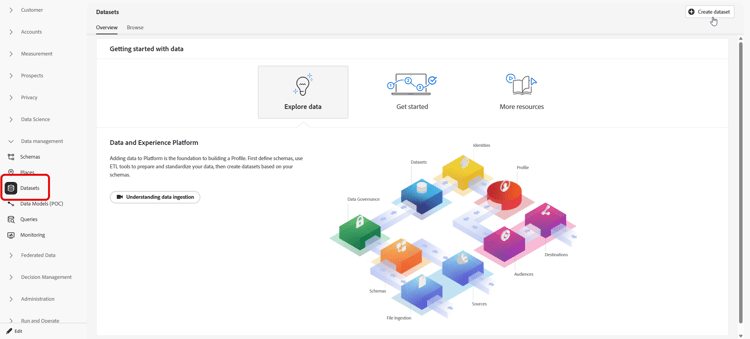
-
Choose Create dataset from schema.
-
Select the schema created in the previous section and click Next.
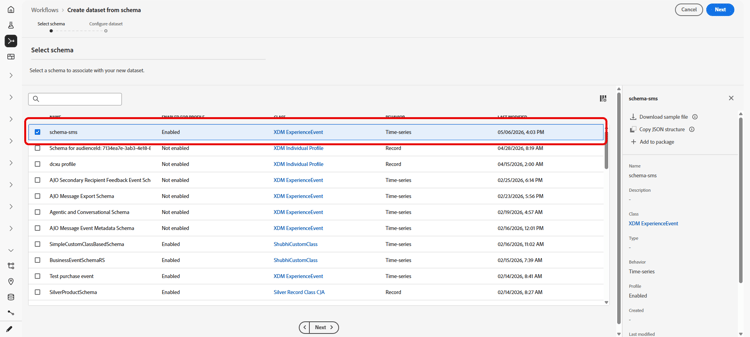
-
Enter a Name and click Finish.
-
From the Data activity tab, enable data for Profile.
Select the Data retention policy appropriate to organizational governance requirements.
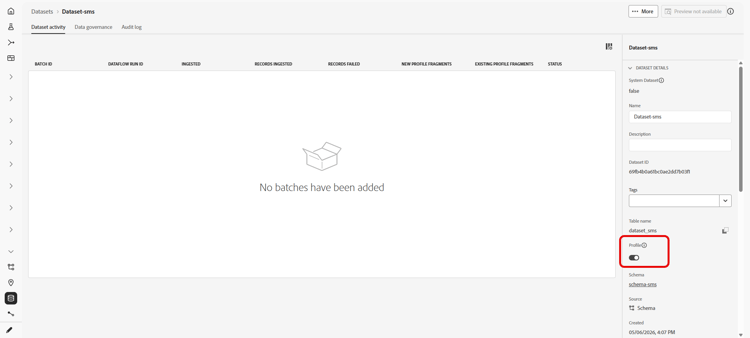
-
Click Save.
Configure API credentials configure-api-credentials
Configure credentials according to your SMS provider using Get started with SMS / MMS / RCS configuration. Then complete the steps below to select the custom inbound dataset.
-
In the left rail, browse to Administration > Channels
>SMS Settings and select the API Credentials menu. Click the Create new API credentials button. -
Create or edit credentials depending on your provider.
-
Enable the Use custom dataset for inbound option.
-
Select the Dataset created in the previous section.
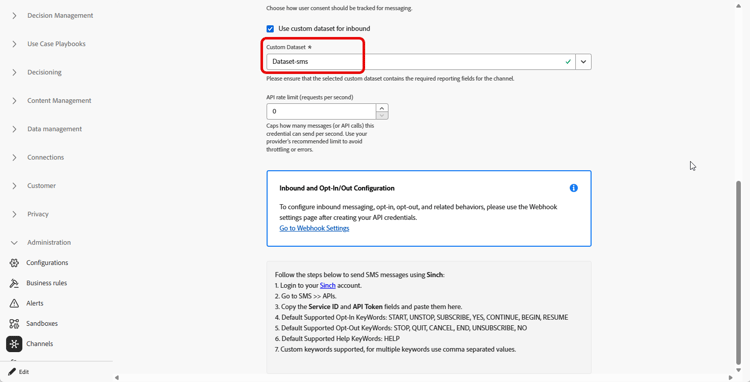
-
Complete any remaining required fields and click Save.
note NOTE Upon saving API credentials, Journey Optimizer validates that the inbound keyword dataset is configured correctly. If validation fails, an error message indicates the required correction.
After the credentials are saved, outbound and inbound messaging behavior is unchanged; inbound keywords for that credential are recorded in the selected custom dataset.