External nodes
Use external nodes to connect your journey with an external service. When an audience reaches one of these nodes, Journey Optimizer B2B Edition asynchronously sends audience attribute data to the external service. The service processes the data and responds using a callback, returning audience information and metadata that the journey uses to proceed.
There are two external action node types:
- External action – Calls an external service and continues along a single outgoing path. Use this node when you want to trigger an external process without branching logic, such as updating a record in an external system or sending a signal to a downstream service.
- External split paths – Calls an external service and evaluates the response to route accounts or people along one of several defined paths. Use this node when the external service returns a value, such as a score or tier, that determines the next step in the journey.
External action node external-action
The External action node calls an external service and continues along a single outgoing path, regardless of the response content. Use it for integrations where no branching is needed after the external call.
-
Navigate to the account or person journey canvas.
-
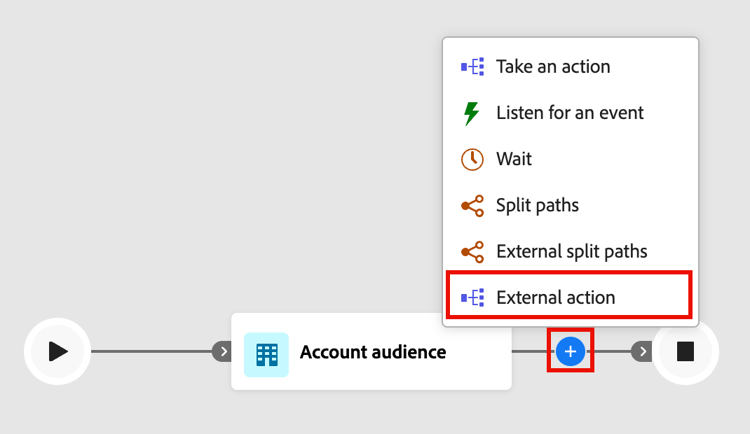
Click the plus ( + ) icon on a path and choose External action.
-
(Account journeys only) In the node properties on the right, set the Action on context for the external action:
- Choose Accounts when you want to apply the external action to all people that are part of accounts on the node path.
- Choose People when you want to apply a change to all people on the node path.
-
Select the external Service name.
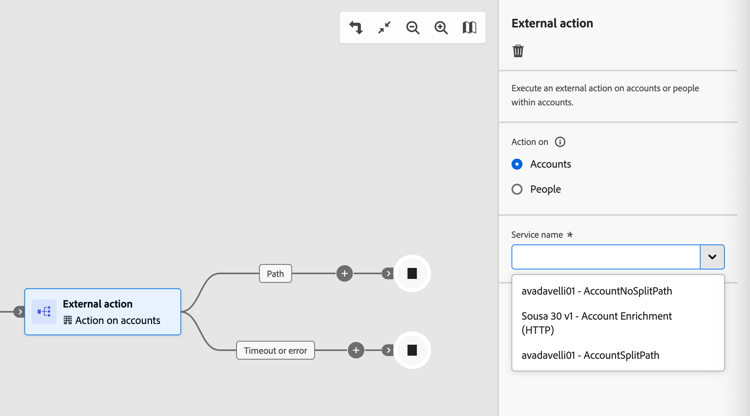
The list includes all configured external actions that are active and designated for the External action type and the context.
-
If the service has global attributes, enter the required values in the fields that are displayed below the service name.
-
Continue building the journey from the outgoing paths of the node.
The Timeout or error path is automatically created. If the timeout period (as configured in the service) elapses before a response is received, the account or person progresses down this path. The same applies if an error response is received. To handle these scenarios, you can add journey nodes to this path, or the journey terminates for the audience member.
External split paths node external-split-paths
The External split paths node calls an external service and uses the response to determine which path accounts or people take next. A condition based on a variable (accessor) returned by the external service defines each path. The journey evaluates the response against the defined path conditions and routes each account or person along the first matching path. Path conditions are evaluated in top-down order. Each account or person proceeds along the first path whose condition matches the value returned by the external service.
-
Navigate to the account or person journey canvas.
-
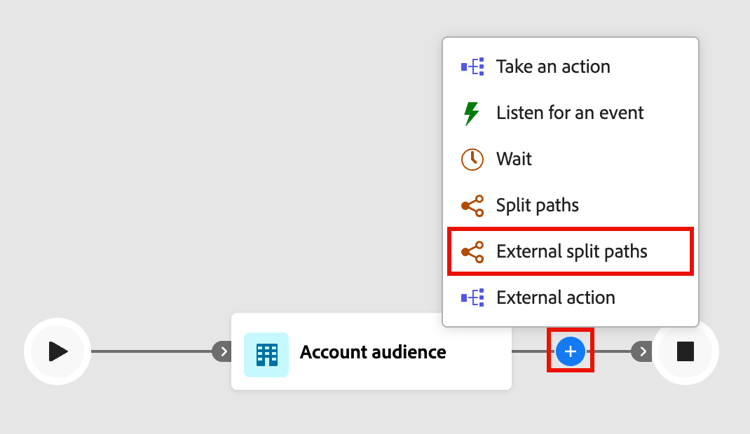
Click the plus ( + ) icon on a path and choose External split paths.
-
(Account journeys only) In the node properties on the right, choose a Split paths by type:
- Accounts - For split paths by accounts, you can add both account and people nodes within the defined paths.
- People - For split paths by people, you can add only people action nodes within the defined paths. A people-based split is automatically closed with a Merge paths node so that all people can move forward to the next step without losing their account context.
-
Select the Service name.
-
If the service configuration has global attributes, enter the required values in the fields that appear below the service name.
-
For Path 1, define the branching condition:
- For Label, replace the default value with a more descriptive label.
- For Select variable, choose an accessor. Accessors are values returned by the external service and are defined when the action is configured.
- For Select operator, choose the operator.
- For Enter values, enter the value to match against.
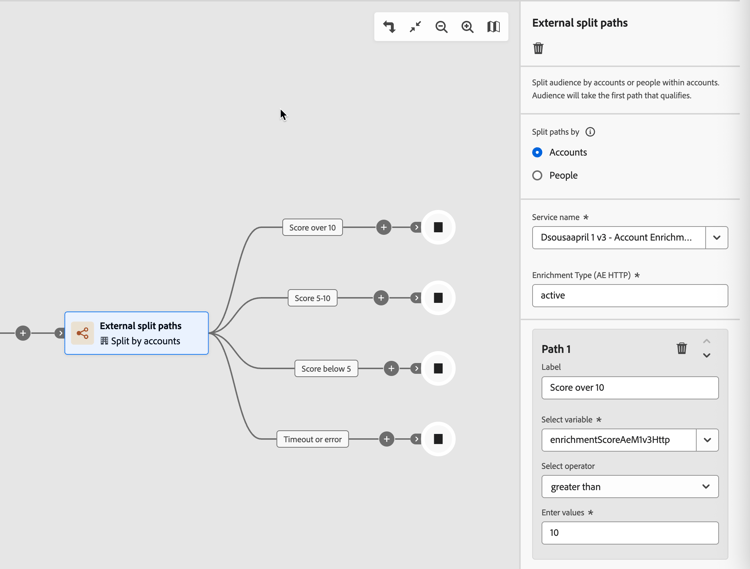
note NOTE The available condition variables and supported journey context (Account, People, or People in Account) are determined by the external action configuration. Contact your administrator if the expected service or variables are not available. -
To add more paths, click Add path and define a condition for each one that you need.
-
Continue building the journey from each outgoing path of the node.
The Timeout or error path is automatically created. If the timeout period (as configured in the service) elapses before a response is received, the account or person progresses down this path. The same applies if an error response is received. To handle these scenarios, you can add journey nodes to this path, or the journey ends for the audience member.
-
To combine two or more paths as needed for Split by accounts, you can add a Merge paths node.