[Beta]{class="badge informative"}
Brand alignment scoring brand-score
The brand alignment evaluation and scores help you to create, review, and manage content that adheres to the guidelines defined in the selected brand. It ensures consistency in tone, messaging, and visual identity across your email campaigns, while also serving as a quality check before your content goes live.
Validate your brand alignment
When your brand is well-defined and published, assess your brand alignment score directly within the email design space to ensure that the content aligns with your brand guidelines:
-
After you create the email content, click the Brand alignment (

The default brand is automatically selected.
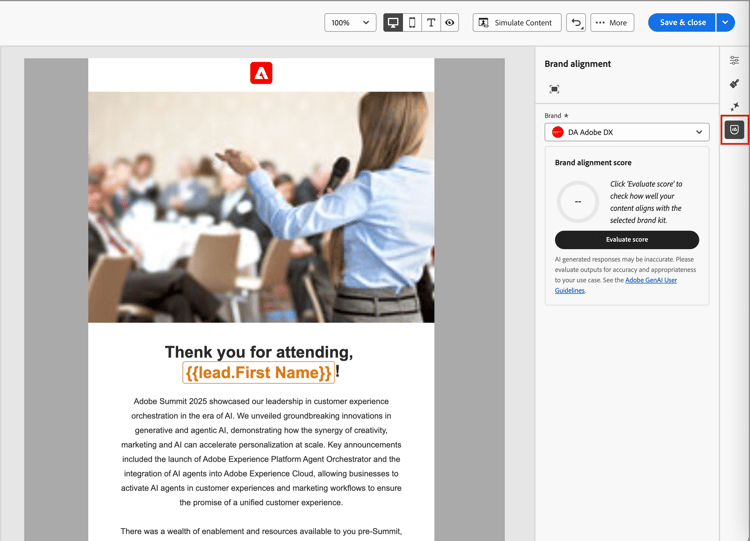
You can click the Full screen (

-
If needed, click the Brand menu arrow (

-
Click Evaluate score to score the content alignment with the selected brand.
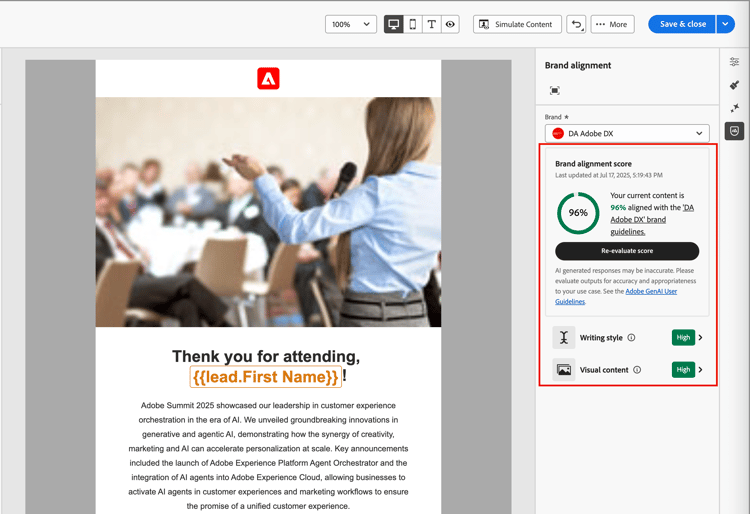
The system evaluates the content against the guidelines for the selected brand and displays the resulting score.
Review the evaluation
The score is calculated according to identified violations in the evaluated email content:
- 100 = Perfect - No violations found
- 80-99 = Good - Minor violations only
- 60-79 = Fair - Some significant violations
- Below 60 = Poor - Major violations need attention
You can review the evaluation results in more detail to help you identify violations and improve your category alignment scores (High, Medium, and Low) and review the details. For the Writing style or Visual content, click the Expand (

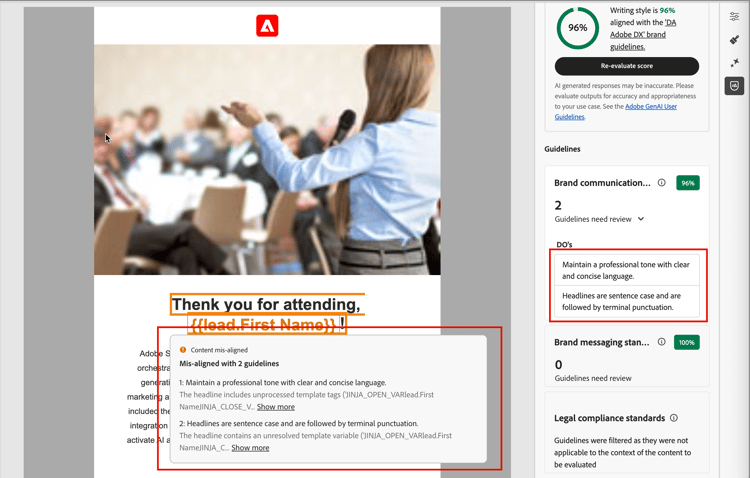
Select any flagged guideline to view specific feedback and suggestions.
You can make changes to the content and click Re-evaluate score to run another evaluation and check for an improved result.