TikTok experiences
Using GenStudio for Performance Marketing, you can create TikTok ads as paid media experiences in the Create workflow. Generate creative variants, run brand and channel checks, publish to Content, and activate through Activate, to deliver content to TikTok Ads Manager for final review and launch.
TikTok in GenStudio for Performance Marketing fits into a broader omnichannel workflow: you can analyze TikTok campaign and ad performance in the standard Insights views—Campaigns, Ads, Media, and Attributes—in Insights alongside other social and display channels (such as Meta and LinkedIn), instead of switching to separate reporting tools. The Insights 2.0 cross-channel overview (Overview of Insights — Insights 2.0) focuses on Meta and LinkedIn only; TikTok is not included there at this time.
Insights surfaces metrics, including:
- Impressions
- Clicks
- Click-through rate (CTR)
- Cost per click (CPC)
- Cost per acquisition (CPA)
- Cost per mille (CPM)
- Spend
See your results, compare creative effectiveness, and refine targeting and budgets all in one place. Daily data updates help you optimize faster without leaving GenStudio for Performance Marketing.
Prerequisites
Before you create or activate TikTok ads, complete the following:
Access and role
Be sure you have an Editor role or higher in GenStudio for Performance Marketing. See User roles and permissions.
Connect your TikTok Ads account
- Go to Settings > TikTok > Manage > Add Account.
- In the pop-up, sign in to TikTok Ads Manager.
- Ensure you have Operator or Admin access to the ad account.
- Add TikTok as a channel and complete OAuth sign-in to TikTok Ads Manager.
Activate configuration
A System Manager has connected your TikTok Ads account in Activate:
- At least one TikTok ad account is enabled for use.
Create configuration
- Your brand, products, and personas are configured so the app can generate on-brand copy and layouts.
- At least one TikTok template is uploaded. Adobe recommends a TikTok vertical video template, optimized for in-feed placement, with a 9:16 aspect ratio and safe zones for top and bottom UI.
- Videos are uploaded to Content.
Generate a TikTok in-feed ad
Start a TikTok experience
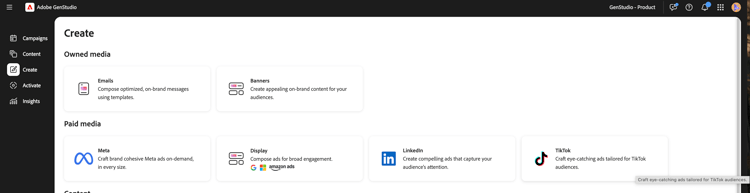
To start a TikTok experience:
- Go to Create and choose TikTok.
- Select a TikTok template and click Use.
- In the canvas, select Brand, Product, Persona, and Language.
- Select a video from Content.
- Enter a prompt for your TikTok headline copy.
- Click Generate.
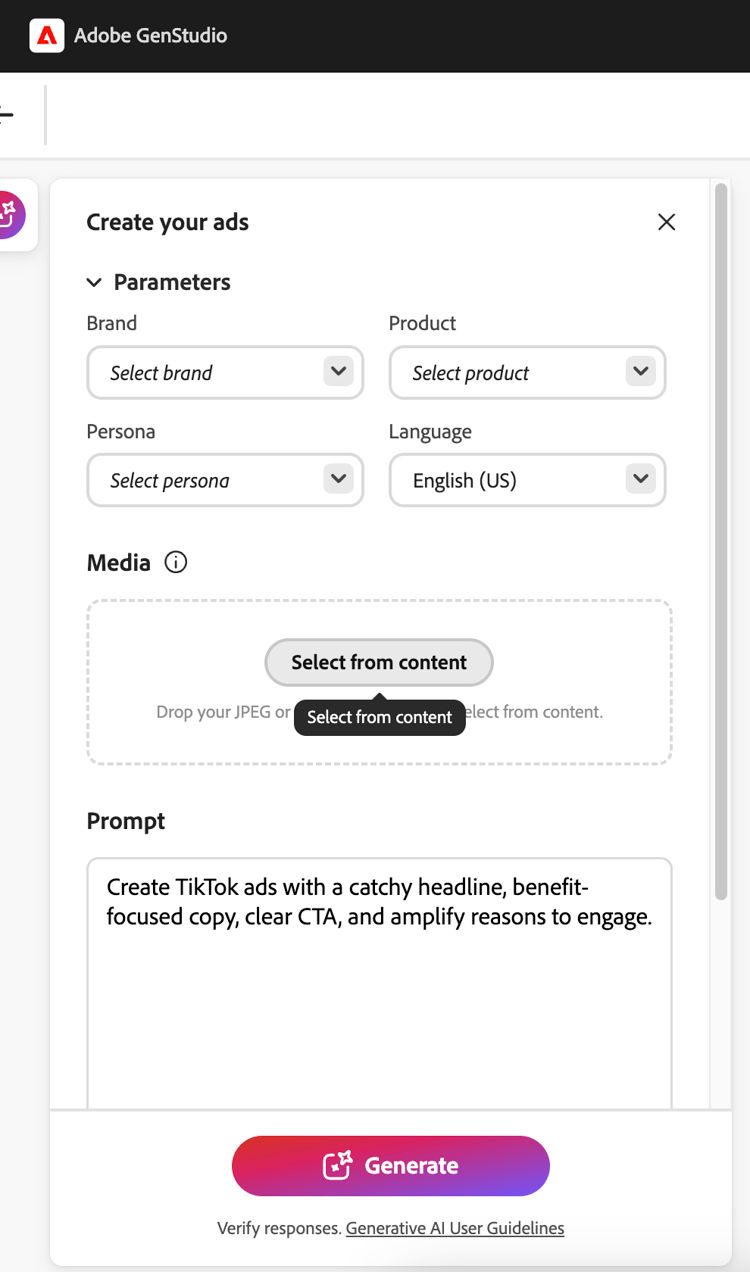
GenStudio for Performance Marketing generates four creative variants.
You can:
- Use Regenerate or Refine to adjust tone, length, or emphasis.
- Edit text directly in the canvas.
- Use Swap to select an alternative video from Content.
- Use Crop or Reframe to adjust the video layout within the 9:16 frame.
Run brand and channel checks
Before you save or send the experience for review,run content checks:
-
Click Content check (brand and channel checks).
-
Review validation results for:
- Brand guidelines—tone, restricted terms, logo usage.
- TikTok channel rules—aspect ratio, file type, copy length.
-
Resolve any flagged issues (for example, copy length or dense on-screen text).
See Brand validation for more about content checks.
Save a TikTok ad in GenStudio for Performance Marketing
Move your TikTok experience into the Content library so it can be reviewed, reused, and activated.
There are two states:
- Draft experience — A work in progress and not approved.
- Published experience — Content approved and available in Content for activation.
Send for review
To send for review:
- In the Experience header, click Request review.
- Select approvers (for example, brand, legal, or performance).
- (Optional) Add a note in Settings.
- Click Send for review.
Approvers can view the video preview, description, and call to action (CTA) and brand and channel check results. They can approve the experience or request changes.
Publish to Content
After all required approvals:
-
Click Publish to Content.
-
Confirm metadata:
- Campaign or activation name
- Region, language, persona, funnel stage
- Channel: TikTok
-
Click Publish.
The TikTok ad now appears in Content. It is discoverable using filters such as Channel or Campaign, and it is ready for selection in Activate.
Activate a TikTok ad
TikTok activation uses the same Activate module as Meta and Campaign Manager 360 (CM360). You can start from the Content workflow or from the Activate workflow.
To start a TikTok activation:
- Open the TikTok channel tile.
- Click Create activation.
- Select one or more published TikTok experiences from Content.
Each experience typically maps to one TikTok ad, with one or more video variants.
Configure experience setup
For each selected experience, confirm:
- Primary text
- Call to action
- Destination URL
Configure platform setup
Provide TikTok Ads Manager details like:
- TikTok Ads account
- Campaign
- Ad group
- Ad name (one per TikTok ad)
Review and publish
- Review all creative and platform details.
- Click Publish.
GenStudio for Performance Marketing pushes ads to TikTok Ads Manager in a paused or draft state.
What happens next
A Publishing in progress modal appears and closes automatically. You’re redirected to the TikTok Activation table.
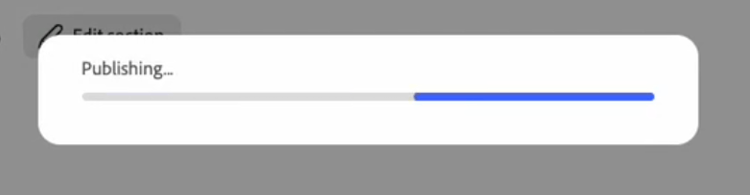
The activation table shows the latest activations, with a Pending status while processing completes.You can navigate away while publishing completes.
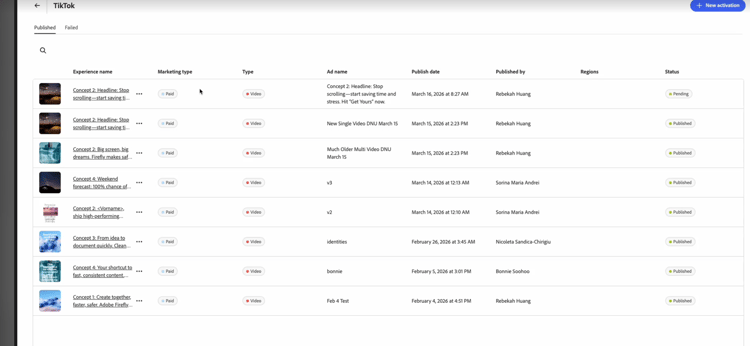
Once completed, a confirmation pop-up shows a success or failure message. If you click that pop-up, or click the TikTok activation in the activation table, you open the Details page. The Details page contains the full activation information and a deep link to the published ad in TikTok Ads Manager.
If activation fails, a Failed status appears along with an error message from TikTok.
In TikTok Ads Manager, media teams can:
- Perform final checks.
- Turn ads or ad groups live.
As with other channels, GenStudio for Performance Marketing delivers creatives in an inactive state so channel owners control final launch timing and budget.