Visualizations
You want to understand how the visualizations, available in Customer Journey Analytics, can be similarly created using the available visualizations in the BI tools.
| tabs | ||||||||||||||||||||||||||||||||||||||||||||||||||||||||||||||||||||||||||||||
|---|---|---|---|---|---|---|---|---|---|---|---|---|---|---|---|---|---|---|---|---|---|---|---|---|---|---|---|---|---|---|---|---|---|---|---|---|---|---|---|---|---|---|---|---|---|---|---|---|---|---|---|---|---|---|---|---|---|---|---|---|---|---|---|---|---|---|---|---|---|---|---|---|---|---|---|---|---|---|
| Power BI Desktop |
ComparisonFor most Customer Journey Analytics visualizations, Power BI Desktop offers equivalent experiences. See the table below.
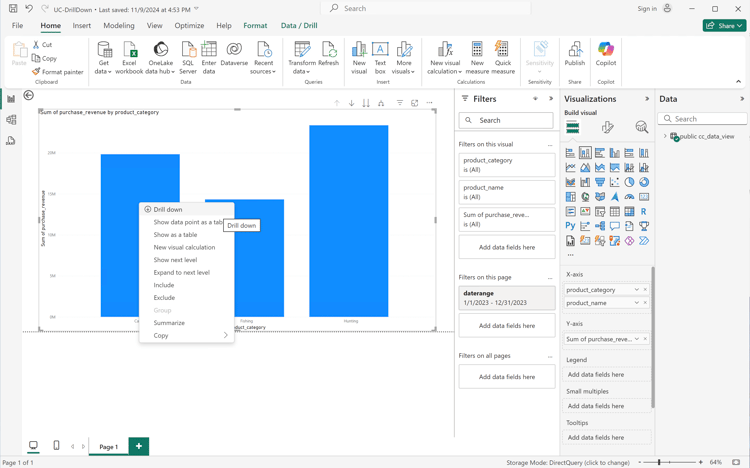
Drill downPower BI supports a drill mode to explore in-depth details on certain visualizations. In the example below, you analyze purchase revenue for product categories. From the context menu of a bar representing a product category, you can select Drill down.
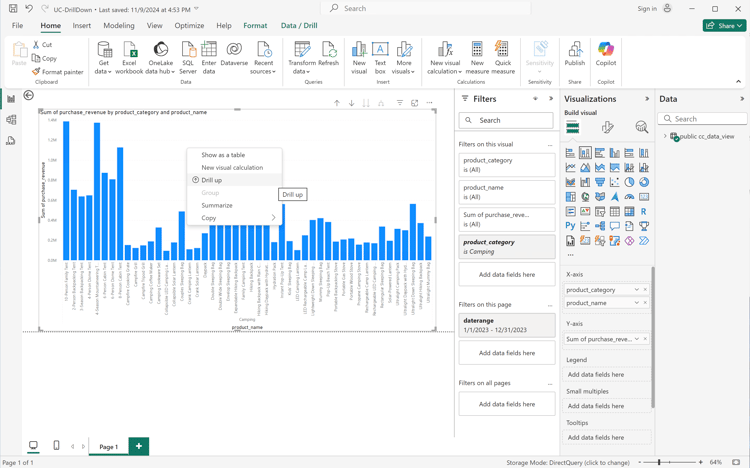
Drill down updates the visualization with purchase revenue for products within the selected product category.
The drill down results in the following SQL query that uses a
|
|||||||||||||||||||||||||||||||||||||||||||||||||||||||||||||||||||||||||||||
| Tableau Desktop |
ComparisonFor most Customer Journey Analytics visualizations, Tableau Desktop offers equivalent experiences. See the table below.
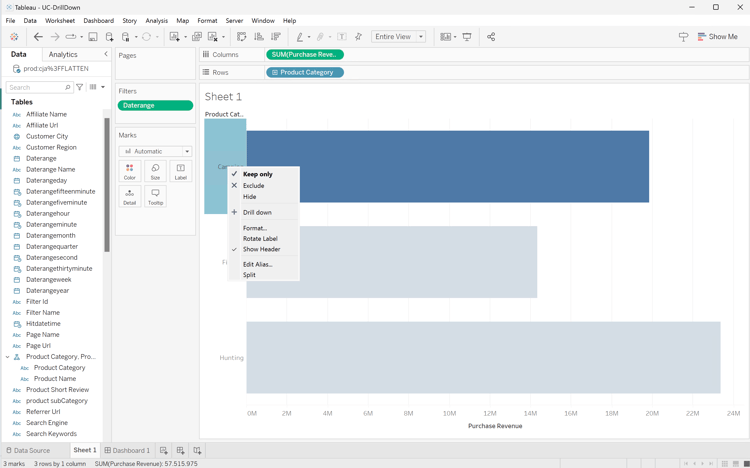
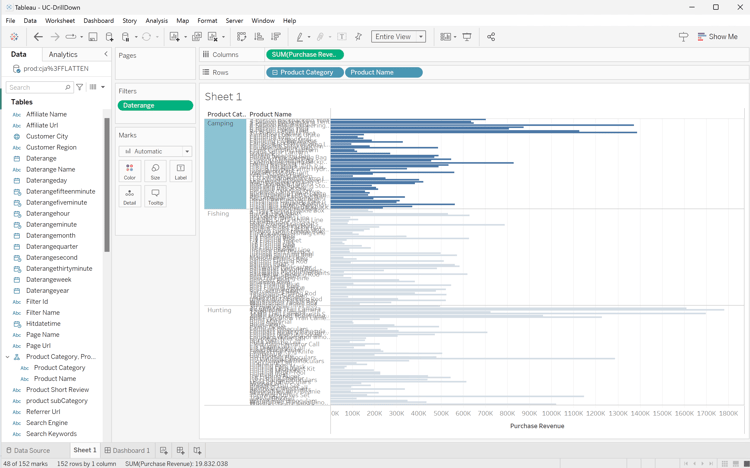
Drill downTableau supports drill mode through hierarchies. In the example below, you create a hierarchy when you select the Product Name field within Tables and drag it on top of Product Category. Then, from the context menu of a bar representing a product category, you can select + Drill down.
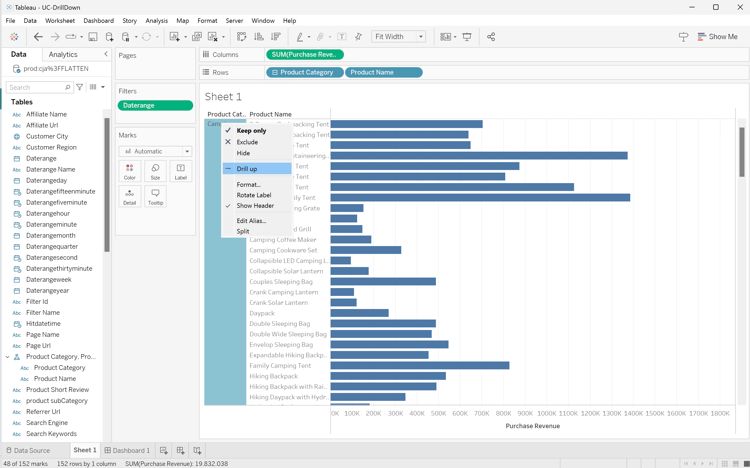
Drill down updates the visualization with purchase revenue for products within the selected product category.
The drill down results in the following SQL query that is using a GROUP BY clause:
The query does not limit the results to the selected product category; only the visualization shows the selected product category.
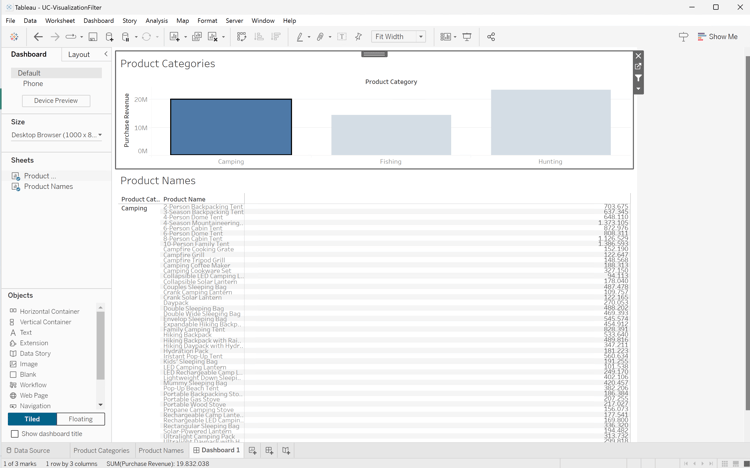
Alternatively, you can create a drill down dashboard where one visual is the result of the selection in another visual. In the example below, the Product Categories visualization is used as a filter to update the Product Names table. This visualization filter is client-only and does not result in an additional SQL query.
|
|||||||||||||||||||||||||||||||||||||||||||||||||||||||||||||||||||||||||||||
| Looker |
ComparisonFor most Customer Journey Analytics visualizations, Looker offers equivalent experiences. See the table below.
|
|||||||||||||||||||||||||||||||||||||||||||||||||||||||||||||||||||||||||||||
| Jupyter Notebook | Comparing the visualization capabilities of matplotlib.pyplot, the state-based interface to matplotlib, is beyond the purpose of this article. See examples above for inspiration and the matplotlib.pyplot documentation. | |||||||||||||||||||||||||||||||||||||||||||||||||||||||||||||||||||||||||||||
| RStudio | Comparing the visualization capabilities of ggplot2, the data visualization package in R, is beyond the purpose of this article. See examples above for inspiration and the ggplot2 documentation. |