1.4.1 Brand Concierge快速入门
讲师指导培训(ILT)说明
如果您的数字介于 1 和 95 之间,则需要使用下列环境详细信息来设置Brand Concierge:
- 实例:Adobe技术内部人士
- 沙盒: techinsidersXXX,并将XXX替换为分配给您的编号
- 用户名: adobetechinsiders-XXX@adobeeventlab.com,并将XXX替换为分配给您的编号
- 密码:使用与您共享的密码
如果您的号码介于 95 和 180 之间,您需要使用:
- 实例:Adobe技术内部人士2
- 沙盒: techinsidersXXX,并将XXX替换为分配给您的编号
- 用户名: adobetechinsiders-XXX@adobeeventlab.com,并将XXX替换为分配给您的编号
- 密码:使用与您共享的密码
1.4.1.1 Brand Concierge实例配置
要开始创建自己的Brand Concierge实例,请执行以下步骤。
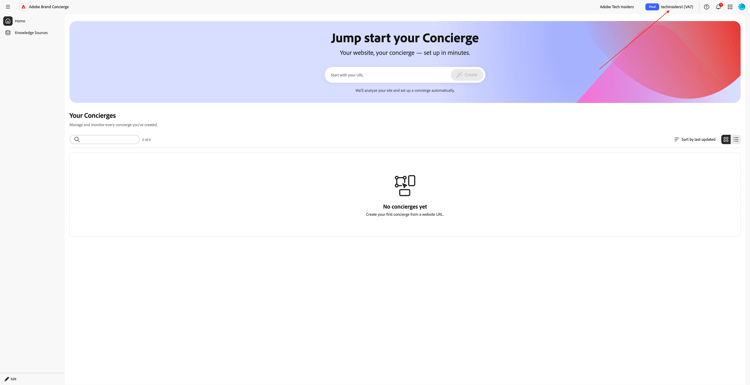
前往 https://experience.adobe.com/。 打开Brand Concierge。

您应该会看到此内容。 单击 沙盒选择 菜单。 选择已分配给您的沙盒。 该沙盒应命名为techinsidersX(将X替换为您分配的编号)。
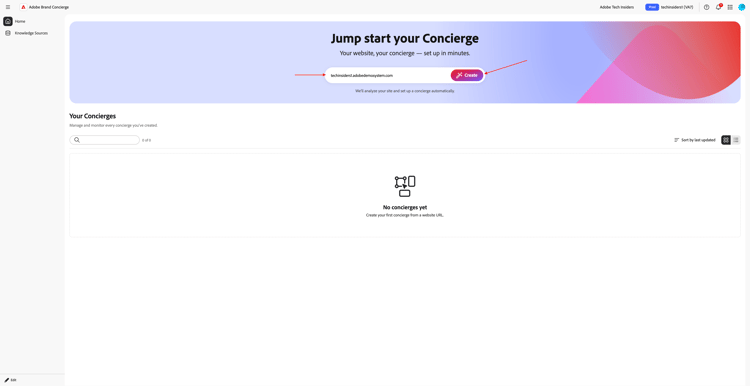
接下来,输入CitiSignal网站的URL,它应如下所示:(将X替换为您的编号)。 单击创建。
techinsidersX.adobedemosystem.com
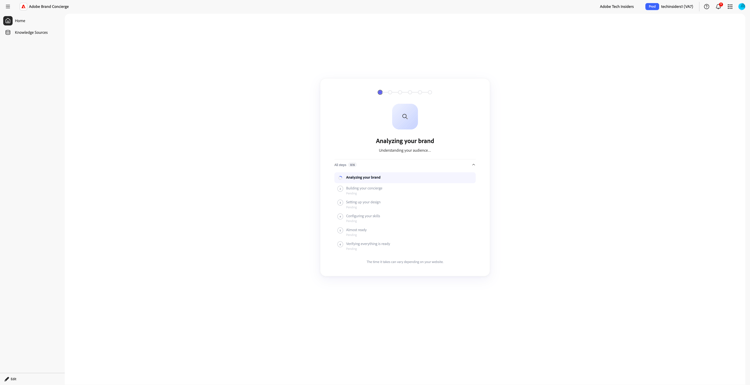
你该看看这个。
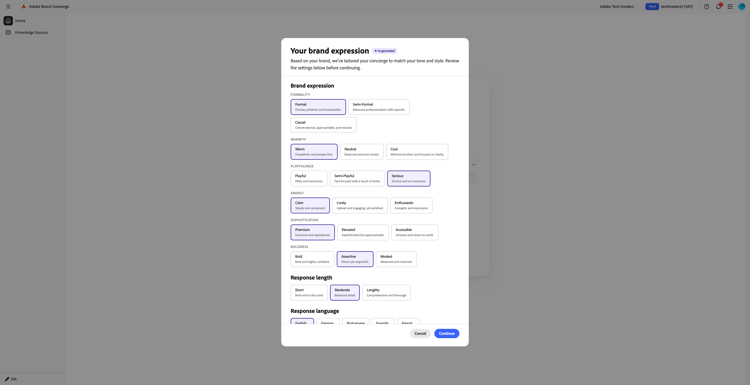
更新您的Brand Expression。 单击继续。
您应该会看到此内容。 查看您的品牌配置文件。 如果需要,请使用以下详细信息更新字段中的值。
行业
Telecommunications
目标
Help customers find their best device, plan or entertainment deal. Help users discover internet plans, entertainment deals, and help find the best available packages. Answer questions about devices such as phones, watches and FiberMax packages.
产品和服务
CitiSignal sells a comprehensive mix of wireless devices, home and business internet services, entertainment bundles, and hardware accessories. CitiSignal's inventory spans consumer tech, home networking, and enterprise services.

Mobile Devices & Plans:
- Smartphones: Current-generation flagship models including the Apple iPhone Air series.
-Tablets & Laptops: Cellular-enabled mobile computing tablets from Apple.
- Smartwatches: Connected wearables such as the Apple Watch Ultra.
- Mobile Broadband
- Wireless Plans: Postpaid and prepaid cellular data subscriptions tailored for individuals, families, and senior citizens.

Broadband & Entertainment Services
- FiberMax Home Internet: High-speed, fiber-optic residential broadband connections.
目标受众
CitiSignal's target audience is divided into two primary categories: individual consumers (B2C) and corporate/government entities (B2B). Because they position themselves as a premium provider focused on network reliability and speed, their marketing strategies target specific demographics, lifestyles, and professional tiers.
品牌价值
- Network Reliability Equity: CitiSignal has spent decades positioning its brand around network quality, consistency, and "bulletproof" coverage, allowing it to charge premium tier pricing.
- Infrastructure Investment: Continued multi-billion dollar deployments of 5G Home Internet and high-speed fiber-optic FiberMax networks secure long-term subscriber retention.
- Enterprise & Public Sector Footprint: Serving as the primary communications backbone for federal agencies, municipal first responders, and multinational enterprise organizations ensures immense financial stability and high cash generation.
关键优异点
CitiSignal differentiates itself from competitors through network reliability, a premium bundling ecosystem, and deep corporate/enterprise integration. While competitors often lean heavily on aggressive pricing strategies, CitiSignal leverages specific structural, technological, and service-based pillars to maintain its high-value customer base.
常见用例
CitiSignal's common use cases span daily consumer activities, enterprise-grade industrial automation, and highly secure public sector communications. Because CitiSignal provides cellular, fiber, and cloud network computing infrastructures, their technology is applied to multiple distinct real-world scenarios.
单击继续。

检查您的设置,然后单击保存礼宾。
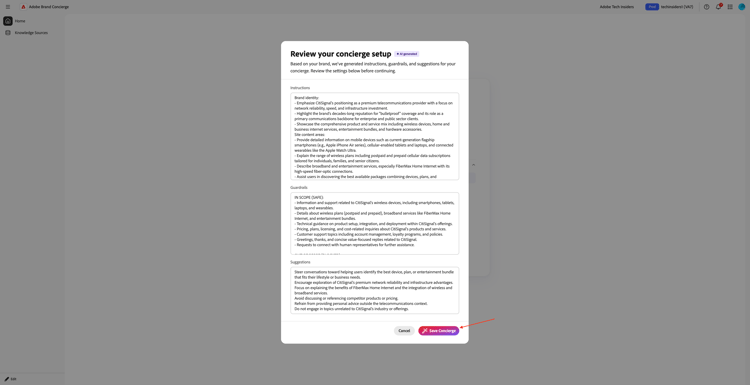
几分钟后,您应该会看到此内容。

1.4.1.2知识源配置
转到知识Source,然后单击构建您的知识源。
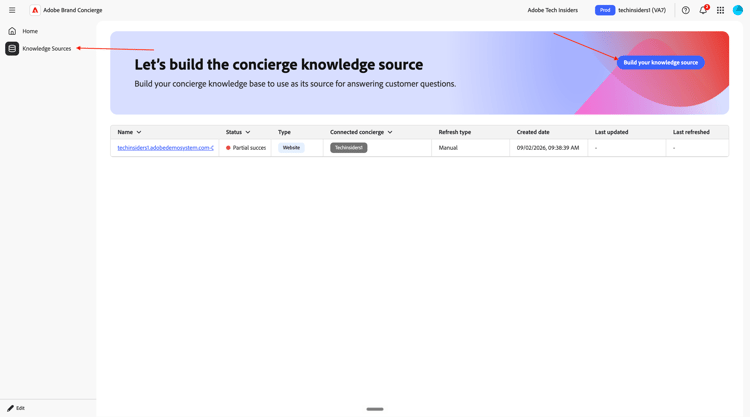
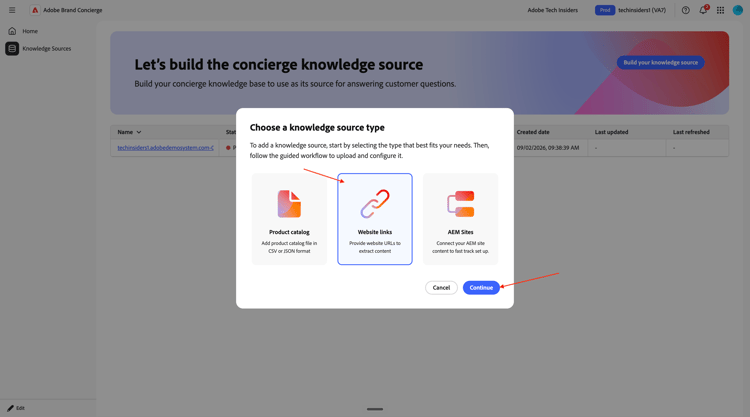
选择 网站链接 并单击继续。
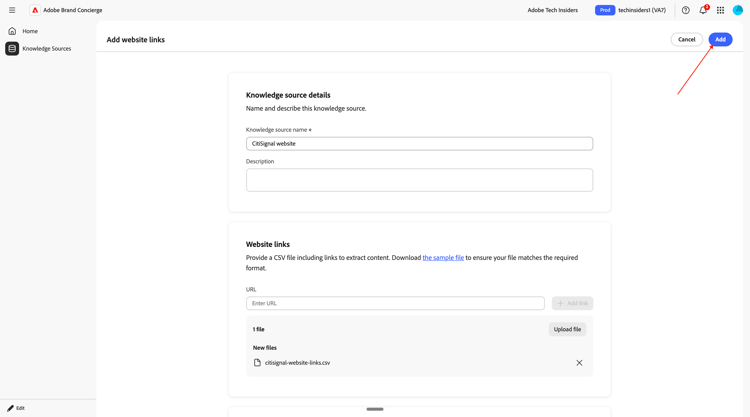
您应该会看到此内容。 输入CitiSignal website作为知识源的名称。
您现在需要上传一个包含您网站链接的csv文件。 下载CitiSignal网站链接CSV文件到您的桌面。

单击浏览文件。

打开文件citisignal-website-links.csv,并更新链接以指向您自己的CitiSignal网站。
如果您正在作为技术内幕人士技术实验室交付的一部分进行此技术实验室,则您有权访问基于分配编号的现有演示网站。 这些演示网站附带了一个类似于这样的自定义域,其中XX表示为您提供的数字:
https://techinsidersXX.adobedemosystem.com/(用于现场培训)
或
https://techinsidersodXX.adobedemosystem.com/(用于按需培训)
在下图中,您需要将基本URL替换为您网站的URL。
以下文件中指向产品的链接与您在模块练习1中配置的产品相关
1.5 Adobe Commerce as a Cloud Service。

如果您的数字为1,则文件应如下所示:

如果您的数字为90,则文件应如下所示:

按照上述说明更新文件后,请选择下一个文件citisignal-website-links.csv。 单击打开。

您的文件现已添加到此知识源中。 单击添加。
您应该会看到此内容。 单击构建您的知识源。
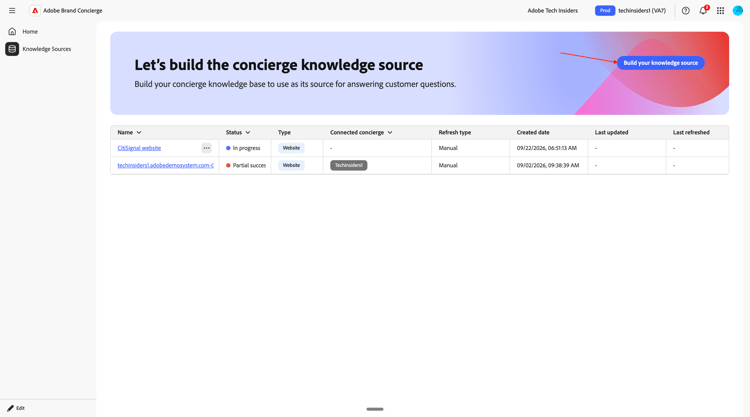
选择 产品目录 并单击继续。

您应该会看到此内容。 输入CitiSignal Products作为知识源的名称。 单击浏览文件,然后从设备中选择浏览。
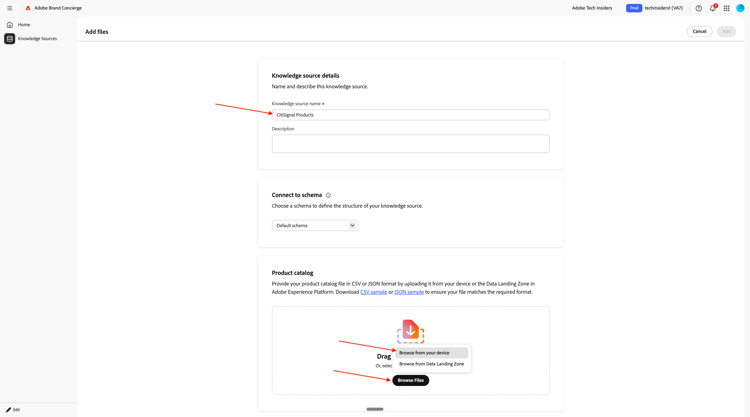
您现在需要上传一个包含您网站链接的csv文件。 将CitiSignal产品目录下载到您的桌面并解压缩。

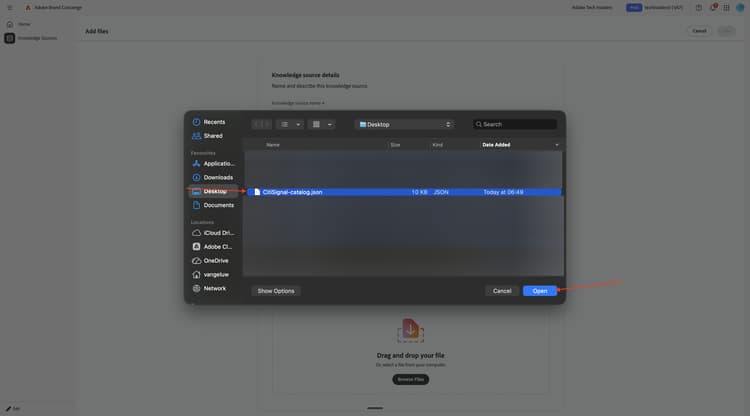
选择文件CitiSignal-catalog.json,然后单击打开。
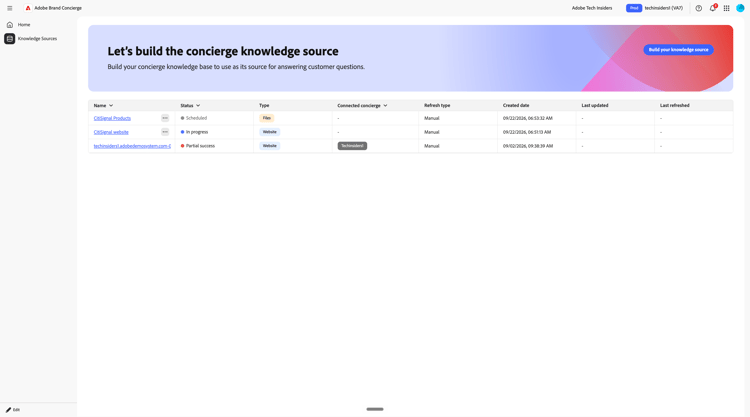
您应该会看到此内容。 单击添加。

你以后会回到这里的。 处理将需要10-20分钟,因此您必须在稍后阶段返回此处以验证处理是否成功。
1.4.1.3数据收集载入步骤
Brand Concierge使用Adobe Experience Platform存储对话中的交互数据。 Brand Concierge与Experience Platform之间的连接需要数据流由Brand Concierge配置和使用。
数据流
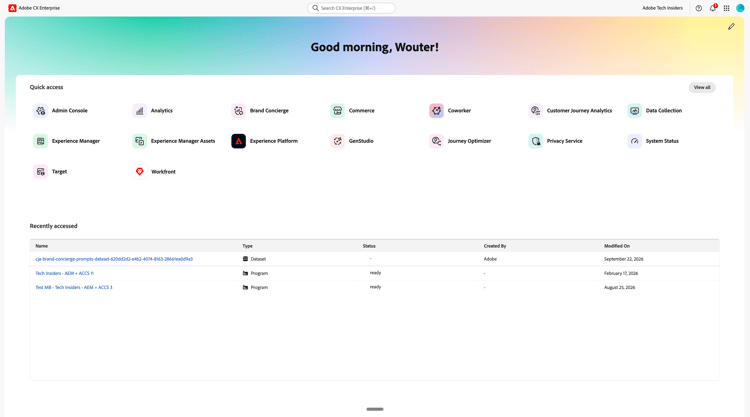
前往 https://experience.adobe.com/。 打开Experience Platform。
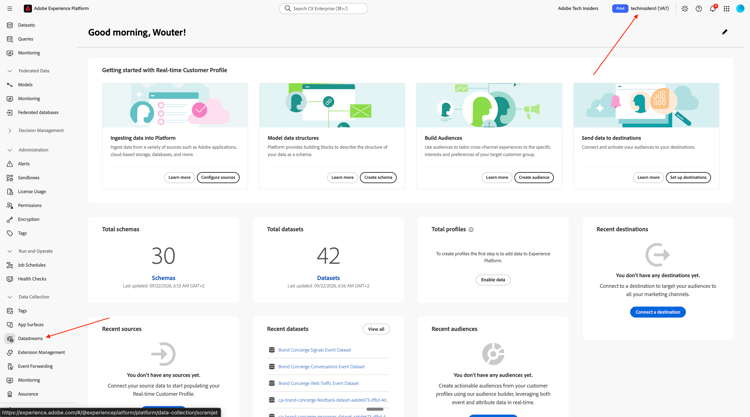
确保您选择了正确的沙盒,应将其命名为techinsidersX。 在左侧菜单中,向下滚动并选择数据流。
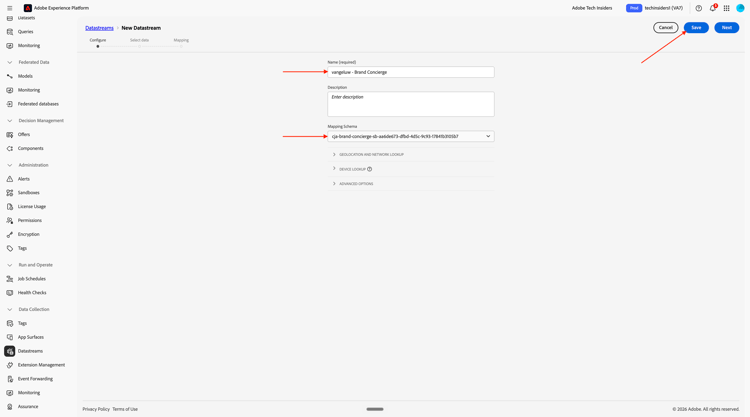
单击新建数据流。

输入数据流名称 --aepUserLdap-- - Brand Concierge,然后选择映射架构 cja-brand-concierge-sb-XXX。
单击保存。
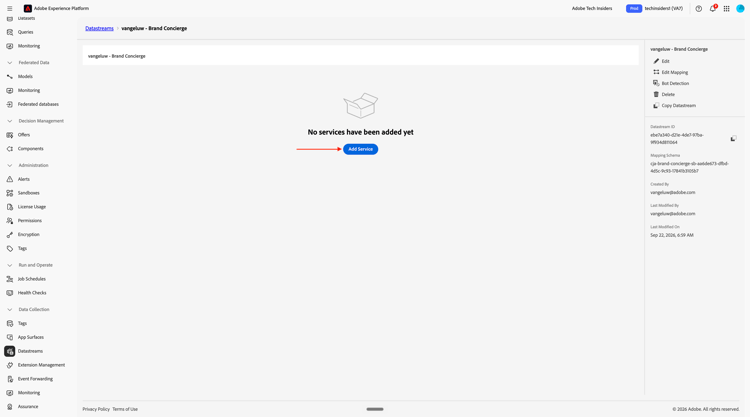
您应该看到此内容。 单击添加服务。
选择以下选项:
- 服务: Adobe Experience Platform
- 事件数据集:Brand Concierge对话事件数据集
- 选中 Brand Concierge 前面的框
单击保存。

您的数据流现已配置完成。 复制数据流名称和数据流ID,并将其写在计算机上的文本文件中。
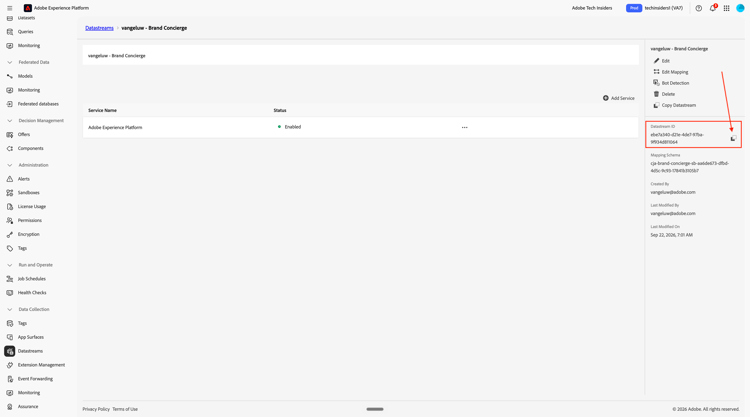
数据流配置管理
下一步是启用Brand Concierge配置管理API以配置您刚刚创建的数据流。 在请求处理期间解决IMS组织ID和沙盒详细信息时需要此信息。
转到主页,然后单击您的Brand Concierge实例。
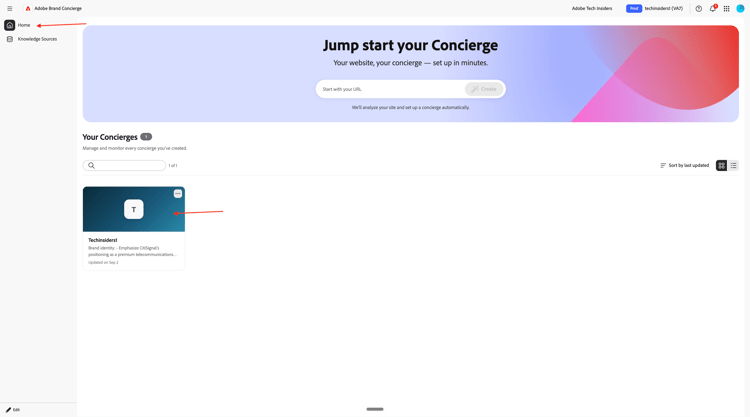
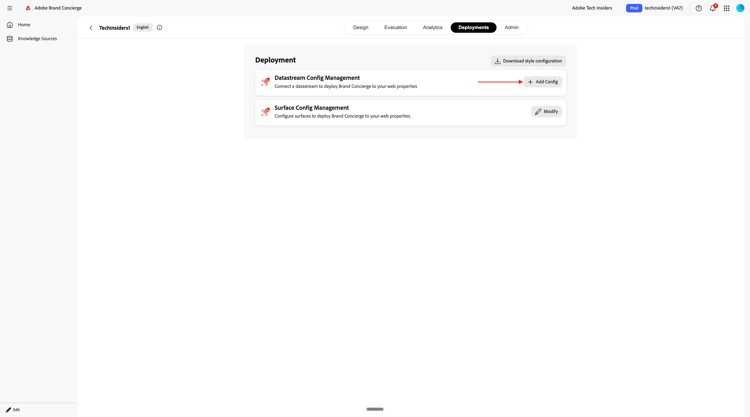
转到部署。

您应该会看到此内容。 单击+添加配置。
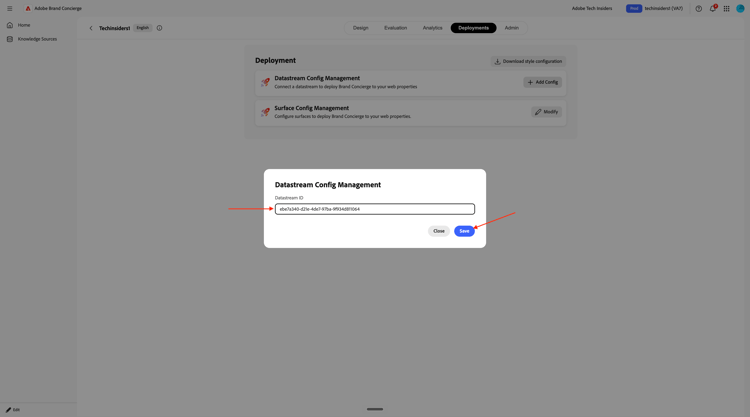
粘贴您之前创建的数据流的数据流ID。 单击保存。
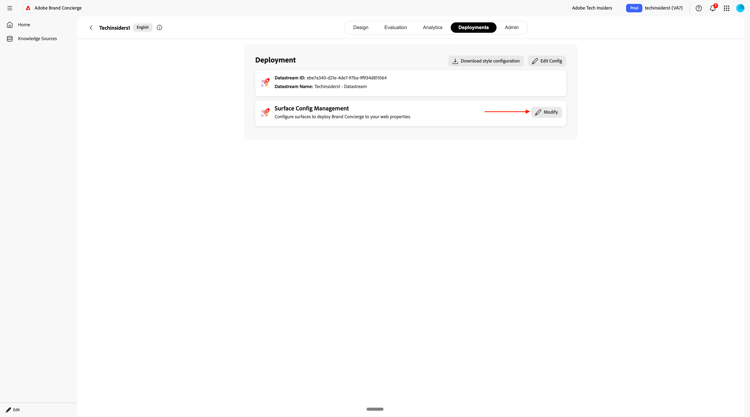
单击 表面配置管理 旁边的修改。
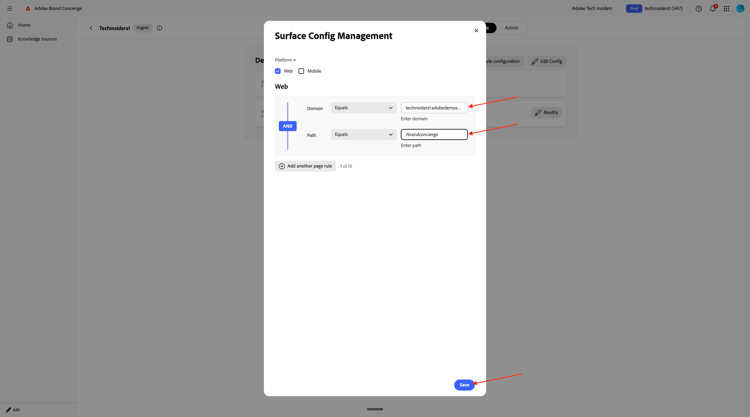
输入以下内容:
- 域等于
techinsidersX.adobedemosystem.com - 路径等于
/brandconcierge
单击保存。
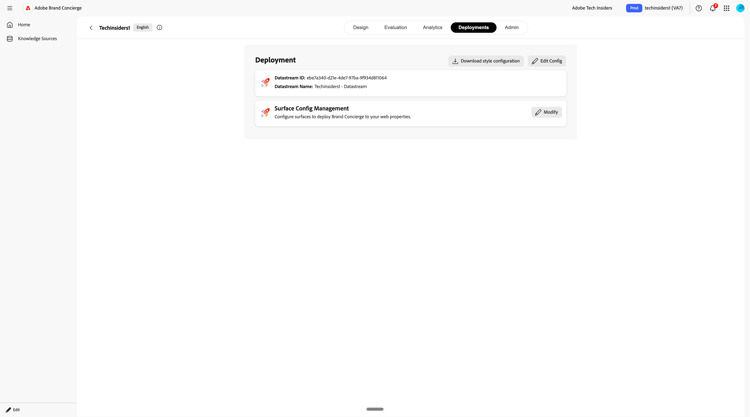
您应该会看到此内容。
1.4.1.4完成知识源设置
转到知识源。 10-20分钟后,两个知识源的 状态 应为已完成。
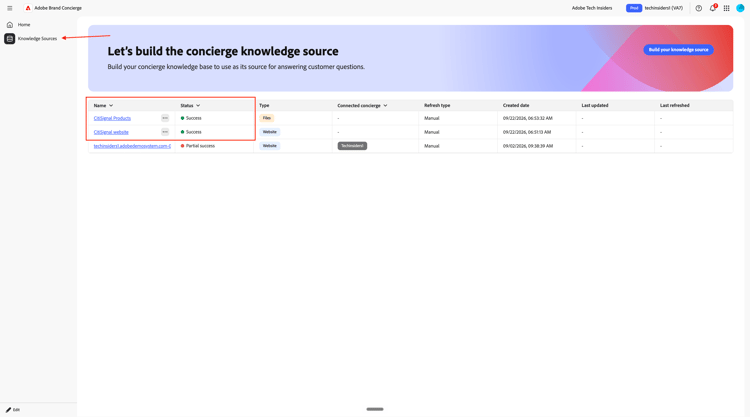
一旦两个知识源的状态为成功,请单击主页,然后选择您的Brand Concierge实例。

单击集成。
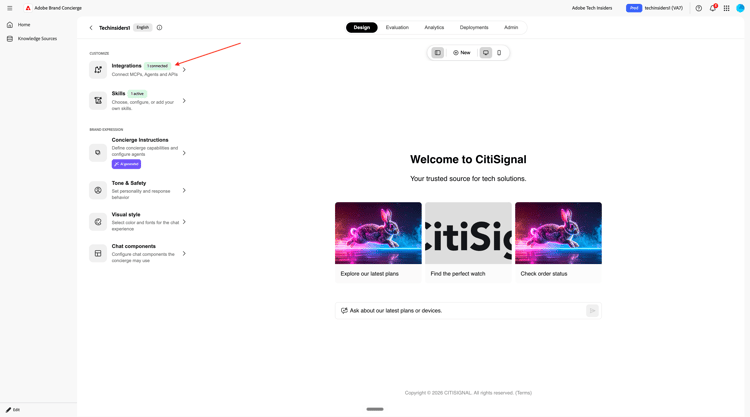
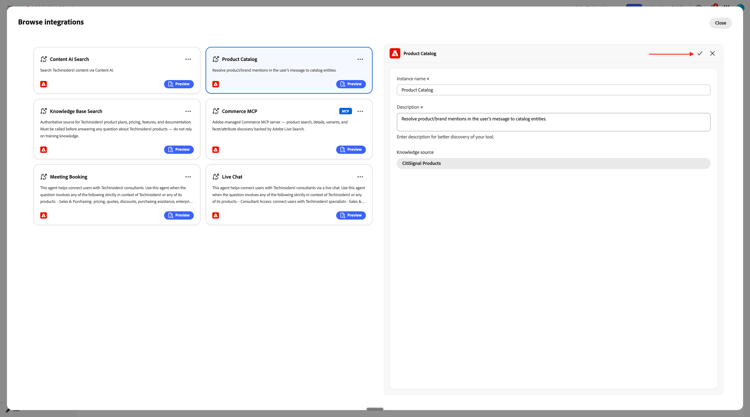
单击浏览集成。

选择集成产品目录,然后单击配置。
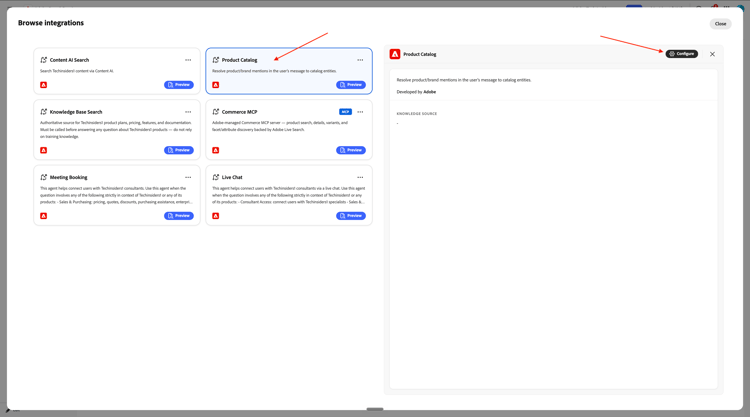
单击选择知识源。
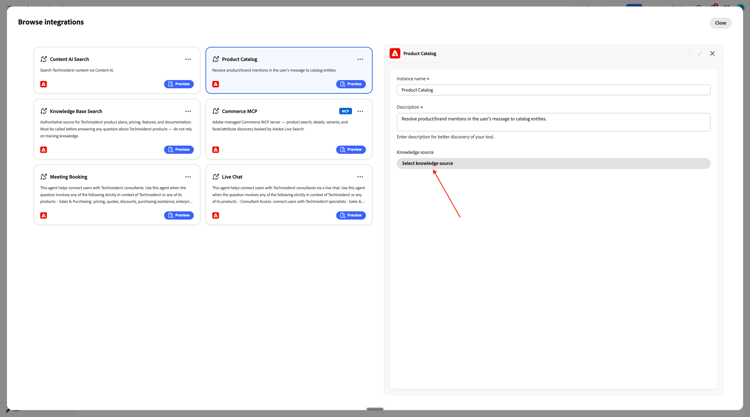
选择知识源CitiSignal产品,然后单击保存。
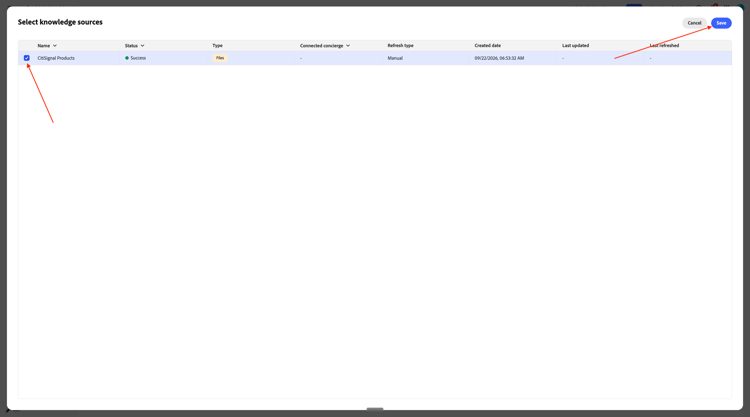
单击 保存 图标。
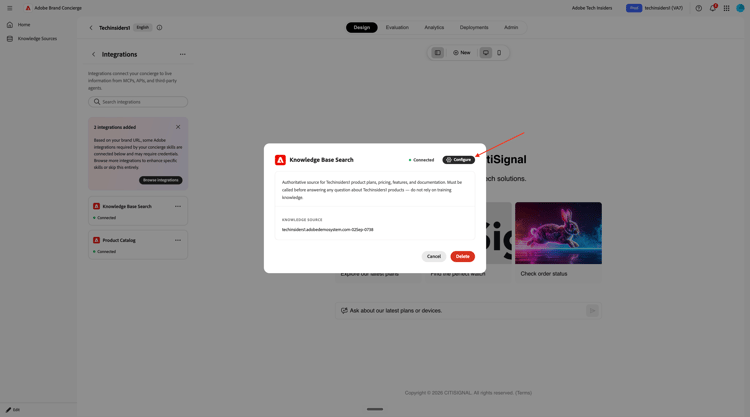
您应该会看到此内容。 单击知识库搜索。

单击配置。
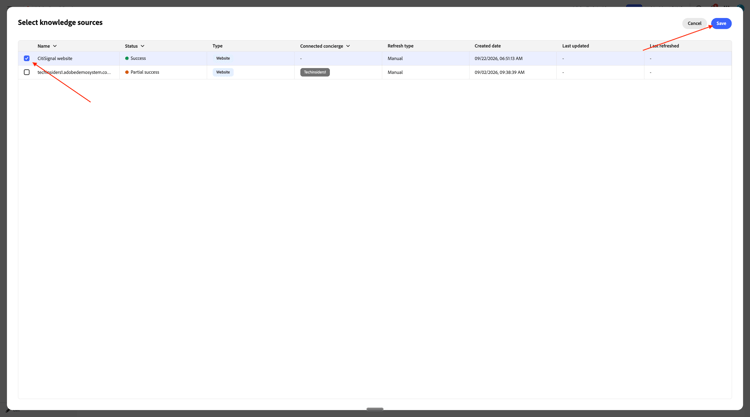
单击当前知识源的字段。

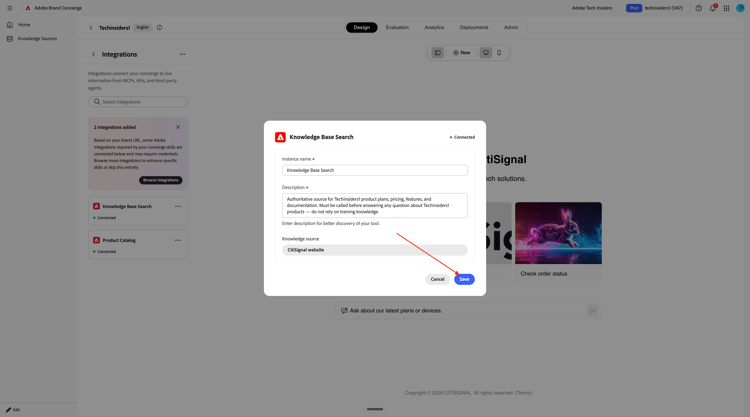
选择 CitiSignal网站 并单击保存。
您应该会看到此内容。 单击保存。
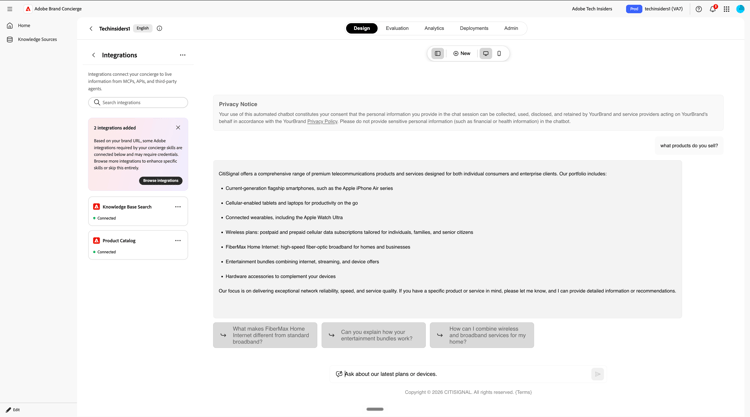
您现在可以开始测试Brand Concierge了。 输入问题what products do you sell?并单击发送。

然后,您应该获得类似的响应。
您的Brand Concierge实例现在已准备好在您的网站上实施。