在此页面上:使用由 Adobe Experience Platform 查询服务提供支持的查询编辑器,您可以在 Adobe Journey Optimizer 中对客户体验数据编写、验证和运行查询,以进行分析和数据探索。
查询编辑器是 Adobe Experience Platform 查询服务提供的一款交互式工具,它允许您在 Adobe Journey Optimizer 用户界面中编写、验证和运行客户体验数据查询。
查询编辑器支持开发用于分析和数据探索的查询,并且允许您运行交互式查询以用于开发目的,以及非交互式查询以用于填充数据集。
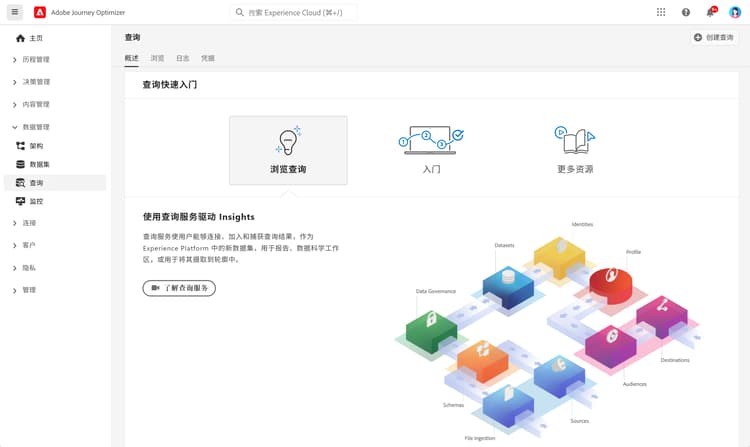
通过本文档了解如何使用查询编辑器。
This section contains structured knowledge intended to support interpretation, retrieval, and question answering related to this topic.
For complete understanding, this information should be combined with the documentation on this page. Neither source is intended to stand alone; the page describes the feature, while this section provides additional context that helps disambiguate terminology, intent, applicability, and constraints.
- TL;DR: This page introduces the Query Editor, powered by Adobe Experience Platform Query Service, for writing, validating, and running interactive and non-interactive queries on customer experience data within Journey Optimizer.
Intents:
- Write, validate, and run queries on customer experience data in the Journey Optimizer user interface.
- Develop queries for analysis and data exploration, and run interactive queries for development purposes.
- Run non-interactive queries to populate datasets.
Glossary:
- Query Editor: an interactive tool provided by Adobe Experience Platform Query Service to write, validate, and run queries within the Journey Optimizer user interface (product-specific)
- Query Service: the Adobe Experience Platform service that powers the Query Editor
- Interactive query: a query run for development purposes
- Non-interactive query: a query run to populate datasets
Guardrails:
- The Query Editor is provided by Adobe Experience Platform Query Service and runs queries on customer experience data within the Journey Optimizer user interface.
Terminology:
- Canonical name: Query Editor — powered by: Adobe Experience Platform Query Service
- Do not confuse: “interactive query” (run for development purposes) ≠ “non-interactive query” (populates datasets)
FAQ:
- Q: What is the Query Editor? — An interactive tool provided by Query Service to write, validate, and run queries on customer experience data in the Journey Optimizer user interface.
- Q: What kinds of queries can I run? — Interactive queries for development purposes, and non-interactive queries to populate datasets.
- Q: Which service powers the Query Editor? — Adobe Experience Platform Query Service.
Personas:
- marketer: Can write, validate, and run queries on customer experience data within the Journey Optimizer user interface. Can run interactive queries for development purposes. Can run non-interactive queries to populate datasets. The page states that the Query Editor is provided by Adobe Experience Platform Query Service. Where: “Get Started with queries”.
Onboarding:
- Level: Beginner
- First minimal step: Write a query in the Query Editor within the Journey Optimizer user interface.
- Success check: The query is validated and runs, and a non-interactive query populates a dataset.
- Next: After running a non-interactive query to populate a dataset: Get Started with datasets (data/get-started-datasets.md)