Definiera den API-utlösta kampanjmålgruppen api-audience
Använd fliken Audience för att definiera kampanjens målgrupp.
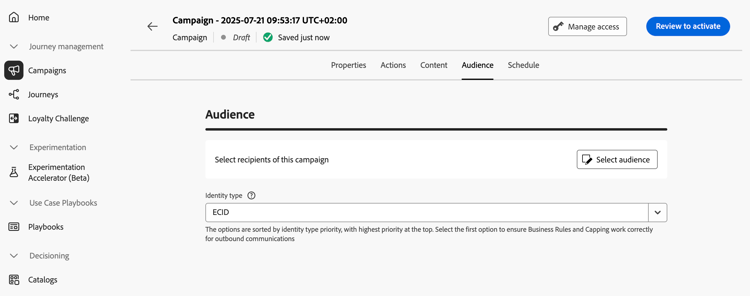
Välj målgrupp
För marknadsförings-API-utlösta kampanjer klickar du på knappen Select audience för att visa listan över tillgängliga Adobe Experience Platform-målgrupper. Läs mer om målgrupper.
För Transactional API-utlösta kampanjer måste målprofilerna definieras i API-anropet. Ett enda API-anrop stöder upp till 20 unika mottagare. Varje mottagare måste ha ett unikt användar-ID. Dubblerade användar-ID tillåts inte. Läs mer i API-dokumentationen för interaktiv meddelandekörning
Välj identitetstyp
I fältet Identity type väljer du vilken typ av nyckel som ska användas för att identifiera personer från den valda målgruppen. Du kan antingen använda en befintlig identitetstyp eller skapa en ny med hjälp av Adobe Experience Platform identitetstjänst. Standardidentitetsnamnutrymmen visas på den här sidan.
Endast en identitetstyp tillåts per kampanj. Individer som tillhör ett segment som inte har den valda identitetstypen bland sina olika identiteter kan inte omfattas av kampanjen. Läs mer om identitetstyper och namnutrymmen i Adobe Experience Platform-dokumentationen.
Aktivera skapande av profil vid kampanjkörning
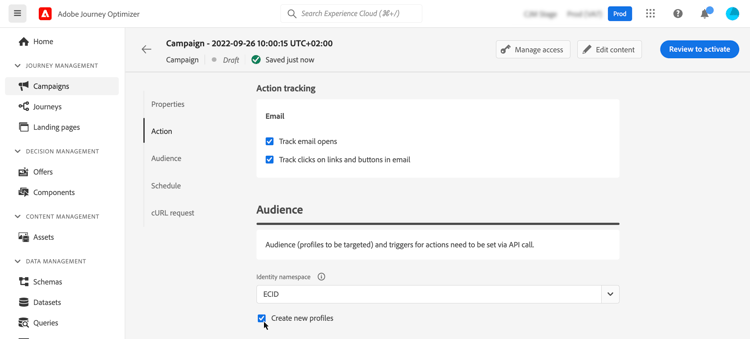
I vissa fall kan du behöva skicka transaktionsmeddelanden till profiler som inte finns i systemet. Om en okänd användare till exempel försöker återställa lösenordet på webbplatsen. När det inte finns någon profil i databasen kan du i Journey Optimizer automatiskt skapa den när kampanjen körs för att tillåta att meddelandet skickas till den här profilen.
Aktivera alternativet Create new profiles om du vill aktivera profilskapande när kampanjen körs. Om det här alternativet är inaktiverat kommer okända profiler att avvisas för alla utskickningar och API-anropet kommer att misslyckas.
Aktivera webhooks webhook
För kampanjer som triggas av Transactional API kan du aktivera webhooks för att få realtidsfeedback om meddelandets körningsstatus. Om du vill göra det växlar du alternativet Enable webhooks för att skicka leveransstatushändelser till en konfigurerad webkrok.
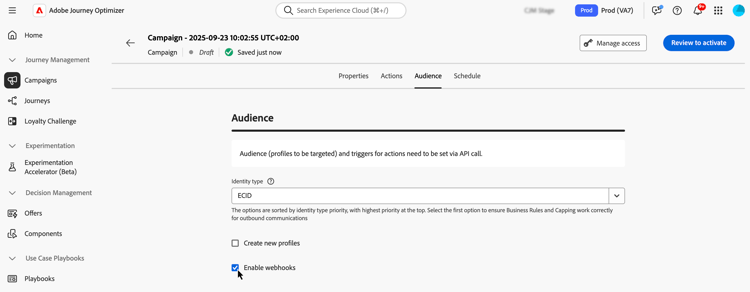
Webkrokkonfigurationer hanteras centralt på menyn Administration / Channels / Feedback Webhook . Därifrån kan administratörer skapa och redigera webbkrokslutpunkter. Lär dig hur du skapar webhooks för feedback
Nästa steg next
När kampanjens konfiguration och innehåll är klart kan du schemalägga dess körning. Läs mer