Informazioni sugli schemi experienceevent per Journey Optimizer eventi about-experienceevent-schemas
In questa pagina: crea schemi XDM Experience Event che soddisfano la struttura richiesta in modo che gli eventi in streaming possano essere acquisiti in Adobe Experience Platform e utilizzati per attivare i percorsi.
Journey Optimizer eventi sono eventi esperienza XDM inviati a Adobe Experience Platform tramite Streaming Ingestion.
Un prerequisito importante per la configurazione degli eventi per Journey Optimizer è la conoscenza di Experience Data Model (o XDM) di Adobe Experience Platform, delle modalità di composizione degli schemi Experience Event XDM e del flusso di dati in formato XDM verso Adobe Experience Platform.
Requisiti dello schema per Journey Optimizer eventi schema-requirements
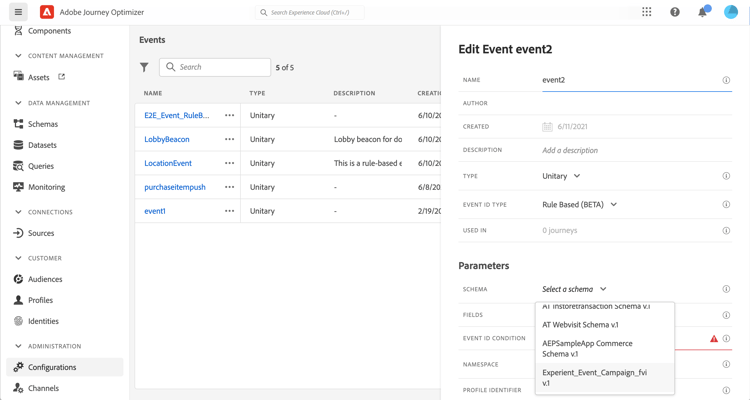
Il primo passaggio nella configurazione di un evento per Journey Optimizer consiste nel verificare di disporre di uno schema XDM definito per rappresentare l’evento e di un set di dati creato per registrare le istanze dell’evento su Adobe Experience Platform. Disporre di un set di dati per gli eventi non è strettamente necessario, ma l’invio di eventi a un set di dati specifico ti consentirà di mantenere la cronologia degli eventi degli utenti per riferimenti e analisi futuri, quindi è sempre una buona idea. Se non disponi già di uno schema e di un set di dati appropriati per l’evento, entrambe queste attività possono essere eseguite nell’interfaccia web di Adobe Experience Platform.
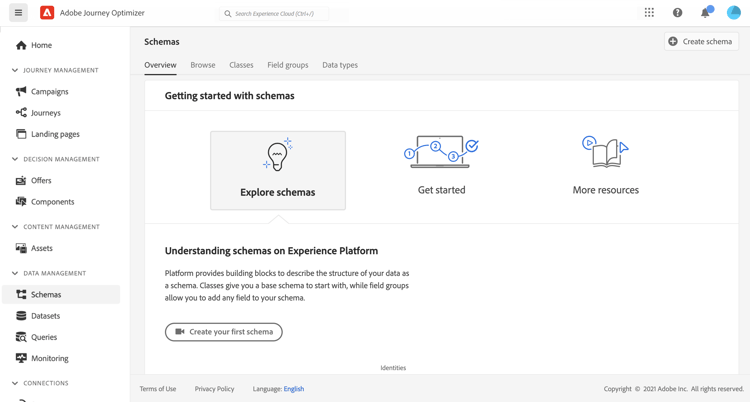
Qualsiasi schema XDM che verrà utilizzato per gli eventi Journey Optimizer deve soddisfare i seguenti requisiti:
-
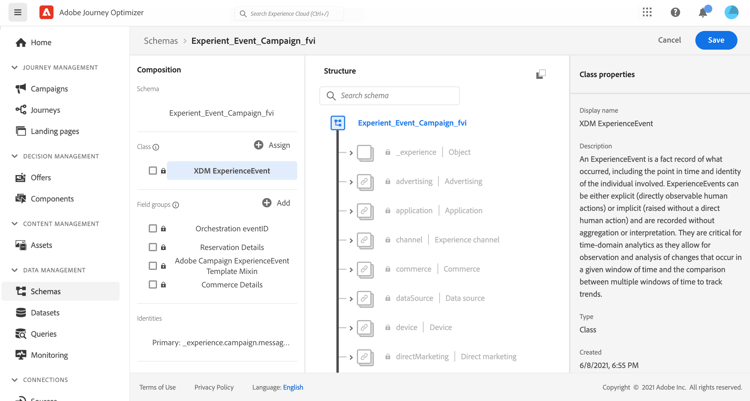
Lo schema deve essere della classe ExperienceEvent XDM.
-
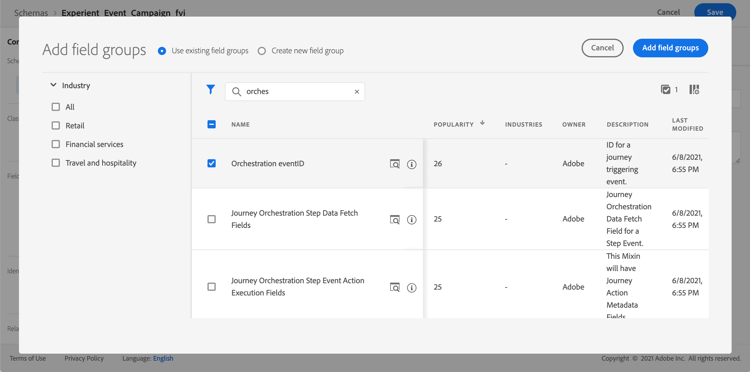
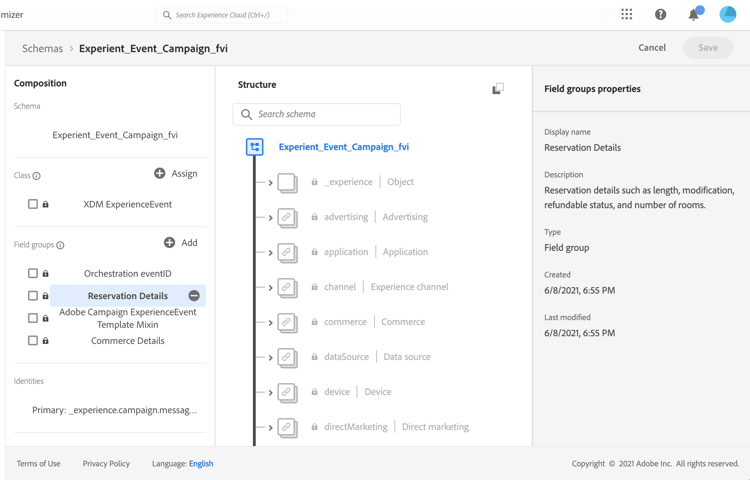
Per gli eventi generati dal sistema, lo schema deve includere il gruppo di campi ID evento di orchestrazione. Journey Optimizer utilizza questo campo per identificare gli eventi utilizzati nei percorsi.
-
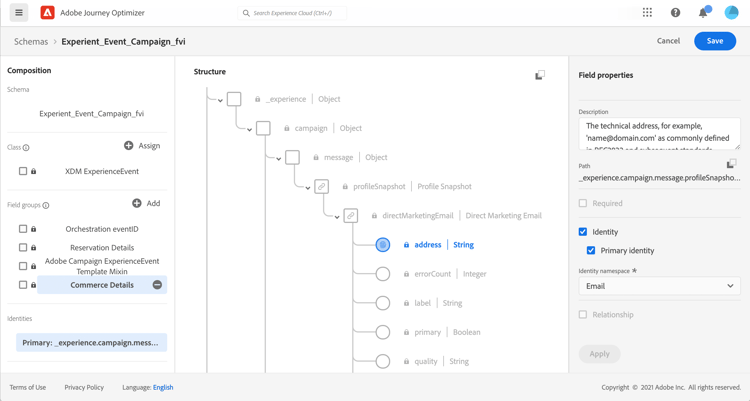
Dichiara un campo di identità per identificare i singoli profili nell’evento. Se non viene specificata alcuna identità, è possibile utilizzare una mappa di identità. Queste operazioni non sono consigliate.
-
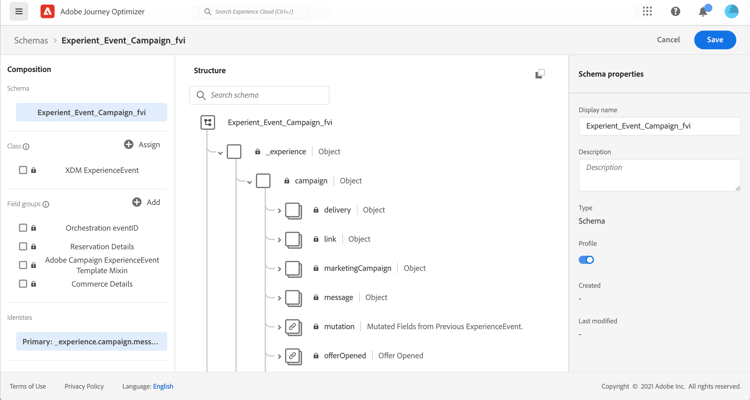
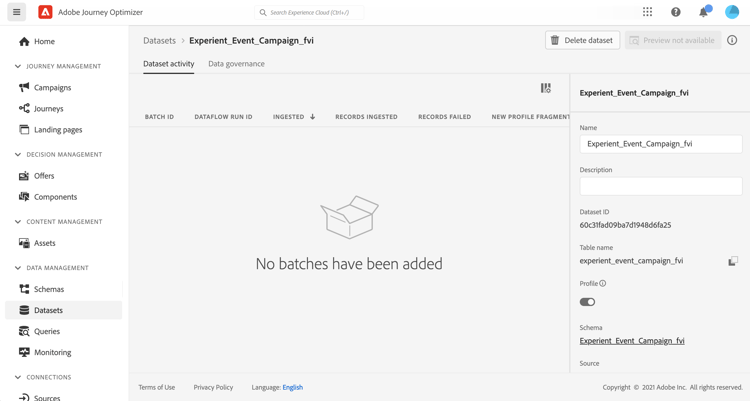
Se desideri che questi dati siano disponibili per il profilo, contrassegna lo schema e il set di dati per il profilo. Ulteriori informazioni
-
Puoi includere campi dati per acquisire altri dati contestuali che desideri includere con l’evento, ad esempio informazioni sull’utente, sul dispositivo da cui è stato generato l’evento, sulla posizione o su qualsiasi altra circostanza significativa correlata all’evento.
This section contains structured knowledge intended to support interpretation, retrieval, and question answering related to this topic.
For complete understanding, this information should be combined with the documentation on this page. Neither source is intended to stand alone; the page describes the feature, while this section provides additional context that helps disambiguate terminology, intent, applicability, and constraints.
- TL;DR: This page explains the requirements an XDM Experience Event schema must meet for Journey Optimizer events, which are XDM Experience Events sent to Adobe Experience Platform via Streaming Ingestion.
Intents:
- Understand that Journey Optimizer events are XDM Experience Events sent to Adobe Experience Platform via Streaming Ingestion
- Build an XDM schema of the ExperienceEvent class for journey events
- Add the Orchestration eventID field group for system-generated events
- Declare an identity field to identify individual profiles in the event
- Mark the schema and dataset for profile so the data is available for profile
Glossary:
- XDM ExperienceEvent class: The class the schema must belong to for use with Journey Optimizer events (product-specific)
- Orchestration eventID field group: The field group that must be included for system-generated events, which Journey Optimizer uses to identify events used in journeys (product-specific)
- Identity map: What can be used to identify individual profiles if no identity is specified, which is not recommended (product-specific)
- Streaming Ingestion: The mechanism by which XDM Experience Events are sent to Adobe Experience Platform (product-specific)
Guardrails:
- The schema must be of the XDM ExperienceEvent class.
- For system-generated events, the schema must include the Orchestration eventID field group.
- Declare an identity field for identifying individual profiles in the event; if no identity is specified, an identity map can be used, which is not recommended.
- If you want the data to be available for profile, mark the schema and dataset for profile.
- Starting July 8, 2025, new customer organizations cannot create expressions using experience event attributes in journey conditions.
- Starting April 1, 2026, organizations that have not accessed experience events via journey expressions in the last 90 days will no longer have access to this capability; accessing context from the starting event of a journey is not impacted.
Terminology:
- Canonical name: About experienceevent schemas for Journey Optimizer events — Acronym: XDM (Experience Data Model) — variants: XDM Experience Event schemas, XDM ExperienceEvent class
- Do not confuse: “identity field” (declared field for identifying individual profiles) ≠ “identity map” (can be used if no identity is specified, which is not recommended)
FAQ:
- Q: What class must the schema use? — The schema must be of the XDM ExperienceEvent class.
- Q: What is required for system-generated events? — The schema must include the Orchestration eventID field group, which Journey Optimizer uses to identify events used in journeys.
- Q: Is a dataset required for the events? — Having a dataset is not strictly necessary, but sending events to a specific dataset lets you maintain users’ event history for future reference and analysis.
- Q: What happens if I do not declare an identity field? — An identity map can be used instead, but this is not recommended.
- Q: Can I create expressions using experience event attributes in journey conditions? — Starting July 8, 2025, new customer organizations cannot create such expressions, and starting April 1, 2026, organizations that have not accessed experience events via journey expressions in the last 90 days will no longer have access to this capability; accessing context from the starting event is not impacted.