Configure your User Profile
You can access your profile and preference options by clicking the Adobe account menu (your profile picture) in the top navigation area.
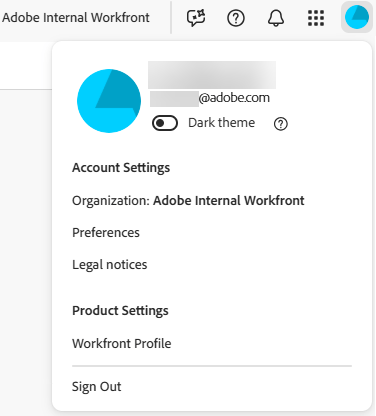
This menu allows you to:
-
Choose Dark theme formatting for CX Enterprise.
-
Set Preferences for CX Enterprise, including primary and secondary language preferences.
note NOTE Your date settings are based on your primary language settings. For example, selecting English (United States) displays dates in MM/DD/YYYY format, while selecting English (United Kingdom) dispays dates in DD/MM/YYYY format. -
Access your Workfront Profile. Once you are on the profile, click the More menu

-
Sign out of CX Enterprise.
This section contains the following articles: