License type overview when using Adobe Workfront Planning
Your Adobe Workfront license type works in conjunction with your Adobe Workfront Planning permissions to give the following access:
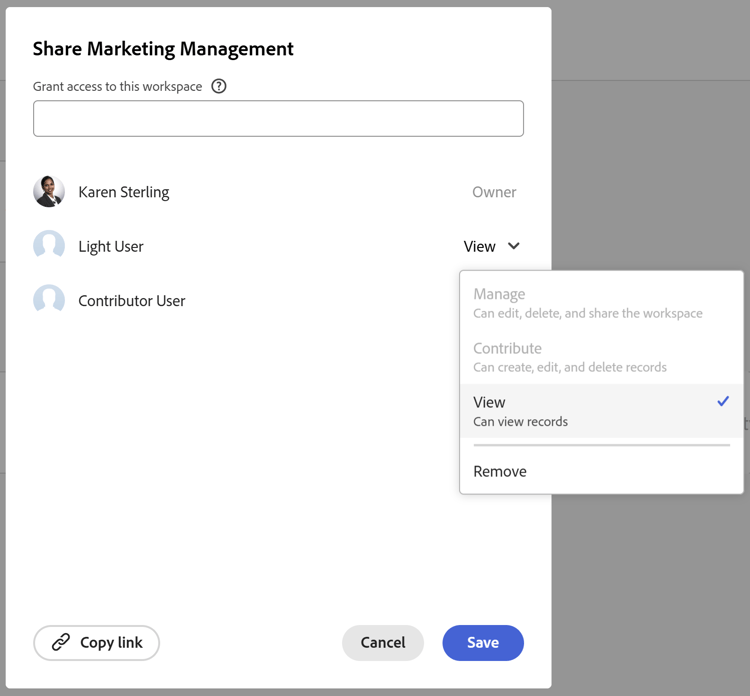
- View, contribute, or manage workspaces or record types
- View or manage views.
For information about permissions to objects in Workfront Planning, see Overview of sharing permissions in Adobe Workfront Planning.
For information about access to Workfront Planning, see Adobe Planning access overview.
The relationship between Workfront license types and Workfront Planning permissions
The table below describes the relationship between the license type of a user in Adobe Workfront and the level of permissions you can grant to them to Adobe Workfront Planning objects based on that license.
Granting a user permissions to a workspace also grants them permissions to record types, records, and fields.
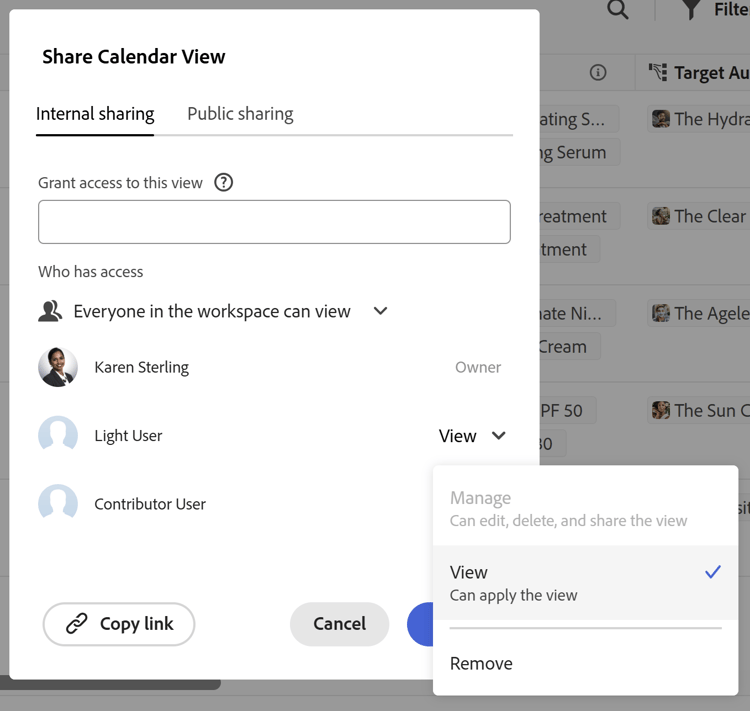
You must grant users separate permissions to views, in addition to the ones they have for workspaces, to be able to access and manage views.
Consider the following when working with record type permissions:
- Users automatically inherit record type permissions from workspaces.
- When a user has Manage permissions to a workspace, they cannot have a lesser access to a record type.
- Users cannot have greater permissions to a record type than they have for the workspace the record type belongs to.
- Removing users’ permissions to a record type does not remove their View access to all record types in the workspace, as this does not remove their permissions to the workspace.
Users can manage workspaces, record types, and views. They can create, edit, or delete workspaces, record types, records, fields, and views.
System administrators have Manage permissions to all workspaces, including the ones they did not create.
Users can view the workspaces shared with them, as well as the record types, records, and fields of those workspaces.
Users can view the views shared with them, but they cannot create their own.
Users cannot create, edit, or delete workspaces, record types, records, or fields.
License types and permissions to workspaces and record types
Only users with a Standard license can have Contribute or Manage permissions to workspaces and record types. The Contribute and Manage permissions to workspaces and record types also transfer to records and fields.
System administrators can view all workspaces in the system, including the ones they did not create.
Users with all other license types can have View permissions to workspaces and record types shared with them, as well as to their records and fields.
License types and permissions to views
Only users with a Standard license can have Manage permissions to views.
System Administrators cannot access views they did not create. They must be shared with them.
Users with all other license types can have View permissions to views shared with them.