
Quick actions

Quick actions is a system that allows you to create an asset or add many layers in the stack in few clicks. Use Quick actions to create an asset, create a project or to add the layers you need to your existing stack.

You can find Quick actions in several places in Sampler:

Quick Action Name
Description
Layers
Convert image to material
Create a material with all the necessary channels from a single image.
Input Image to Material AI Equalize
Convert multi-angle images to material
Create a material by merging photos of a surface taken from different light angles
input Multiangle to material Equalize
Import textures
Create a material from texture maps.
Input
Import image
Create an empty material and add a single image as a layer.
Input
Import environment
Create a light from an environment map or a picture.
Input Exposure
Convert 360 panoramas to HDR
Create a High Dynamic Range (HDR) environment light by merging multiple 360-degree bracketed panoramic images. Learn more
Input HDR Merge Straighten Horizon Nadir Patch
Convert image to embroidery
Apply a procedural filter to make an image look like an embroidered patch.
Input Embroidery
Create a fabric material
Create a fabric material with a procedural filter.
ClothWeave
Adjust image
Choose filters to fine-tune and prepare an image for use in a material.
Input Crop Tiling Brightness/Constrast Hue/Saturation Color replace
Create 3D Object from Photos
Create a 3D model with photogrammetry, which stitches overlapping photos together.
None
Create empty material
Create a material with no channels.
None
Create empty light
Create an environment light with no channel.
None

How to use Quick action

From home screen

Click on a Quick action
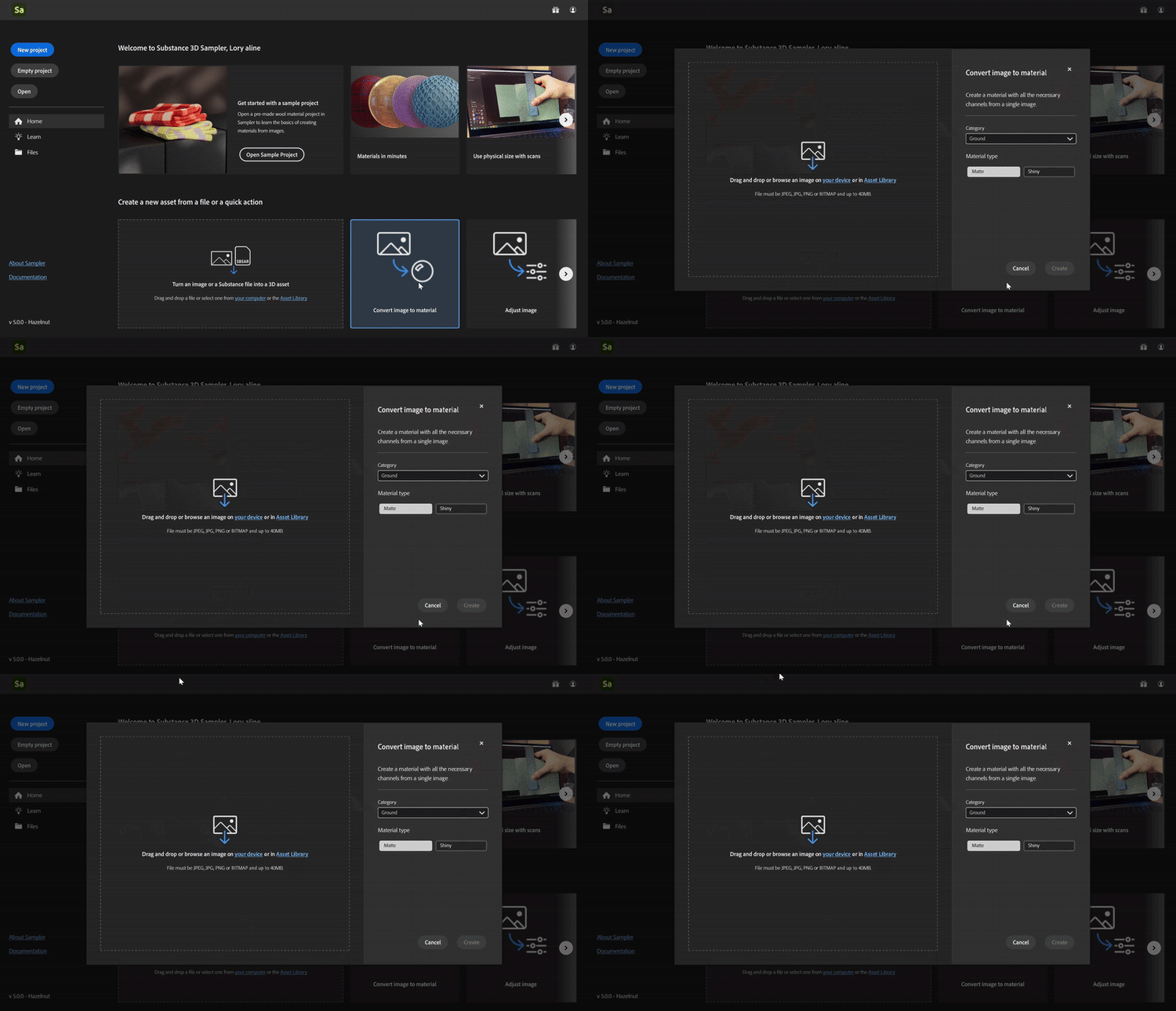
or drag and drop an image on a quick action.
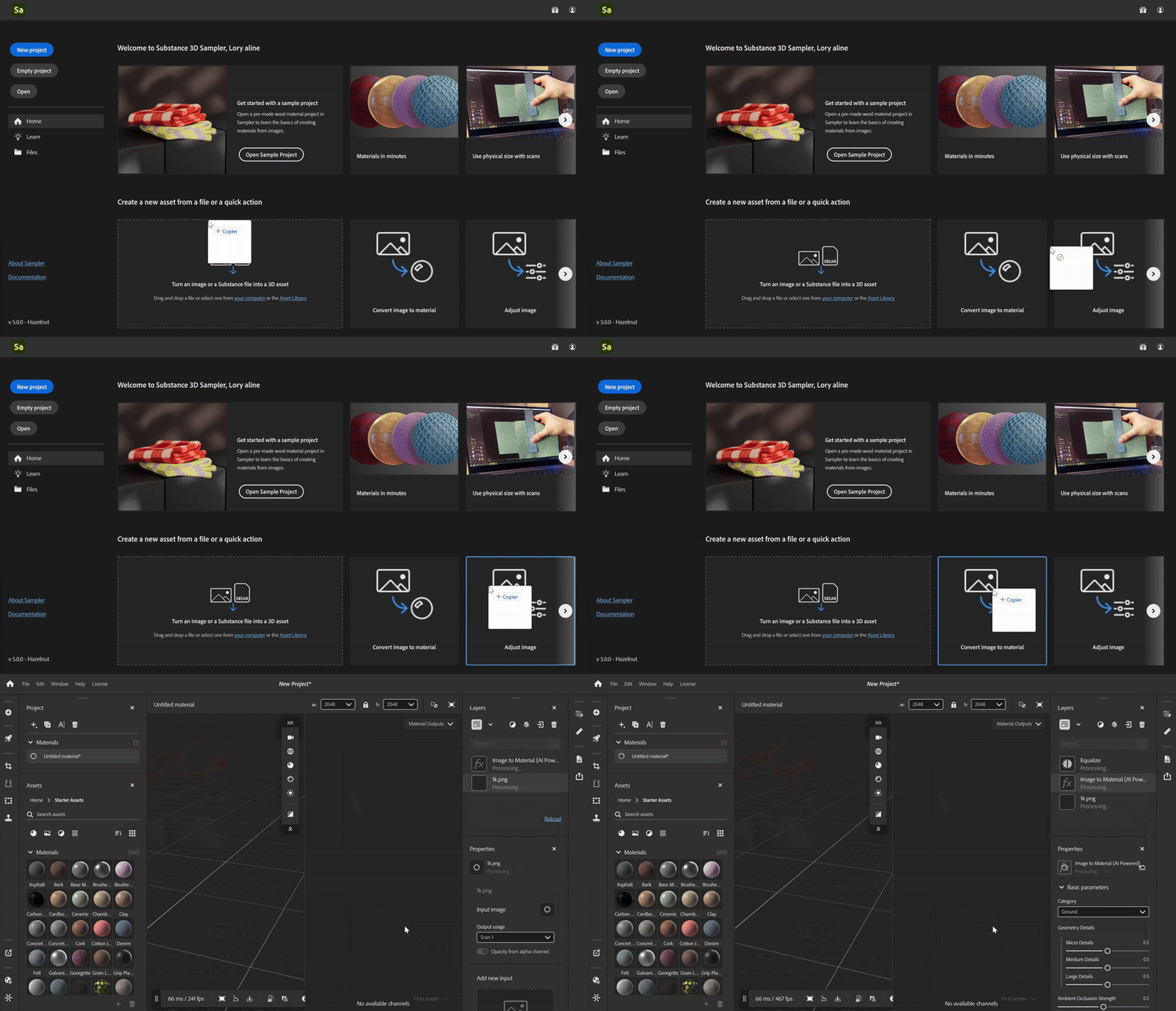
or drag and drop an image on a quick action.

From Create new

Choose any quick action or import files and see which quick actions you can use with your input
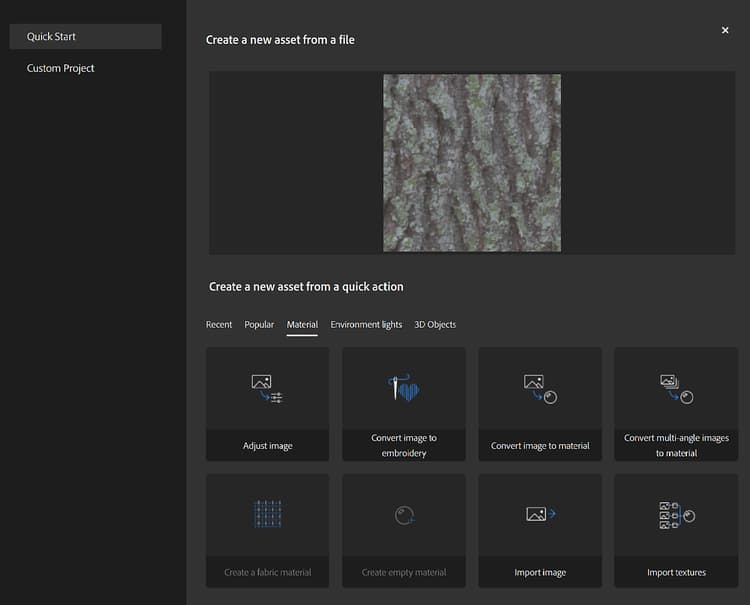
From Quick Action Panel

Click on a Quick action to add it to the stack or create a new asset depending on the Quick action type.

Options:

  • Apply : Applies the quick action on the active stack.
  • Setup : Opens the setup window to prearrange the Quick action before adding it to the stack.
  • Create new Asset : Create a new asset from the selected quick action.
  • Create new Project : Create a new project from the selected quick action.
recommendation-more-help
cfc4e62b-a372-4470-ab96-9509c6c56b57