The Home Screen
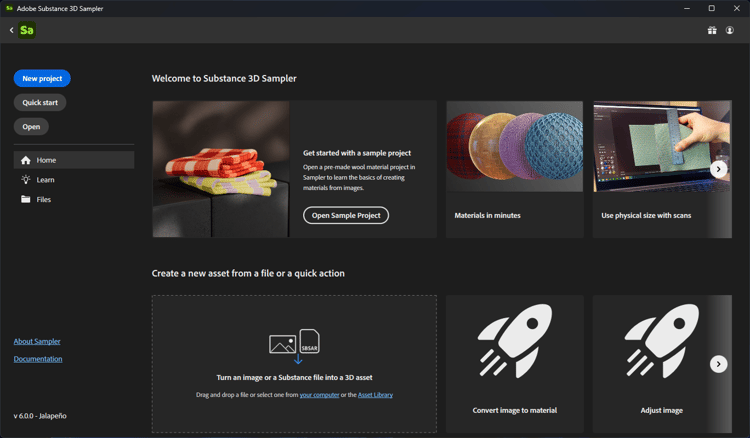
When you open Sampler, the Home Screen will appear. The Home Screen has a number of options to help you get started with a new or existing Sampler project.
- New project: Create a new project by importing a file and choosing from a collection of Quick actions.
- Quick start: Create a new project and select a material preset.
- Open: Open a project with your system’s file browser.
- Home: Access recommended tutorials, create a new project, or view a list of recent projects.
- Learn: Access Sampler’s video tutorials and learning content.
- Files: View a list of recently opened projects.
- About Sampler: Find out more about your version of 3D Sampler.
- Documentation: View the documentation and expand your abilities.
When you open or start a new project, the Home Screen will disappear so you can start creating assets. You can open the Home Screen again from the File menu.
recommendation-more-help
substance-3d-sampler-help-guide