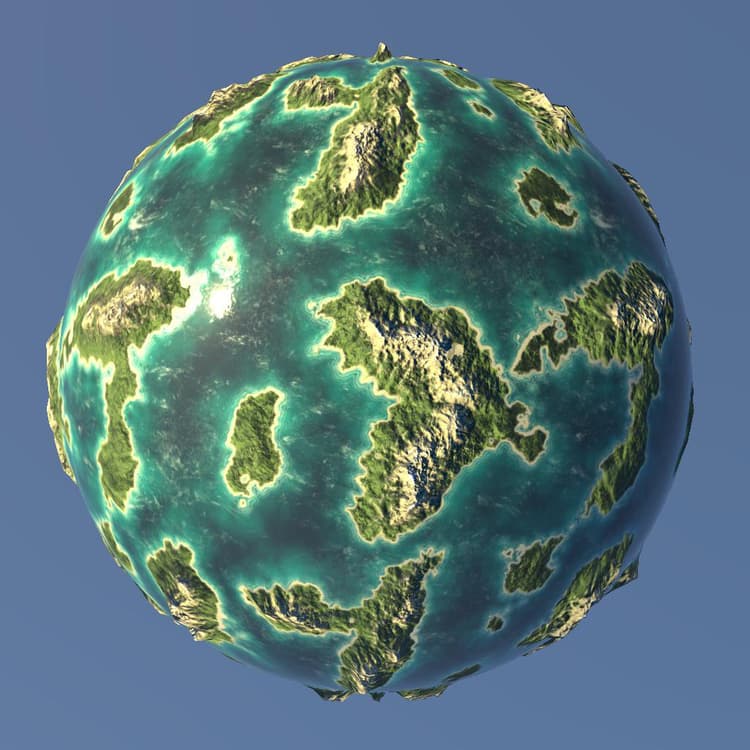
3D renderers
The 3D View offers four renderers:
- Two versions of Adobe’s in-house 3D renderer: Rasterizer for real-time visualization with support for shadows, and GPU Pathtracer for accurate rendering of shadows, reflections, complex material properties and more.
- Two deprecated third-party renderers: OpenGL and NVIDIA’s Iray.
| table 0-row-2 html-authored no-header | |
|---|---|
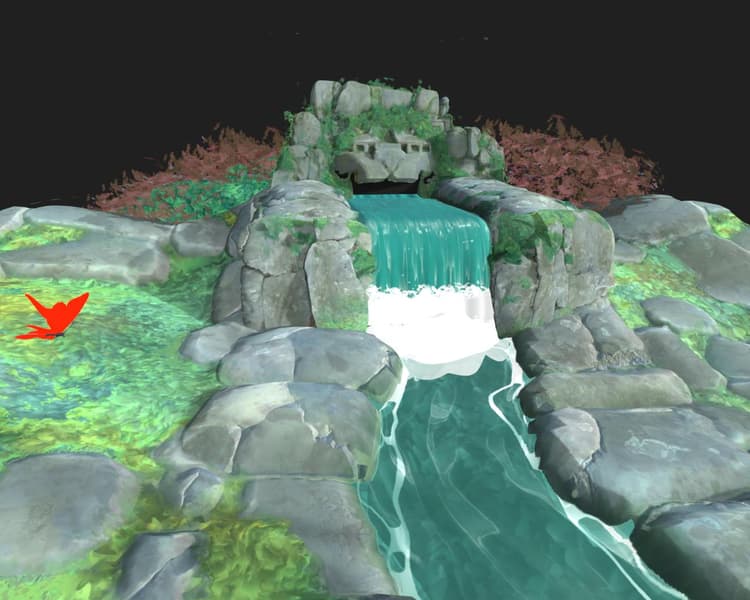
Rasterizer |
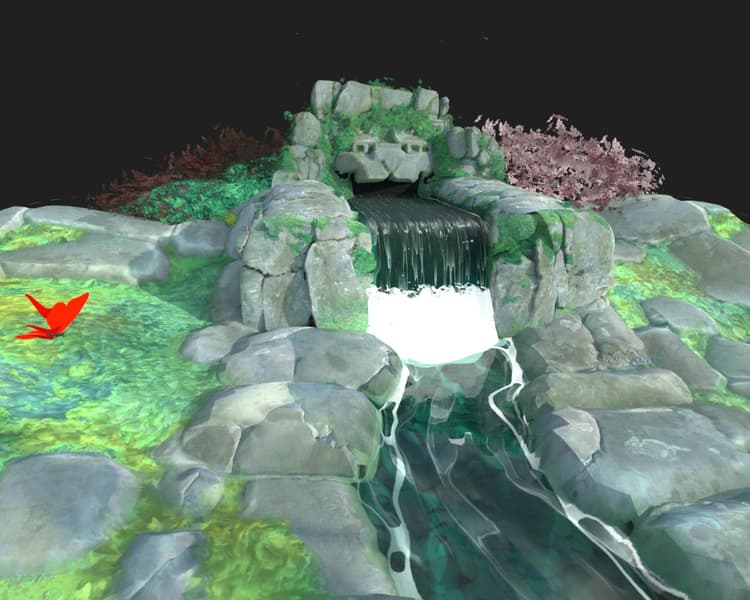
GPU Pathtracer |
Adobe’s 3D renderer is built from the ground up to support modern technologies such as MaterialX shading language and the USD scene description, and is poised to offer full visual consistency across the entire Substance 3D ecosystem.
Thanks to its reliance on USD, it can leverage Adobe’s USDFileFormat plugin to import many 3D scene formats, such as FBX and GLTF, and render these scenes fully, including materials, textures, cameras and lights.
| table 0-row-2 html-authored no-header | |
|---|---|
|
Rasterizer |
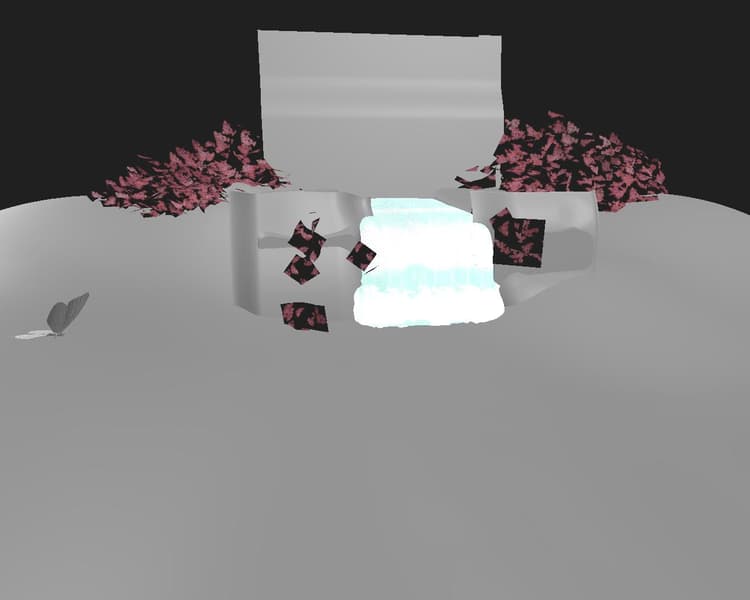
OpenGL |
Rasterizer
| table 0-row-2 1-row-2 2-row-2 3-row-2 4-row-2 5-row-2 6-row-2 7-row-2 8-row-2 9-row-2 10-row-2 11-row-2 12-row-2 13-row-2 14-row-2 15-row-2 | |
|---|---|
| Samples Float | Specifies the number of pixel samples to compute before the image is considered to be converged. |
| Ambient occlusion opacity Float | Specifies the value of the ambient occlusion opacity. |
| Enable displacement Boolean | Specifies whether displacement should be enabled. |
| Displacement threshold Float | Sets up a threshold to enable/disable GPU tessellation. |
| Enable backface culling Boolean | A true value will enable the culling of triangle meshes that have normals that face away from the camera. A false value will disable backface culling. |
| Diagnostic mode Integer | Dictates the diagnostic mode to render. |
| Rasterizer shadow mode Integer |
Specifies the technique to use to render shadows:
|
| Rasterizer shadow sample count Integer | Specifies how many shadow rays are traced per pixel. |
| Rasterizer shadow opacity Float | Specifies the opacity of shadows, from 0.0 (no shadows) to 1.0 (fully shadows). |
| Rasterizer order independent transparency enabled Boolean | Does not account for the order of the transparent surfaces when rendering them. This sacrifices some accuracy for faster rendering of transparent surfaces. |
| Enable rasterizer SSS Boolean | Toggles the subsurface scattering effect. |
| Rasterizer SSS sample count Integer | Specifies how many samples are taken per pixel for rendering subsurface scattering. |
| Enable rasterizer accumulation antialiasing Boolean | Toggles accumulation antialiasing, which improves the smoothness or edges in the rendered image by jittering renders and computing the local average color of each pixel, cumulatively. I.e., it accumulates values to compute an average from. |
| Rasterizer voxel grid resolution Integer | Dictates the resolution of the voxel grid used in voxel marching the rasterizer. Higher values result in more precise shadows at the cost of performance. |
| Rasterizer IBL runtime sample count Integer | Specifies how many samples are used to compute the specular reflections from IBL when the technique is set to runtimeSampled. |
| table 0-row-2 1-row-2 2-row-2 3-row-2 | |
|---|---|
| Enabled Boolean | Toggles the ground plane in the rendered scene. |
| Height Float | Controls the height offset of the ground plane. If authored, the value is expected to have the appropriate bias baked in, based on the scale of the scene. |
| Shadow intensity Float | When shadows are enabled, controls the opacity of the shadows cast on the ground plane, from 0.0 (no shadows) to 1.0 (full shadows). |
GPU Pathtracer
| table 0-row-2 1-row-2 2-row-2 3-row-2 4-row-2 5-row-2 6-row-2 7-row-2 | |
|---|---|
| Samples Float | Specifies the number of pixel samples to compute before the image is considered to be converged. |
| Enable displacement Boolean | Specifies whether displacement should be enabled. |
| Displacement threshold Float | Sets up a threshold to enable/disable GPU tessellation. |
| Enable backface culling Boolean | A true value will enable the culling of triangle meshes that have normals that face away from the camera. A false value will disable backface culling. |
| Pixel cycling type Integer |
Specifies the technique to use to lower compute resolution for interactive rendering:
|
| Diagnostic mode Integer | Dictates the diagnostic mode to render. |
| View background through transmission Boolean | A true value enables the background image to be seen through transmissive or refractive objects. When this is false, transmissive objects will show the refracted image of the scene environment. |
| table 0-row-2 1-row-2 2-row-2 3-row-2 4-row-2 5-row-2 6-row-2 7-row-2 | |
|---|---|
| Enabled Boolean | Toggles the ground plane in the rendered scene. |
| Height Float | Controls the height offset of the ground plane. If authored, the value is expected to have the appropriate bias baked in, based on the scale of the scene. |
| Shadow intensity Float | When shadows are enabled, controls the opacity of the shadows cast on the ground plane, from 0.0 (no shadows) to 1.0 (full shadows). |
| Enable local lights Boolean | Controls whether direct lighting from local lights contributes to shadow catchers. |
| Enable reflections Boolean | Controls the visibility of all reflections on the ground plane. |
| Reflections opacity Float | When reflections are enabled, controls the opacity of the reflections, between 0.0 (no reflections) to 1.0 (full reflections). |
| Reflections roughness Float | When reflections are enabled, controls the material roughness of the ground plane contributing to the reflections, from 0.0 (fully glossy) to 1.0 (fully rough). |
OpenGL
The OpenGL renderer offers fast real-time rendering, with a few shaders available by default depending on your use case: see the list below.
A material model with growing support backed by major industry actors, including Adobe, and with the broadest feature set.
Two techniques are available for visualizing height:
Parallax Occlusion - Fakes height displacement without modifying geometry through localized UV deformation and occlusion.
Tesselation + Displacement - Subdivides geometry and displaced the vertices along their normals.
Learn more about OpenPBR in Designer here.
Adobe’s standardized shader. Ensures correct looks between al Adobe Substance 3D applications and supports a wide set of features.
Two techniques are available for visualizing height:
Parallax Occlusion - Fakes height displacement without modifying geometry through localized UV deformation and occlusion.
Tesselation + Displacement - Subdivides geometry and displaced the vertices along their normals.
The Adobe Standard Material is documented in detail in this section of our documentation.
A shader dedicated for visualising materials extracted from AxF files and using the SVBRDF representation.
Two techniques are available for visualizing height:
Parallax Occlusion - Fakes height displacement without modifying geometry through localized UV deformation and occlusion.
Tesselation + Displacement - Subdivides geometry and displaced the vertices along their normals.
This shader is currently a work in progress and provides an overview of the materials’ characteristics, but should not be used for fine adjustments and some features are still unsupported.
“Old - generation”, non-PBR correct shader. Uses Diffuse, Specular and Glossiness channels next to standard channels like Opacity, Height and Normal.
Two techniques are available for visualizing height:
Parallax Occlusion - Fakes height displacement without modifying geometry through localized UV deformation and occlusion.
Tesselation + Displacement - Subdivides geometry and displaced the vertices along their normals.
Debug unlit shader to visualize the following geometry data:
-
Normal
-
Tangent
-
Binormal
-
UV
-
UV Tile
-
Vertex color
-
Position (world space)
The visualization is clamped to [0, 1]. It is therefore not possible to acquire a direct reading of values outside of that range on the screen.
Standard PBR material for the Metallic Roughness model. Uses Base color, Metallic and Roughness channels.
Two techniques are available for visualizing height:
Parallax Occlusion - Fakes height displacement without modifying geometry through localized UV deformation and occlusion.
Tesselation + Displacement - Subdivides geometry and displaced the vertices along their normals.
Coated PBR material for the Metallic Roughness model. Uses Base color, Metallic and Roughness channels as well as extra “Coat” channels.
Two techniques are available for visualizing height:
Parallax Occlusion - Fakes height displacement without modifying geometry through localized UV deformation and occlusion.
Tesselation + Displacement - Subdivides geometry and displaced the vertices along their normals.
Sub-Surface-Scattering PBR material for the Metallic Roughness model. Uses Base color, Metallic and Roughness channels as well as extra Scattering channel.
Two techniques are available for visualizing height:
Parallax Occlusion - Fakes height displacement without modifying geometry through localized UV deformation and occlusion.
Tesselation + Displacement - Subdivides geometry and displaced the vertices along their normals.
Standard PBR material for the Specular Glossiness model. Uses Diffuse, Specular and Glossiness channels.
Two techniques are available for visualizing height:
Parallax Occlusion - Fakes height displacement without modifying geometry through localized UV deformation and occlusion.
Tesselation + Displacement - Subdivides geometry and displaced the vertices along their normals.
Designer also offers the possibility to configure your own shaders for the OpenGL renderer using GLSLFX files.