Warnings and errors
This page explains the reporting of warnings and error messages which may appear in Substance 3D Designer, and links to warnings troubleshooting based on their source.
Overview
While working on projects in Designer, you may encounter warnings and error messages, which notify you of an issue in the project:
- Warnings are display in yellow text, and bring your attention to an issue which may result in an undesirable outcome due to a lack of input or a misconfiguration. They usually do not block your work.
- Errors are displayed in red text, and denote a failed computation, an unexpected result or the inability to perform a task. They usually block your work.
Generally, warnings and errors are displayed on the item which triggered them, and surfaced across each parent of that item. Here is a list of common places where warnings and errors are reported:
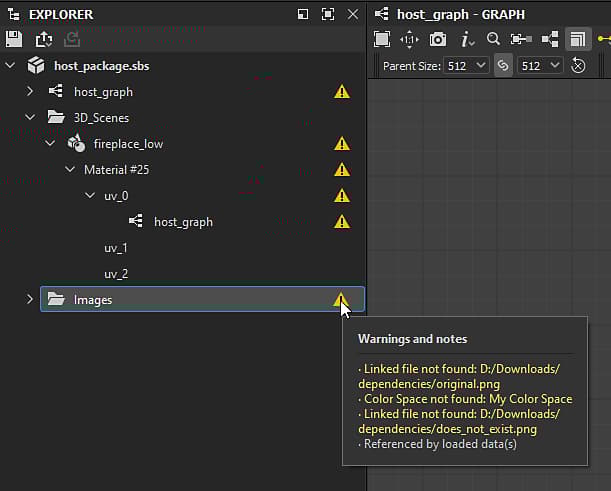
Explorer
For any item in the Explorer panel which has a warning, that warning is displayed with an

They follow these rules:
- If the item is nested under any other item (e.g., a folder), warnings are surfaced to that item if it is collapsed.
- Warning lists are cumulative, in that they are the sum of an item’s warnings and all the surfaced warnings of its children.
- All warnings reported by the contents of a package are surfaced to the package item and added to the package’s own warnings.
Graph view
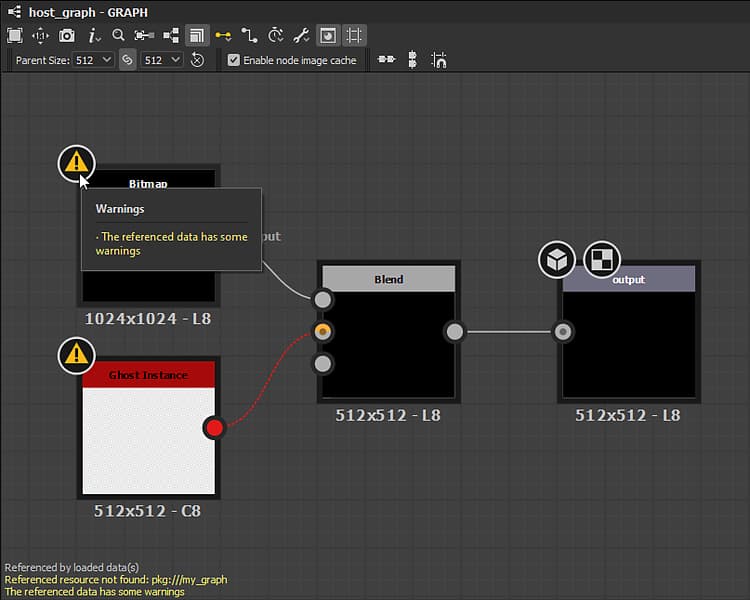
For any item in the Graph view panel which has a warning, that warning is displayed with coloured text in the bottom left corner of the viewport. If the warning is triggered by a specific node, that node will have a

They follow these rules:
- If a source graph instantiated into any other host graph has one or more warnings, the instance node for that source graph will have a single
The referenced data has some warningswarning. - Warning lists are cumulative, in that they are the sum of the graph’s warnings and all the warnings of its children nodes.
- All of a graph’s warnings are reported on the item representing that graph in the Explorer panel.
Properties
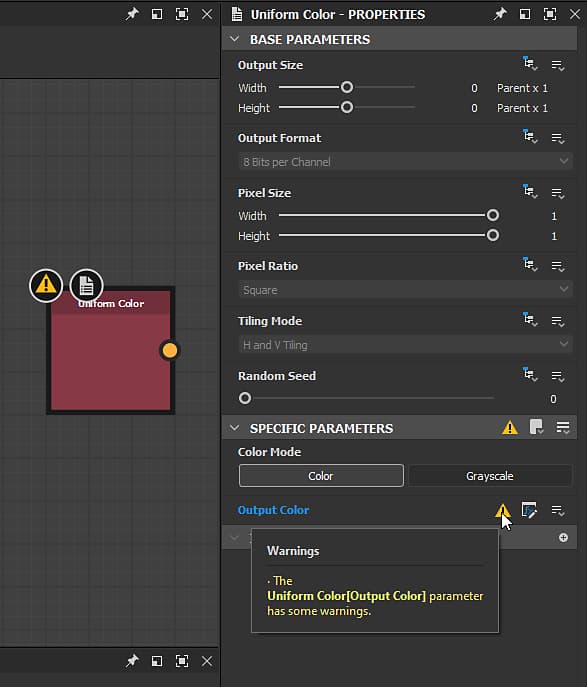
For any item in the Properties panel which has a warning, that warning is displayed with an
They follow these rules:
- If the item is nested under any other item (e.g., a section header), warnings are surfaced to that item if it is collapsed.
- Warning lists are cumulative, in that they are the sum of an item’s warnings and all the surfaced warnings of its children.
- If the function graph applied to an input parameter has one or more warnings, the parameter item will have a single
The [x] parameter's function has some warningswarning.
Console
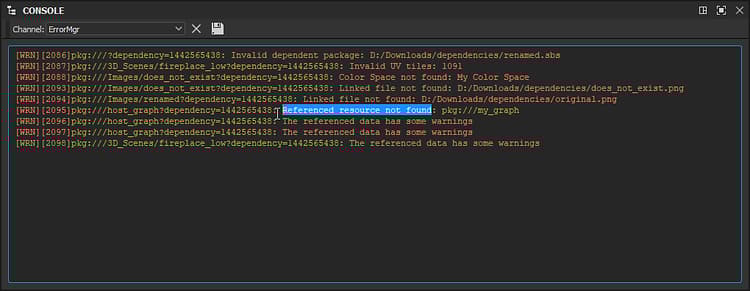
Both warning and errors are reported in the Console panel, which you may access through the Windows menu in the main menu. You may isolate warning and errors from the rest of the console entries by setting the Channel setting to ErrorMgr.
| note |
|---|
| NOTE |
| Since all text in the Console is selectable, you may use this panel to easily copy warnings and error messages and paste them into this documentation’s Local search tool, or any internet search engine. This accelerates seeking guidance for troubleshooting issues. |
Messages with “(# times)”
In the exact same warning or error is triggered more than once on an item and any of its children, these warnings will be merged into one and the(# times) suffix appears, letting you know how many times this warning or error was reported.
Categories
Here is a list of warnings and errors you may encounter in Designer, sorted based on their source. Category titles link to their dedicated page which offers explanations and troubleshooting guides for solving each issue.
Warnings from dependencies
- Invalid dependent package
- Check the Alias ‘x’ is defined in your project
- No file that match this resource can be found
- Linked File not found
- Color Space not found
- Reference resource not found
- UV tiles are assigned multiple times
- Invalid UV tiles