Embed a Form on Your Website embed-a-form-on-your-website
Marketo allows you to embed our forms on your own website. Here’s how to get access to the embed code.
-
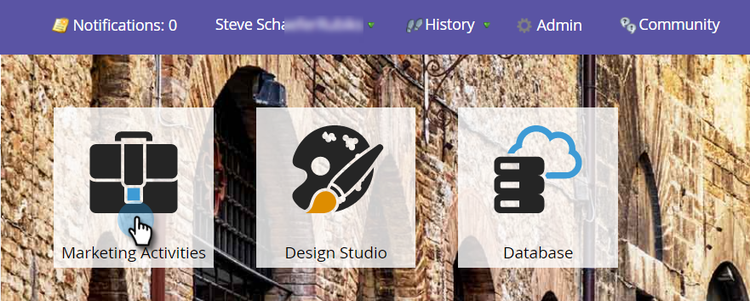
Go to Marketing Activities.
-
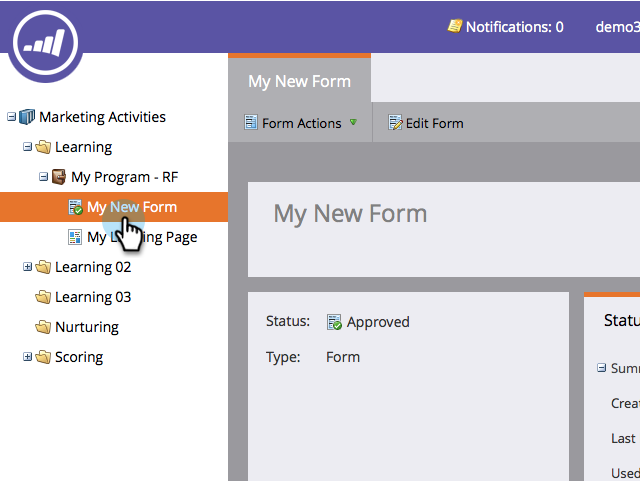
Find and select your form.
-
Under Form Actions, click Embed Code.
note NOTE The form must be approved for the Embed Code item to be visible/usable. 
note caution CAUTION Form Prefill does not work when using the form embed code on your own pages or a Marketo landing page. Form Prefill is only meant to work when the form is used in a Marketo landing page via the Insert Element option. -
Select/Copy the embed code, then click Close.
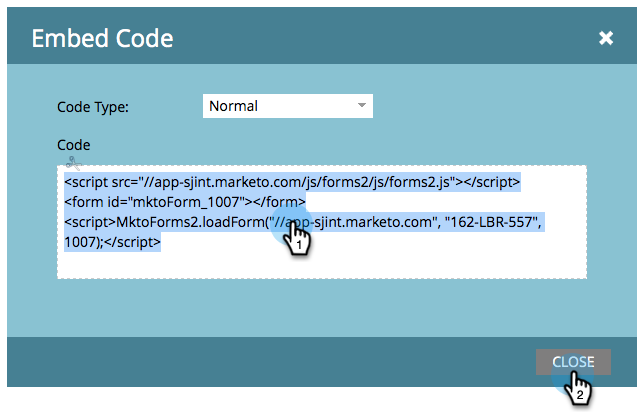
Now simply give the embed code to your web developer and have them add it to your site.
For lightbox code, see Use a Form in a Lightbox.