Audience Criteria audience-criteria
Similar to Marketo Engage Smart Lists, Audience Criteria attributes allow you to define your target audience. You can target known or unknown people using inferred, person, or company attributes (or a combination thereof).
Priority priority
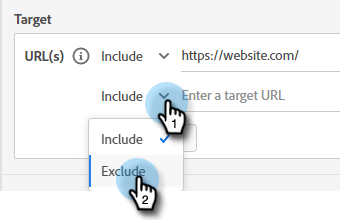
Priority determines which Dialogue a lead receives in the case they qualify for more than one. It is established when you first create your Dialogue. You can change the priority for an exisiting Dialogue by opening it and going to Dialogue Details in the Audience Criteria tab.
Events events
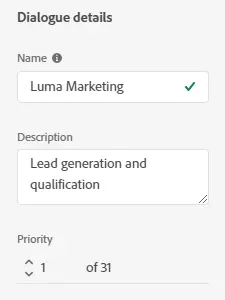
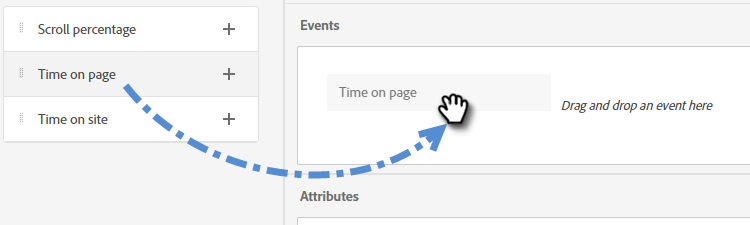
Events allow you to target visitors based on how much they scroll or how long they are on your page or site. In the example below, the configuration targets visitors who have been on a specific page for more than 20 seconds.
-
Grab the Time on Page event and drag it to the right.
-
Set the “Greater Than” time to 20 seconds.
-
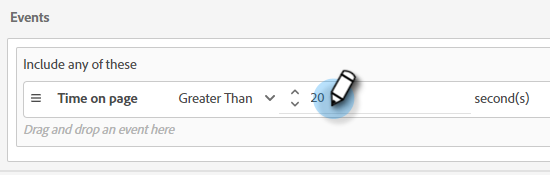
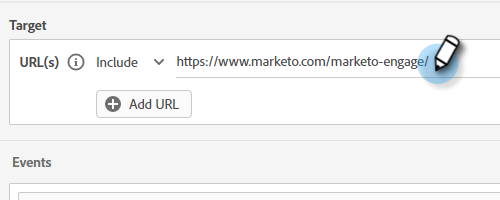
Add the URL of the desired page in the Target section.
Attributes attributes
Known People
There are many attribute combinations to choose from. In the example below, the configuration targets all known people in California who work at a company with more than 50 employees.
-
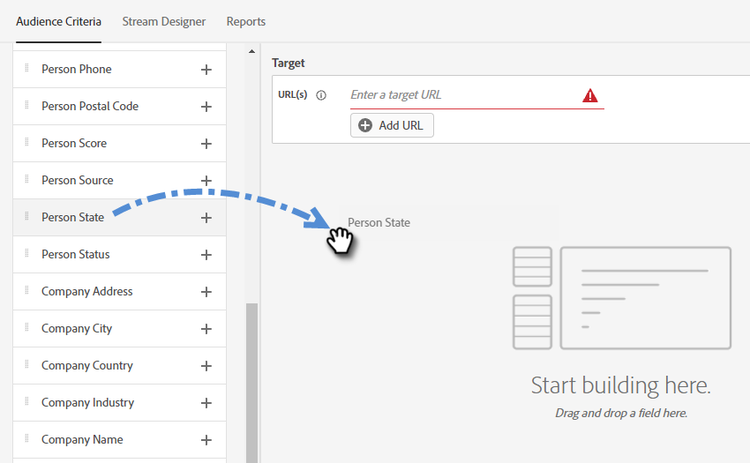
Grab the Person State attribute and drag it to the right.
-
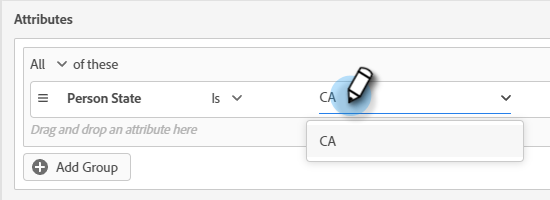
Is is set by default. In the Select Values field, type in CA (you can also click the drop-down and select from the list).
-
Grab the Company Size attribute and drag it to where it says drag and drop an attribute here.
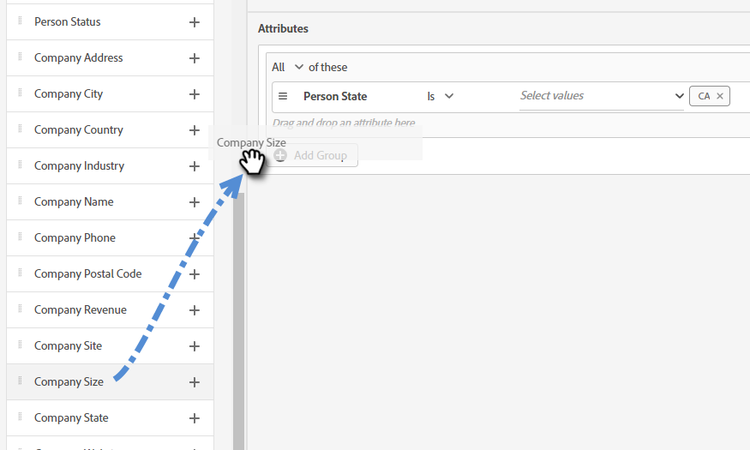
note NOTE You can also choose an attribute by clicking its + icon. -
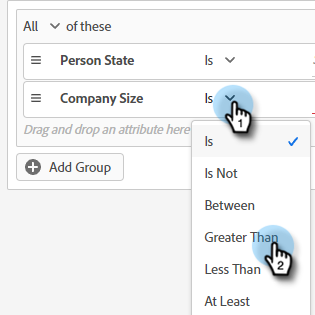
Click the operator drop-down and select Greater Than.
-
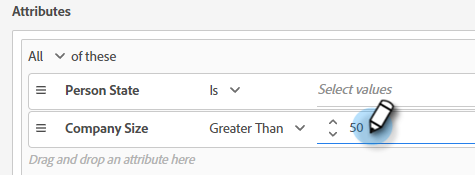
Type 50 and click elsewhere on the screen to save.
Anonymous People
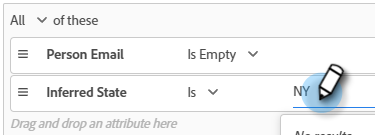
The following targets people who are not in your database yet. In this example, the configuration targets all anonymous people located in the New York area.
-
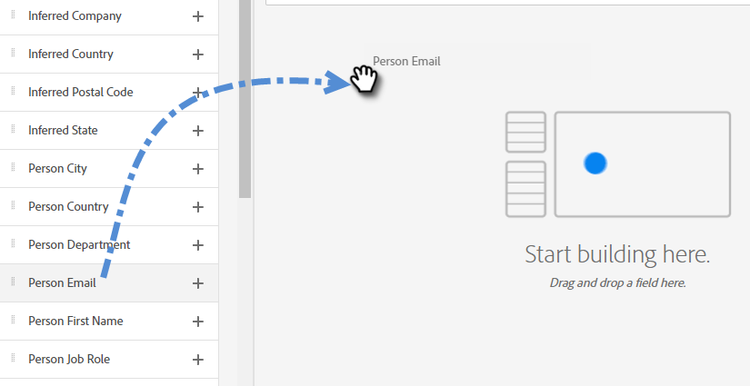
Grab the Person Email attribute and drag it to the right.
-
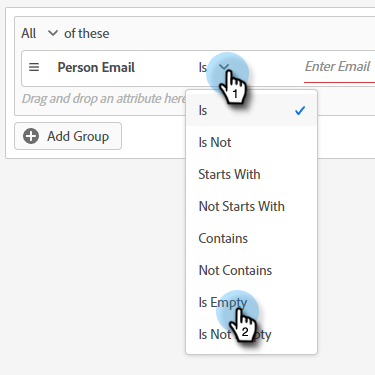
Click the operator drop-down and select Is Empty.
-
Grab the Inferred State attribute and drag it to where it says drag and drop an attribute here.
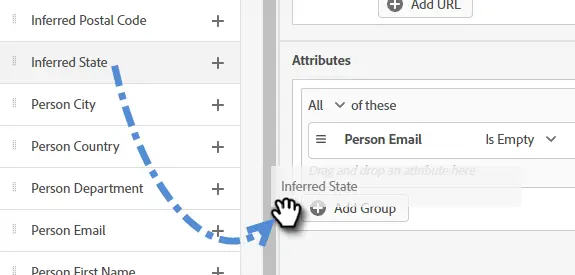
note NOTE When someone visits your website, Munchkin cookies them and puts them into the system. The IP address is looked up in a special database to infer location and other information. -
Is is set by default. In the Select Values field, type in NY (you can also click the drop-down and select from the list).
Membership membership
Use Marketo Engage Smart Lists for your Dialogue’s target audience.
-
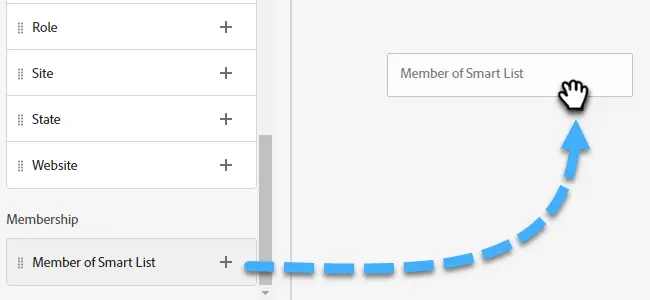
Under Membership, grab Member of Smart List and drop it onto the canvas.
-
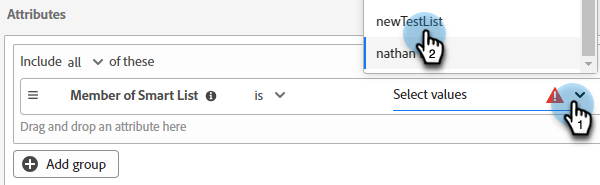
Select your desired Smart List.
Add Groups add-groups
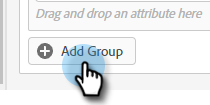
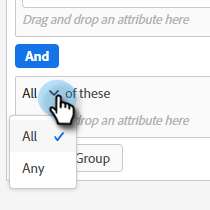
You have the option of grouping attributes as well, in case you want to have all of certain attributes along with “all or any” of another. You can add multiple groups.
Target target
This is where you enter the URL(s) that you want a specific Dialogue to be shown on. You also have the option of adding exclusions.
Acceptable formats:
http://website.comhttps://*.website.comhttp://website.com/folder/*https://*.website.com/folder/*
-
Using an asterisk acts as a catch-all wilcard. So
https://*.website.comwould put the dialogue on every page of the site, including subdomains (ex:support.website.com). Andhttps://website.com/folder/*would put the dialogue on every HTML page in the subsequent folder (ex: in this case let’s say the folder is “sports,” so: website.com/sports/baseball.html, website.com/sports/football.html, etc.). -
URL Parameters are not supported at this time.
Exclusions
Use exclusions to ensure your Dialogue does not appear on a specific page/area of your site. Exclusions follow the same format as inclusions.