Filtering in Audit Trail filtering-in-audit-trail
Filter by time frame, asset type, users, action taken, and more.
-
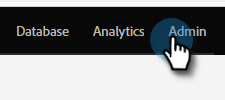
Click Admin.
-
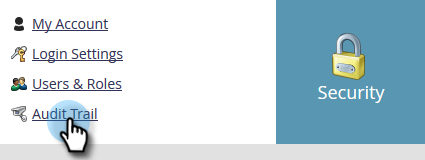
Under Security, select Audit Trail.
-
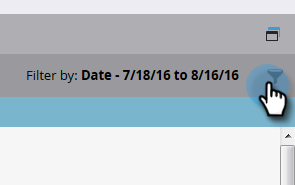
Click on the filter icon.
note NOTE There is a multitude of possible search parameter combinations. This example locates: all emails - edited by anyone - in the previous seven days. -
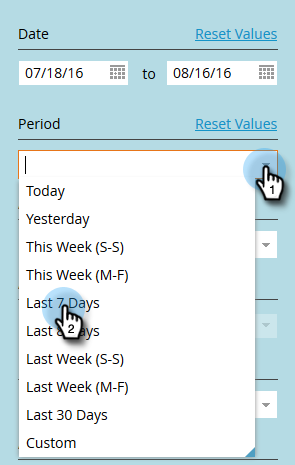
Click the Period drop-down and select Last 7 Days.
-
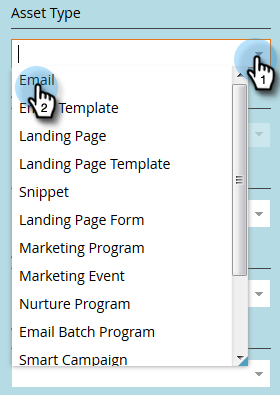
Click the Asset Type drop-down and select Email.
-
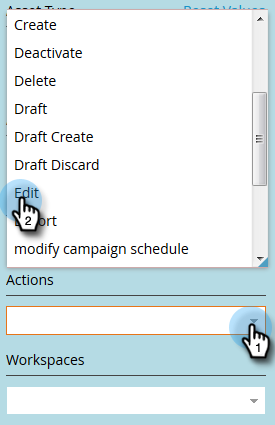
Click the Actions drop-down and select Edit.
-
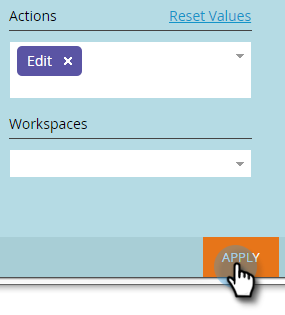
Click Apply.
-
Filtered results appear on the left.

note NOTE If you have workspaces enabled, you see audit data for all workspaces. If you apply a workspace filter, Marketo remembers the previous workspace value each time you use Audit Trail. Workspace permissions at the asset level are enforced. related-articles Related Articles Change Details in Audit Trail