SEO - Add Competitors seo-add-competitors
Adding competitors will allow you to track how they are performing for the same keywords and inbound links you choose to monitor.
-
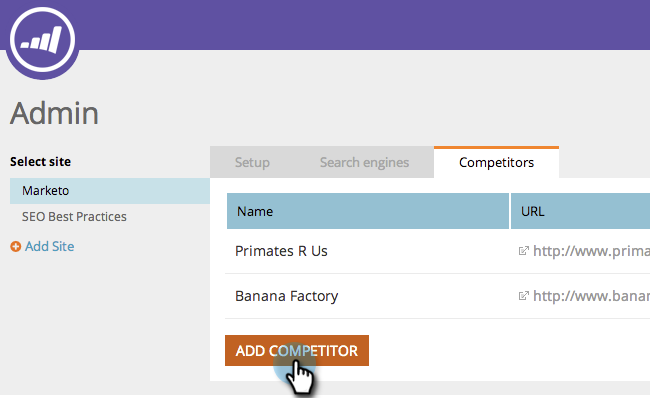
Go to the Admin area.

-
Click the Competitors tab.

-
Click Add Competitor.
-
Type in the Name and URL of your competitor.
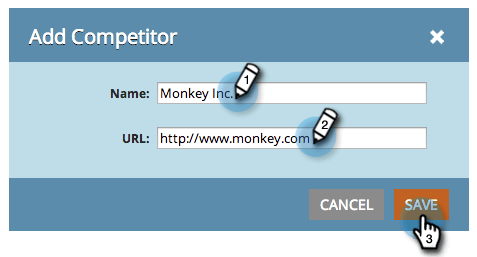
You should now see your competitor in the list.

related-articles Related Articles