On this page: Learn how to combine targeting and experimentation within a single journey or campaign so that experiments stay specific to each targeting rule.
Journey Optimizer also allows you to combine targeting and experiments within a single journey or campaign to create more sophisticated strategies.
Indeed, you can use targeting to create several variants, and for each variant, use experimentation to further optimize each content. This ensures that experiments are specific to each targeting rule and do not span across variants.
For example, you can test a ‘50% off promotion’ versus a ‘$50 gift card’ for customers in the USA, and run a different test for customers in Europe, such as ‘free shipping on orders over €50’ versus ‘20% off their next purchase’.
To combine both targeting and experiments in a journey or campaign, follow the steps below.
-
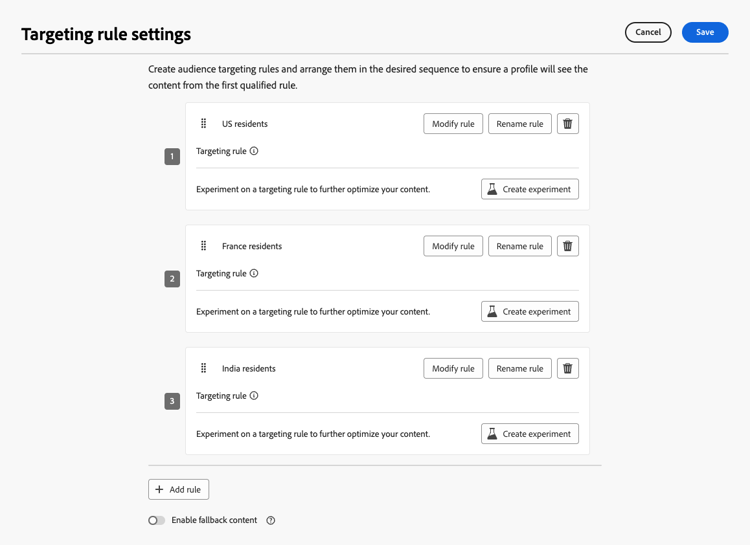
Create a journey or a campaign where you define several targeting rules. Learn how
-
Create an experiment for the first targeting rule.
-
Design and configure your content experiment as wanted. Learn how
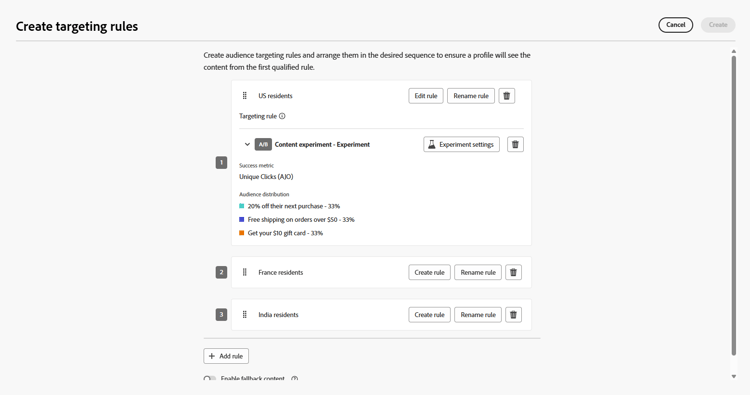
Once the experimentation is defined, it applies only to the first targeting rule.
-
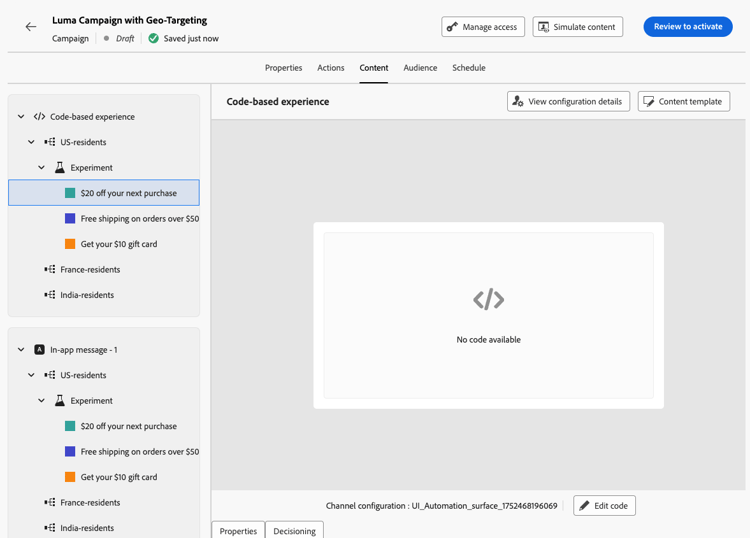
Back in the Actions tab, select Edit content.
-
For the group defined by your first targeting rule, you can define a specific content for each variant of your experiment.
If you added more than one inbound action to your journey or campaign, the same combination of targeting and experiment applies to each action. However, you need to define a specific content for each variant of each action.
-
Proceed similarly for the other targeting rules, and design the corresponding content for each variant.
-
Save your changes and activate your journey or campaign.
Once the journey/campaign is live, users from each targeted group are randomly assigned the different content variations defined for the group they belong to.