On this page: Discover how Live activities deliver persistent, real-time updates on the Android or iPhone Lock Screen and Dynamic Island so you can keep users engaged during ongoing events and plan the configuration and API-triggered campaigns needed to send them with Adobe Journey Optimizer.
Live activities are persistent, glanceable UI elements displayed on the device lock screen. They let your app present real-time, up-to-date information, keeping users informed throughout an ongoing event without requiring them to open the app or receive repeated push notifications.
Unlike traditional push notifications, Live activities represent state-based engagement: instead of delivering one-time alerts, they maintain a continuous, contextual presence that updates dynamically as events evolve.
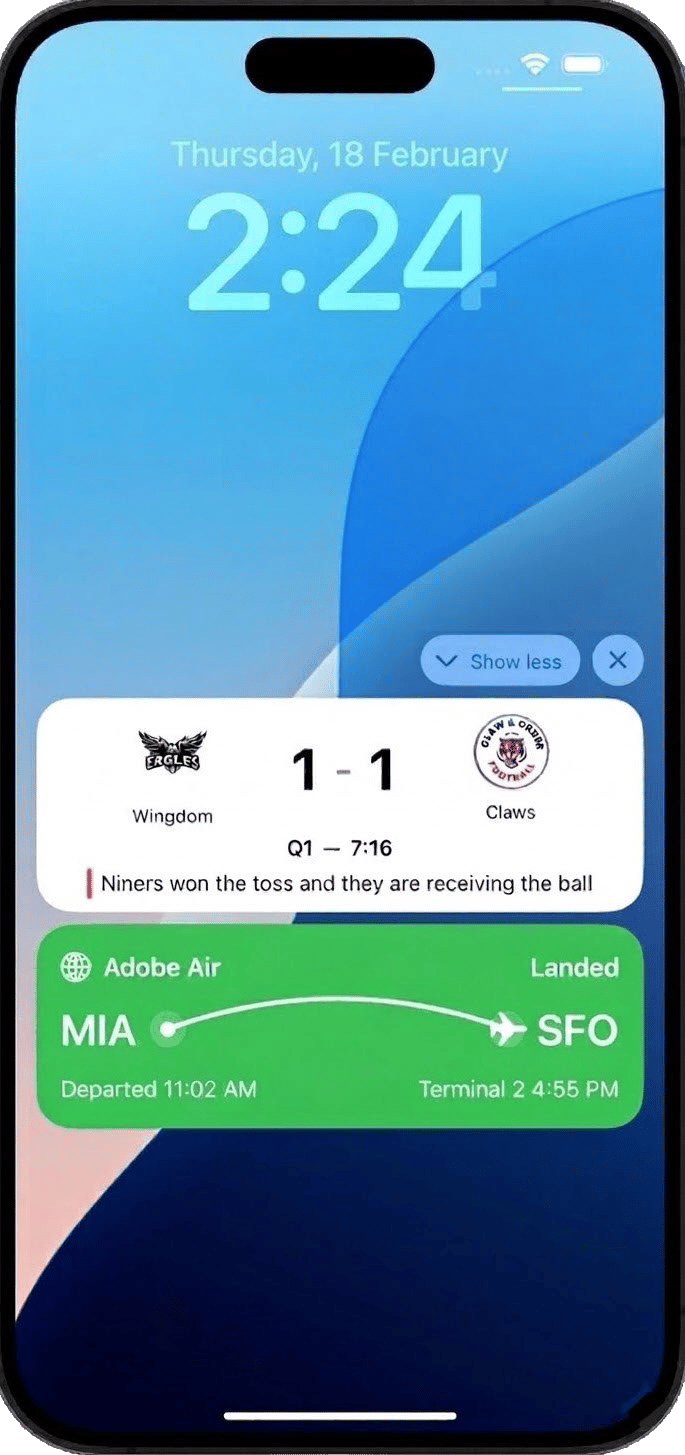
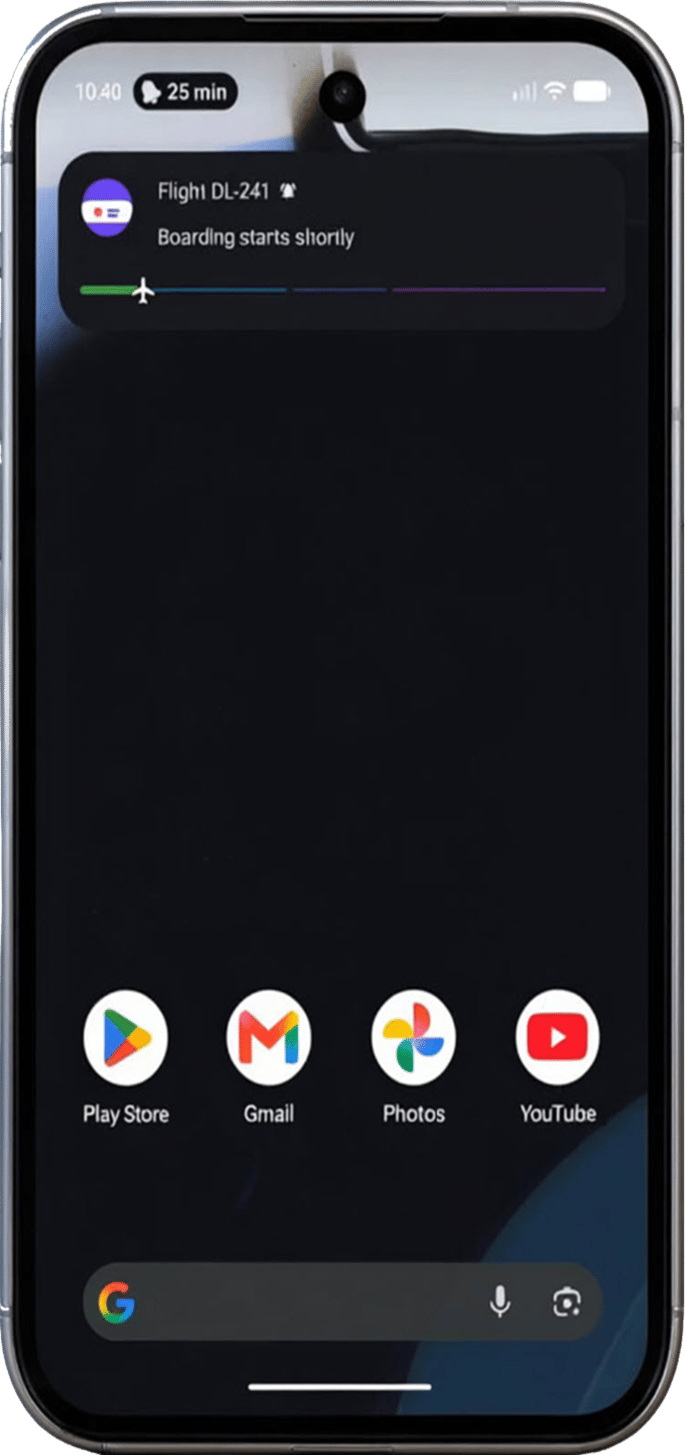
Key benefits
Live activities shift mobile engagement from notification-based to state-based, enabling brands to:
- Maintain a continuous presence on the Lock Screen throughout high-value events
- Update information dynamically without overwhelming users with repeated notifications
- Deliver richer, more contextual mobile moments tied to real-world events
- Increase engagement and retention during active transactions or live experiences
With Adobe Journey Optimizer, you can remotely start, update, and end Live activities programmatically through API-triggered campaigns, supporting both individual and audience-based use cases at scale.
Live activities can only be initiated via API-triggered campaigns, allowing you to provide custom payloads and perform all personalization through your own payload.
The appropriate API-triggered campaign type must be selected based on the intended Live activity use case:
-
Select API-triggered Marketing for broadcast use cases, audience-based updates sent at scale:
- Sports scores and live event countdowns
- Flight status updates for all passengers on a route
- Shared experiences across a user segment
-
Select API-triggered Transactional for individual use cases, 1:1 real-time updates per user:
- Order tracking and delivery progress
- Ride or service status updates
- Real-time booking and appointment confirmations
Quick start guide
Complete the steps below to configure and implement Live activities in your application:
-
Configure Adobe Journey Optimizer
Set up your environment by creating a mobile configuration.
-
Integrate the Adobe Experience Platform Mobile SDK
Integrate with Adobe Experience Platform Mobile SDK to enable real-time, dynamic updates on the Lock Screen and Dynamic Island.
-
Create a Live activity in Journey Optimizer
Use API-triggered campaigns in Journey Optimizer to start your Live activity.
-
Start measuring the impact of your Live activity with built-in reports.
How-to videos
Discover how to configure iOS Live activities with Adobe Journey Optimizer to deliver rich, real-time updates on the iPhone Lock Screen and Dynamic Island.
Learn how to create and deliver Android Live Updates in Adobe Journey Optimizer. This tutorial shows how to configure the Android Live Updates channel, create and activate campaigns, and use APIs to start, update, and end live experiences across customer journeys.
This section contains structured knowledge intended to support interpretation, retrieval, and question answering related to this topic.
For complete understanding, this information should be combined with the documentation on this page. Neither source is intended to stand alone; the page describes the feature, while this section provides additional context that helps disambiguate terminology, intent, applicability, and constraints.
- TL;DR: This page introduces Live activities as persistent, real-time updates on the Android or iPhone Lock Screen and Dynamic Island, and explains that in Adobe Journey Optimizer they are sent only through API-triggered campaigns.
Intents:
- Understand what Live activities are and how state-based engagement differs from push notifications
- Determine when to use API-triggered Marketing (broadcast) versus API-triggered Transactional (individual) campaigns
- Plan the quick start steps: create a mobile configuration, integrate the Mobile SDK, create a Live activity, and track campaigns
Glossary:
- Live activity: A persistent, glanceable UI element on the device lock screen that presents real-time, up-to-date information throughout an ongoing event (product-specific)
- State-based engagement: A continuous, contextual presence that updates dynamically as events evolve, in contrast to one-time alerts
- Dynamic Island: The iPhone display area where Live activities appear alongside the Lock Screen
- API-triggered Marketing: The campaign type used for broadcast use cases, sending audience-based updates at scale (product-specific)
- API-triggered Transactional: The campaign type used for individual use cases, sending 1:1 real-time updates per user (product-specific)
Guardrails:
- Live activities can only be initiated via API-triggered campaigns, and all personalization is performed through your own payload.
- Broadcast use cases require an API-triggered Marketing campaign; individual use cases require an API-triggered Transactional campaign.
Terminology:
- Canonical name: Live activity — Acronym: n/a — variants: Live activities
- Synonyms: “broadcast use cases” = “audience-based updates sent at scale”
- Synonyms: “individual use cases” = “1:1 real-time updates per user”
- Do not confuse: “API-triggered Marketing” (broadcast, audience-based) ≠ “API-triggered Transactional” (individual, 1:1)
- Do not confuse: “Live activity” (persistent, continuously updatable presence) ≠ “traditional push notifications” (deliver one-time alerts)
FAQ:
- Q: Which devices show Live activities? — The page describes Live activities on the Android or iPhone Lock Screen and Dynamic Island.
- Q: How are Live activities initiated? — Only via API-triggered campaigns, with all personalization performed through your own payload.
- Q: When should I use API-triggered Marketing versus API-triggered Transactional? — Marketing for broadcast, audience-based use cases such as sports scores or flight status; Transactional for individual 1:1 use cases such as order tracking or booking confirmations.
- Q: What are the quick start steps? — Create a mobile configuration, integrate the Adobe Experience Platform Mobile SDK, create a Live activity through an API-triggered campaign, then track the impact with built-in reports.